
AR Drawing: Sketch & Paint

10M+
Installs
AR Drawing
Developer
-
Art & Design
Category
-
Everyone
Content Rating
-
app@ar-drawing.com
Developer Email
-
https://ar-drawing.com/privacy/
Privacy Policy
Screenshots
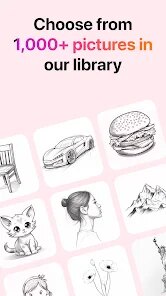
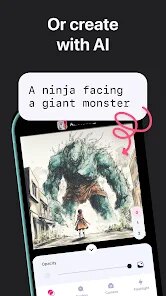
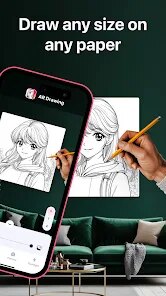
editor reviews
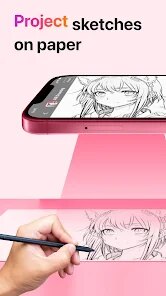
AR Drawing: Sketch & Paint is a mobile app that uses augmented reality to help users trace images onto paper. It sits somewhere between a digital art tool and a traditional drawing aid, and honestly, the first time I opened it felt a bit magical. You just pick an image from your gallery or use one provided by the app, then your phone camera projects a transparent version of that image onto the surface you're drawing on. For someone like me who can barely draw a straight line, this felt like a cheat code. The app is free to download, and while there are in-app purchases and occasional ads, the basic tracing function works right away. No registration is needed, which I really appreciated—I hate signing up just to try something.
Once you launch the app, the interface is minimal but a little confusing at first. The main screen has a few icons, but it's not immediately clear how to lock the projection so it doesn't move when you shift your phone. After a minute of trial and error, I figured out you need to place your phone on a stand or prop it against something, then tap to freeze the image. Then you can start tracing over it with a pencil or pen. The built-in images are decent, but the real value is uploading your own photos. I tried tracing a simple cartoon character, and the process was surprisingly smooth. One tip: use a dark, solid surface for better visibility. On a white table, the projection washes out.
After using it for a week, I think this app is a fantastic tool for beginners or anyone who wants to learn proportions and shapes. It's not going to make you a great artist overnight, but it does teach your hand how to trace lines with more control. Compared to something like Adobe Fresco or Procreate, this is much more about physical drawing than digital painting. It fills a niche for people who want to draw on real paper but lack confidence. That said, the app can feel gimmicky after a while—once you've traced a few images, the novelty wears off. I can see casual users uninstalling it quickly, but for total beginners or parents teaching kids, it's a keeper.
features
- 📱 AR projection tracing — Unlike apps like SketchAR that require a subscription for basic features, AR Drawing lets you upload your own images and trace them for free. The calibration is quick, though you do have to keep your phone steady.
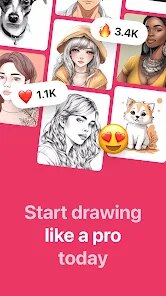
- 🖼️ Built-in image library — The app includes a solid collection of categories like animals, cartoons, and portraits. I found enough variety to practice without needing anything else, which is nice for lazy afternoons.
- 💡 Flashlight mode — When tracing in low light, the app can brighten the projection using your phone's flashlight. Not a dealbreaker, but it's handy for evening sketching sessions.
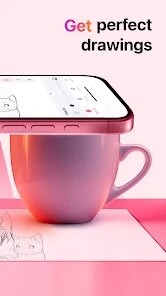
- 🎨 Drawing guide overlay — You can adjust the opacity of the projected image so your pencil lines stay visible. This sounds minor, but without it, tracing becomes a guessing game.
pros
- 🌟 Completely free to start — No forced sign-up or paywall. You can trace right away, which sets it apart from apps like How to Draw that hide decent tutorials behind a premium tier.
- 🌟 No internet required — Once downloaded, most functions work offline. I used this at a cafe without wifi, and it ran perfectly. That's rare for AR apps.
- 🌟 Ad frequency is tolerable — For a free app, ads pop up every few images but they don't interrupt your tracing session. Compare that with apps like Autodesk SketchBook that nag you constantly.
cons
- ⚠️ Phone stand required — Unless you have a steady hand or a mount, the projection will wobble. Apps like Paper by WeTransfer don't require any hardware, just your finger.
- ⚠️ Limited artistic growth — Tracing is fun, but you won't really improve drawing skills long-term. Something like Drawspace offers real lessons, not just projection.
- ⚠️ Image library is average — The built-in images are mostly low-resolution and cartoonish compared to the high-quality stuff in AR Sketch—another similar app.
- ⚠️ Occasional crashes on older phones — On my old Android, the app froze twice when switching images. Other apps like Adobe Illustrator Draw run smoother on the same device.
Articles
![]()
Guide
How to Update Google Play Store on Android 2026
![]()
Guide
How to Download Older Versions of Android Apps
![]()
Guide
How to Download Apps Without Google Play Store
![]()
Guide
What Is an APK File for Android?
If you use an Android phone, you may have seen the term APK while searching for apps or games online. Some websites offer an APK download instead of a Google Play install button. Some users also mention APK files when talking about apps that are not available in their region, older app versions, or Android games downloaded outside the Play Store.
![]()
Guide
How to Install Games from Google Play for Beginners
Installing games on an Android phone is usually simple, but for beginners, the process can still feel confusing at first. You may not know where to search, which button to tap, whether the game is safe, or why Google Play sometimes asks for account settings, storage access, or payment information. If you are using an Android phone for the first time, learning how to install games from Google Play is one of the easiest ways to get started.
![]()
Guide
How Useful Gemini Is for Everyday Questions and Quick Tasks
emini feels different from many AI apps because it is not only trying to be a chatbot. After using it for everyday questions, quick writing, image understanding, and planning, I think its biggest strength is convenience.
![]()
Guide
What to Know Before Downloading APKs
For many Android users, downloading an APK is a common way to install apps and games. Sometimes an app is not available in a certain country.
![]()
Guide
ChatGPT Review: Is It Still the Best AI App in 2026?
![]()
Guide
Seedance 2.0 vs Sora: The Future of AI Video Generation
The AI video race has intensified dramatically over the past two years. Platforms like Sora from OpenAI and Luma Dream Machine pushed the boundaries of text-to-video realism. Yet, despite their impressive outputs, most tools still operate as probabilistic generators—you describe a scene, and the model interprets it. Control remains limited. With the February 2026 release of Seedance 2.0, developed by ByteDance, the paradigm shifted. Internally known as Jimeng 2.0, Seedance does not position itself as just another video model. It positions itself as an AI Director. Rather than guessing what you want, Seedance 2.0 allows you to direct what happens. This distinction defines everything that follows.









Recommended Apps
![]()
Home Design 3D
Anuman4.2
![]()
Truth or Dare Game - Party App
Chouic4.8
![]()
Photo Collage Maker
Scoompa4.7![]()
Learn to Draw Flower
Creative APPS4.2![]()
FIFA World Cup 2026™
FIFA2.8![]()
Mirror Plus: Mirror with Light
Digitalchemy, LLC4.4![]()
Meitu- Photo Editor & AI Art
Meitu (China) Limited4.5![]()
Perplexity - Ask Anything
PerplexityAI4.7![]()
GhostTube SLS Camera Alternate
GhostTube4![]()
Boom Chip Blast: 2-Player
Black Pyramid 3D Games Studio0![]()
Healthy Benefits+
Solutran, Inc.4.5![]()
Deepcheck AI Search Assistant
rohe.ai4![]()
Idol Prank Video Call & Chat
LightCode Solutions4![]()
Face Shape - Pretty Scale
GlintTec Apps3.9![]()
Plant App - Plant Identifier
ScaleUp4.6











































