
Brain Test: Alzheimer's

1K+
Installs
Living Maples Healthy Aging
Developer
-
Health & Fitness
Category
-
Everyone
Content Rating
-
info@livingmaples.com
Developer Email
-
https://applications.livingmaples.com/cognitive-test/privacy.html
Privacy Policy
Screenshots

editor reviews
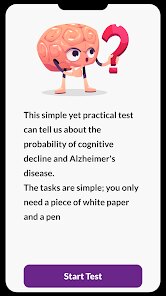
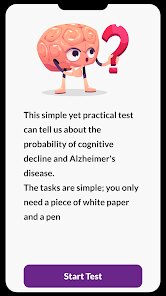
I stumbled across Brain Test: Alzheimer's on the Google Play Store out of pure curiosity. It's not your typical brain training app; it's specifically designed to screen for early signs of cognitive decline, particularly Alzheimer's disease. The app presents a series of quick, game-like challenges that test memory, orientation, and executive function. After downloading and launching it, the first thing I noticed was the clean, almost clinical interface. It felt serious, not flashy like other puzzle games. There was no push to create an account immediately, just a simple start screen. It's free to download, and while I didn't see aggressive ads during my initial session, the seriousness of the purpose made me pause before jumping in.
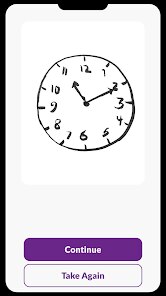
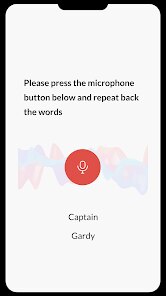
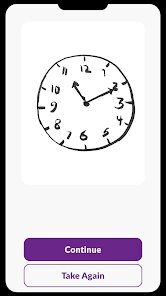
Using the app is straightforward. Once you open it, it guides you through a set of tasks: remembering a sequence of objects, identifying the current date and location, and matching shapes under a timer. The onboarding is minimal, which I appreciated because I wanted to get straight to the tests. The main action is navigating through these rounds; each one takes maybe a minute or two. I noticed that after completing a few, the app provides a summary of your performance, flagging any areas that might be concerning. One practical tip: make sure you're in a quiet space because some tasks require listening to spoken instructions. The interface feels responsive, but I did find the instructions for one memory task a bit rushed, causing me to miss the cue the first time.
After using it for a few days, I have mixed feelings. I think this app is a great tool for older adults who want a low-pressure way to monitor their cognitive health at home, especially if they have a family history of dementia. But for younger users with no specific concerns, it'll probably feel underwhelming or even anxiety-inducing after the novelty wears off. What sets it apart from apps like Lumosity or Elevate is its laser focus on detection rather than improvement. It's not trying to make you smarter; it's trying to spot potential problems. Because of that, I can see someone keeping it installed for monthly check-ins but not opening it daily. I might uninstall it after a month because there's no variety in gameplay, which could feel repetitive.
features
- 🧠 The standout feature is the evidence-based screening tests directly inspired by clinical tools like the Mini-Mental State Examination. Unlike generic brain games that claim to boost IQ, this app provides structured assessments for memory, orientation, and language. For example, one test asks you to recall a list of words after a distraction, mimicking real-world forgetfulness.
- 🧠 Unlike CogniFit, which focuses on broad cognitive training, Brain Test: Alzheimer's narrows its scope exclusively to early detection of Alzheimer's. It doesn't waste time on speed tests or reaction time games. Instead, it drills down on spatial awareness and short-term recall, which are more clinically relevant for dementia screening.
- 🧠 The reporting feature gives you a clear visual breakdown of your performance across different domains, like memory versus orientation. This is more actionable than something like the Montreal Cognitive Assessment (MoCA) app, which gives a single score. The app even suggests when to consult a professional based on your results, adding a layer of practical guidance.
pros
- ✅ Simplicity is a huge strength. The app doesn't overwhelm you with hundreds of mini-games. Compared to Elevate, which throws a dozen categories at you daily, Brain Test: Alzheimer's keeps a focused set of assessments, making it easier for older adults or caregivers to use without confusion.
- ✅ The privacy policy feels more reassuring than competitors like Luminosity. The app states it doesn't sell your data, and since health data is sensitive, that's a big plus. You can use it without signing up for a newsletter or linking social media.
- ✅ It's completely free to use with no paywalls. Other similar apps, like BrainHQ, charge a subscription after a trial. This app gives you full access to all screening tools without asking for a credit card, which is rare in this space.
cons
- ❌ The app lacks any form of entertainment value. After the initial screening, there's nothing to keep you engaged. CogniFit at least gamifies its tasks with points and levels. Here, the repetitive nature of the tests can make it feel like a chore, not a game.
- ❌ There's no personalized feedback beyond the basic flags. If you score poorly on a memory task, the app doesn't suggest exercises to improve that area. The Braintest app by BrainCheck offers more detailed follow-ups, like comparing your scores with age-matched peers.
- ❌ The user interface feels outdated and not very accessible. The font is small on some screens, and there's no dark mode or voice-guided navigation for visually impaired users. This is a problem because the target audience probably needs larger text and clearer cues compared to more polished apps like Luminosity.
Articles
![]()
Guide
How to Update Google Play Store on Android 2026
![]()
Guide
How to Download Older Versions of Android Apps
![]()
Guide
How to Download Apps Without Google Play Store
![]()
Guide
What Is an APK File for Android?
If you use an Android phone, you may have seen the term APK while searching for apps or games online. Some websites offer an APK download instead of a Google Play install button. Some users also mention APK files when talking about apps that are not available in their region, older app versions, or Android games downloaded outside the Play Store.
![]()
Guide
How to Install Games from Google Play for Beginners
Installing games on an Android phone is usually simple, but for beginners, the process can still feel confusing at first. You may not know where to search, which button to tap, whether the game is safe, or why Google Play sometimes asks for account settings, storage access, or payment information. If you are using an Android phone for the first time, learning how to install games from Google Play is one of the easiest ways to get started.
![]()
Guide
How Useful Gemini Is for Everyday Questions and Quick Tasks
emini feels different from many AI apps because it is not only trying to be a chatbot. After using it for everyday questions, quick writing, image understanding, and planning, I think its biggest strength is convenience.
![]()
Guide
What to Know Before Downloading APKs
For many Android users, downloading an APK is a common way to install apps and games. Sometimes an app is not available in a certain country.
![]()
Guide
ChatGPT Review: Is It Still the Best AI App in 2026?
![]()
Guide
Seedance 2.0 vs Sora: The Future of AI Video Generation
The AI video race has intensified dramatically over the past two years. Platforms like Sora from OpenAI and Luma Dream Machine pushed the boundaries of text-to-video realism. Yet, despite their impressive outputs, most tools still operate as probabilistic generators—you describe a scene, and the model interprets it. Control remains limited. With the February 2026 release of Seedance 2.0, developed by ByteDance, the paradigm shifted. Internally known as Jimeng 2.0, Seedance does not position itself as just another video model. It positions itself as an AI Director. Rather than guessing what you want, Seedance 2.0 allows you to direct what happens. This distinction defines everything that follows.









Recommended Apps
![]()
Home Design 3D
Anuman4.2
![]()
Truth or Dare Game - Party App
Chouic4.8
![]()
Photo Collage Maker
Scoompa4.7![]()
Learn to Draw Flower
Creative APPS4.2![]()
FIFA World Cup 2026™
FIFA2.8![]()
Mirror Plus: Mirror with Light
Digitalchemy, LLC4.4![]()
Meitu- Photo Editor & AI Art
Meitu (China) Limited4.5![]()
Perplexity - Ask Anything
PerplexityAI4.7![]()
GhostTube SLS Camera Alternate
GhostTube4![]()
Boom Chip Blast: 2-Player
Black Pyramid 3D Games Studio0![]()
Healthy Benefits+
Solutran, Inc.4.5![]()
Deepcheck AI Search Assistant
rohe.ai4![]()
Idol Prank Video Call & Chat
LightCode Solutions4![]()
Face Shape - Pretty Scale
GlintTec Apps3.9![]()
Plant App - Plant Identifier
ScaleUp4.6












































