
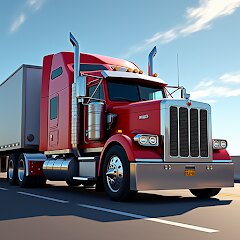
Truck Simulator Big Rigs

1M+
Installs
Dualcarbon Studios
Developer
-
Simulation
Category
-
Everyone
Content Rating
-
dualcarbonstudios@gmail.com
Developer Email
-
https://dualcarbonstudios.com/privacypolicy
Privacy Policy
Screenshots
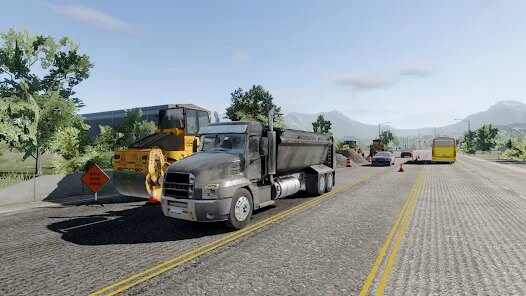
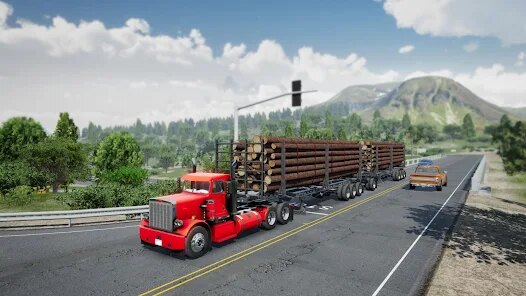
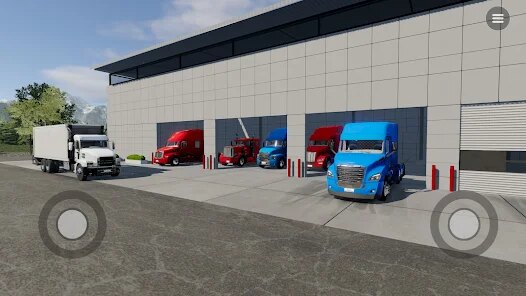
editor reviews
Alright, so I've been sinking a decent amount of time into Truck Simulator Big Rigs, and I gotta say, it's a mixed bag that's worth talking about. This is a hardcore trucking simulation game, not an arcade racer, so you need to have patience. The game is a pure mobile experience developed by Dualcarbon Studios, available to download for free on both the Google Play Store and the App Store. It's not on PC or consoles like Steam or Xbox, which is a shame because the concept has legs. On Google Play, it's racked up over 500,000 installs, which is decent for a niche sim. The app itself is free to install and play, but be prepared for the monetization. There are in-game purchases for premium trucks and coin packs, which can range from a couple of bucks to around $20 for the big hauls. The real kicker is the unavoidable in-app ads, which pop up between jobs to make you pay to skip them. It's a tough pill to swallow for a simulation game that should feel immersive.
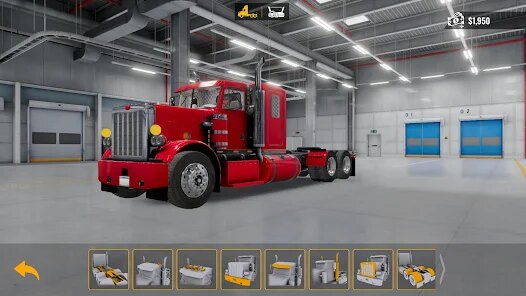
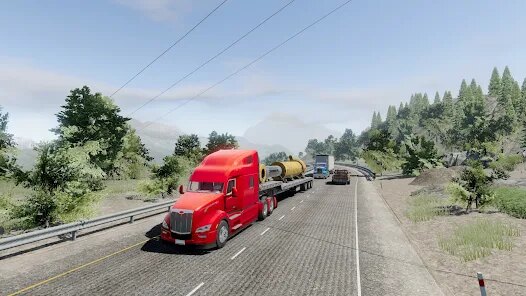
When you actually fire up the game on your Android device, the core loop is pretty standard for the genre. You pick up cargo, drive from point A to B, and manage your fuel and time. The best part is the scale of the maps — they're actually quite large for a mobile game, with varied landscapes from dusty deserts to snowy highways. My favorite aspect, though, has to be the truck customization. You can upgrade engines, suspension, and paint jobs to make your rig feel truly yours. The sense of speed when you're hauling a heavy load down a long straightaway is surprisingly addictive, especially when you nail a risky overtake. The traffic AI is basic but functional, though it can get frustrating when a car suddenly brakes right in front of you. It's a slow burn, and you really have to enjoy the journey more than the destination.
Comparing this to other mobile sims like Euro Truck Simulator (which is actually a desktop series adapted for mobile) or the older Truck Simulator 2018 from other studios, Truck Simulator Big Rigs feels a bit rougher around the edges. The physics are less refined — the truck feels floaty on turns, and there's less weight to the cargo. The graphics are decent but not groundbreaking; they look a bit dated compared to some newer Google Play rivals that boast dynamic weather and interiors. If you're a veteran of PC trucking games, this might feel like a step down. However, I recommend it for a specific reason: it's straightforward and runs well on lower-end devices. You don't need a flagship phone to get a decent trucking fix. Other games might have more polish, but they also demand more power and often bury you in menus. If you just want to download something, hook up a trailer, and cruise without a ton of fuss, this is your game. Just be ready for those ad breaks to kill the vibe.
features
- Realistic Delivery System 🚚: The game forces you to actually manage your cargo's weight and destination, with time limits that matter. Unlike Euro Truck Simulator mobile which lets you skip to the highway, here you have to deal with tight city streets and specific delivery docks.
- Free Roam Exploration 🛣️: There's a proper free roam mode where you can just drive around the open map without a job. This is a standout feature because most mobile truck sims like Truck Simulator 2019 just lock you into job-to-job linear progression.
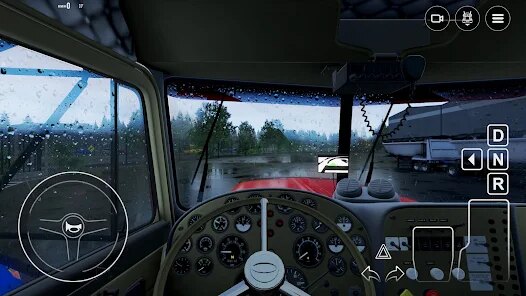
- Weather and Day/Night Cycle 🌙: The dynamic weather shifts are a huge plus. Rain actually affects your traction and visibility, and night driving requires you to use your headlights properly. Euro Truck Simulator on mobile doesn't have this as smoothly integrated.
- Manual Transmission Option ⚙️: You can toggle between automatic and manual gear shifting with a H-shifter layout on screen. This gives you fine control over rpm and fuel efficiency, which is rare for a free Android app in this genre.
pros
- Huge Maps for Mobile 🗺️: The scale of the open world is genuinely impressive. You can drive for 30 real minutes and still be in the same state, which is something Euro Truck Simulator mobile struggles to replicate on weaker phones.
- Deep Customization Options 🔧: You can overhaul your truck's engine, gearbox, tires, and even add cosmetic lights and horns. Other games like Truck Simulator 2018 just give you paint jobs; here you feel like you're building a unique rig.
- Offline Play Support 📴: This is a huge win for commuters or players with spotty data. You can play the full career mode without an internet connection, which isn't always the case with other Google Play sims that force online ads.
- Smooth Performance on Low-End Devices 📱: It runs at a stable frame rate on older phones. I've tested it on a 4GB RAM device, and it didn't stutter, while Euro Truck Simulator mobile chugged hard on the same hardware.
cons
- Aggressive Monetization 💰: The in-app ads are constant and intrusive. You can't finish a delivery without a forced 30-second video, and the paid skip costs are steep. Compared to Euro Truck Simulator which is a paid premium app with no ad spam, this feels cheap.
- Clunky Physics and Collision Detection 🚧: The truck handling feels off, especially when turning or braking. The cargo doesn't shift realistically, and hitting even a small object will stop you dead. Euro Truck Simulator on PC has far superior weight simulation.
- Limited Map and Mission Variety 🛤️: After the first few hours, you realize the map nodes repeat. The jobs are mostly just "move cargo from A to B" with no special cargo like oversized loads or hazardous materials. Truck Simulator 2019 has more mission variety in this regard.
- UI and Menus Could Be Smoother 📋: The menu navigation feels clunky and unresponsive at times. Switching between garage, truck upgrades, and job list has noticeable lag, which ruins the immersion during install and gameplay sessions.
Articles
![]()
Guide
How to Update Google Play Store on Android 2026
![]()
Guide
How to Download Older Versions of Android Apps
![]()
Guide
How to Download Apps Without Google Play Store
![]()
Guide
What Is an APK File for Android?
If you use an Android phone, you may have seen the term APK while searching for apps or games online. Some websites offer an APK download instead of a Google Play install button. Some users also mention APK files when talking about apps that are not available in their region, older app versions, or Android games downloaded outside the Play Store.
![]()
Guide
How to Install Games from Google Play for Beginners
Installing games on an Android phone is usually simple, but for beginners, the process can still feel confusing at first. You may not know where to search, which button to tap, whether the game is safe, or why Google Play sometimes asks for account settings, storage access, or payment information. If you are using an Android phone for the first time, learning how to install games from Google Play is one of the easiest ways to get started.
![]()
Guide
How Useful Gemini Is for Everyday Questions and Quick Tasks
emini feels different from many AI apps because it is not only trying to be a chatbot. After using it for everyday questions, quick writing, image understanding, and planning, I think its biggest strength is convenience.
![]()
Guide
What to Know Before Downloading APKs
For many Android users, downloading an APK is a common way to install apps and games. Sometimes an app is not available in a certain country.
![]()
Guide
ChatGPT Review: Is It Still the Best AI App in 2026?
![]()
Guide
Seedance 2.0 vs Sora: The Future of AI Video Generation
The AI video race has intensified dramatically over the past two years. Platforms like Sora from OpenAI and Luma Dream Machine pushed the boundaries of text-to-video realism. Yet, despite their impressive outputs, most tools still operate as probabilistic generators—you describe a scene, and the model interprets it. Control remains limited. With the February 2026 release of Seedance 2.0, developed by ByteDance, the paradigm shifted. Internally known as Jimeng 2.0, Seedance does not position itself as just another video model. It positions itself as an AI Director. Rather than guessing what you want, Seedance 2.0 allows you to direct what happens. This distinction defines everything that follows.









Recommended Apps
![]()
My Supermarket Simulator 3D®
Game District LLC3.9

![]()
Fortnite
Epic Games, Inc4![]()
Poppy Playtime Chapter 3
Mob Entertainment4.2![]()
Diamond Painting ASMR Coloring
CrazyLabs LTD4.5![]()
Real Bus Simulator : Bus Games
Solo Studio Inc3.2![]()
Sprunki All Phases Beat Maker
Gotstar Studio0![]()
Looper!
Kwalee (Ltd)4.2![]()
Gugu Gaga Penguin: Mini Games
Kids Games LLC3![]()
KPop Demon Hunter Wallpaper
Highlights Devloper0![]()
Count Masters: Stickman Games
Freeplay Inc4.6![]()
Scary Teacher 3D
Z & K Games4.3![]()
Papa's Wingeria HD
Flipline Studios4.6![]()
Who's Your Daddy?!
Evil Tortilla Games Incorporated2.7![]()
AFK Arena
LilithGames4.6![]()
Hungry Balls
HYPERCELL4.6












































