

Silly Smiley Live Wallpaper

5M+
Installs
LuX GLOBAL
Developer
-
Productivity
Category
-
Teen
Content Rating
-
chulhelomany@gmail.com
Developer Email
-
https://sites.google.com/view/lux-global-privacy-policy/
Privacy Policy
Screenshots
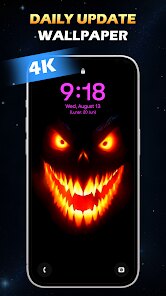
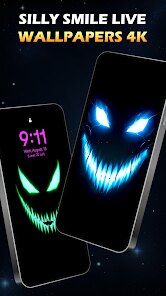
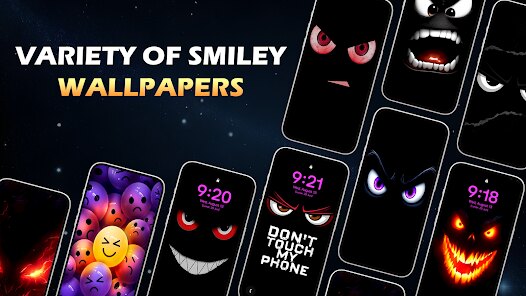
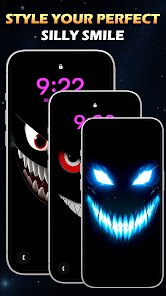
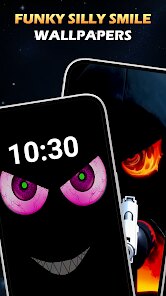
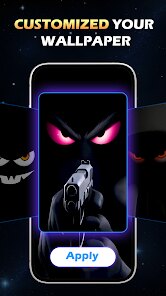
editor reviews
Silly Smiley Live Wallpaper is exactly what it sounds like — a live wallpaper app that turns your phone's home screen into a playground of cartoonish, bouncing smiley faces. It falls under the personalization category, where the main goal is to make your device feel less like a cold piece of glass and more like something that has a bit of personality. The developer, LuX GLOBAL, seems to have put this together for users who want a quick, no-brainer way to add some visual fun without digging into complex settings. On Google Play, the app sits with a modest install count, and it's free to download, though you'll run into ads during setup or when switching wallpapers. I downloaded it on a whim, and the first launch surprised me — instead of a cluttered dashboard, it drops you straight into a preview of floating smileys. No registration, no tutorials, just instant silliness. That simplicity is either refreshing or jarring depending on what you expect from a wallpaper app.
Using it day-to-day feels like having a tiny digital pet on your screen. After you set it as your live wallpaper, the smileys drift around, occasionally changing expressions — winking, laughing, or sticking out their tongue. There's no deep interaction beyond tapping the screen to spawn more smileys or make them react. The onboarding is basically nonexistent, which works because the app is that straightforward. You pick a few customization options like background color or how many smileys appear, and then you're done. One small practical tip: if you're on a mid-range phone, keep the number of smileys low — maxing them out can make the animation stutter. The interface itself is a bit clunky, with buttons that don't always respond smoothly, and the ads pop up right when you're trying to preview a change. It's not a polished experience, but for a free app, it gets the job done without much fuss.
After a few days, I can see why someone would keep this installed — it's genuinely amusing for a short while, like a conversation starter if your friends see your phone. But for long-term use, the novelty fades fast. The lack of variety in smiley styles or animations makes it feel repetitive. Compared to something like Muzei or even the basic Google Wallpapers app, Silly Smiley is shallow — it's all gimmick and no utility. If you're someone who changes wallpapers monthly or wants something that reflects your mood, this won't cut it. But for a kid, or anyone who just wants a goofy background for a party or a lazy weekend, it's harmless fun. I ended up uninstalling it after two days because the ads annoyed me and the smileys started feeling less like decoration and more like digital clutter. It's not bad, just very niche.
features
- 😊 The app's main feature is its live smiley animation system. Unlike standard live wallpapers that use static loops or subtle motion, these smileys actively float, rotate, and change expressions in real time. Each tap creates a burst of new smileys, making it more playful than something like the fluid simulation in Muzei, which is more about artistic calmness.
- 😊 Customization is straightforward but limited. You can pick background colors, adjust the smiley density, and choose between a few expression modes. Compared to Wallpaper Engine (which offers scriptable animations), this is barebones — but for the price of free, it's enough to let you tweak the vibe without overwhelming choices.
- 😊 The outstanding feature here is the instant responsiveness. When you tap the screen on your home screen, the smileys react immediately — jumping, changing faces, or clustering around your finger. That tactile feedback is something most wallpaper apps lack; they treat your screen as a passive canvas, while Silly Smiley treats it like a toy.
pros
- 😊 It's completely free with no paywalls. Unlike apps like Kustom Live Wallpaper, which lock advanced themes behind a premium version, Silly Smiley gives you full access to all smiley options from the start. Ads are the only trade-off.
- 😊 The app is absurdly lightweight. It stays under 10MB and barely uses background battery when idle, which is rare for live wallpapers. Compared to something like Forest Live Wallpaper, which can drain power with its detailed tree animations, this one keeps things efficient.
- 😊 It's incredibly easy to set up. No learning curve, no account creation — just pick your style and apply. For users who don't want to mess with permissions or settings, this beats the likes of Zedge, which throws tons of options at you before you even see a wallpaper.
cons
- 😞 The smiley designs are very basic. They look like generic emoji ripoffs, with no unique art style. Apps like Paperland offer richer textures and hand-drawn aesthetics, making Silly Smiley feel cheap in comparison.
- 😞 Ads are intrusive and poorly timed. Banner ads appear during the wallpaper selection menu, and sometimes a full-screen ad pops up when you're just trying to preview a change. Live wallpapers like Big Photo don't interrupt the user flow this badly.
- 😞 There's almost no long-term variety. After an hour, you've seen every expression and every movement pattern. Compared to apps like TimeLoop Wallpaper, which changes images based on time of day, Silly Smiley offers zero evolution or surprises.
- 😞 The app lacks any performance optimization for older devices. On a phone with 3GB RAM, the animation stutters noticeably even at medium smiley density. Minimalist wallpaper apps like AMOLED Walls run smoothly without any customization at all, which is a better fit for budget phones.
Articles
![]()
Guide
How to Update Google Play Store on Android 2026
![]()
Guide
How to Download Older Versions of Android Apps
![]()
Guide
How to Download Apps Without Google Play Store
![]()
Guide
What Is an APK File for Android?
If you use an Android phone, you may have seen the term APK while searching for apps or games online. Some websites offer an APK download instead of a Google Play install button. Some users also mention APK files when talking about apps that are not available in their region, older app versions, or Android games downloaded outside the Play Store.
![]()
Guide
How to Install Games from Google Play for Beginners
Installing games on an Android phone is usually simple, but for beginners, the process can still feel confusing at first. You may not know where to search, which button to tap, whether the game is safe, or why Google Play sometimes asks for account settings, storage access, or payment information. If you are using an Android phone for the first time, learning how to install games from Google Play is one of the easiest ways to get started.
![]()
Guide
How Useful Gemini Is for Everyday Questions and Quick Tasks
emini feels different from many AI apps because it is not only trying to be a chatbot. After using it for everyday questions, quick writing, image understanding, and planning, I think its biggest strength is convenience.
![]()
Guide
What to Know Before Downloading APKs
For many Android users, downloading an APK is a common way to install apps and games. Sometimes an app is not available in a certain country.
![]()
Guide
ChatGPT Review: Is It Still the Best AI App in 2026?
![]()
Guide
Seedance 2.0 vs Sora: The Future of AI Video Generation
The AI video race has intensified dramatically over the past two years. Platforms like Sora from OpenAI and Luma Dream Machine pushed the boundaries of text-to-video realism. Yet, despite their impressive outputs, most tools still operate as probabilistic generators—you describe a scene, and the model interprets it. Control remains limited. With the February 2026 release of Seedance 2.0, developed by ByteDance, the paradigm shifted. Internally known as Jimeng 2.0, Seedance does not position itself as just another video model. It positions itself as an AI Director. Rather than guessing what you want, Seedance 2.0 allows you to direct what happens. This distinction defines everything that follows.









Recommended Apps
![]()
Home Design 3D
Anuman4.2
![]()
Truth or Dare Game - Party App
Chouic4.8
![]()
Photo Collage Maker
Scoompa4.7![]()
Learn to Draw Flower
Creative APPS4.2![]()
FIFA World Cup 2026™
FIFA2.8![]()
Mirror Plus: Mirror with Light
Digitalchemy, LLC4.4![]()
Meitu- Photo Editor & AI Art
Meitu (China) Limited4.5![]()
Perplexity - Ask Anything
PerplexityAI4.7![]()
GhostTube SLS Camera Alternate
GhostTube4![]()
Boom Chip Blast: 2-Player
Black Pyramid 3D Games Studio0![]()
Healthy Benefits+
Solutran, Inc.4.5![]()
Deepcheck AI Search Assistant
rohe.ai4![]()
Idol Prank Video Call & Chat
LightCode Solutions4![]()
Face Shape - Pretty Scale
GlintTec Apps3.9![]()
Plant App - Plant Identifier
ScaleUp4.6












































