
Anti Theft Alarm–Find my Phone

10M+
Installs
Phone Lock & Utilities Apps
Developer
-
Productivity
Category
-
Everyone
Content Rating
-
micdavisar236@gmail.com
Developer Email
-
https://sites.google.com/view/antitheftalramprivacypolicy/home
Privacy Policy
Screenshots


editor reviews
Anti Theft Alarm–Find my Phone is exactly what it sounds like: a security and utility tool designed to help you locate a misplaced device or deter someone from walking off with it. It sits in a crowded category on both Google Play and App Store, competing with dozens of similar apps that promise to find your phone, sound an alarm, or lock the screen. For a regular user, the main reason to download it is the fear of losing your phone or having it stolen in a public place. After installing and launching the app, the first impression is surprisingly straightforward. There is no long registration form, no request for unnecessary permissions right away. Instead, you are greeted with a clean, simple dashboard that clearly labels the main functions: alarm, lock, and find. The absence of flashy animations or confusing menus makes you feel like this app was built for practical use, not for collecting data or showing ads every two seconds.
Once you start using it, the experience is mostly smooth, though not without small quirks. The interface is minimal, almost too minimal, with large buttons that are easy to tap even when you are in a hurry. Onboarding is quick: you set a passcode, grant location and notification permissions, and then you can test the alarm feature. The main action involves shaking the phone or pressing a button to trigger a loud siren, which is genuinely loud and hard to ignore. For daily use, you would probably rely on the option to send a command from another device or use a timer to lock the screen automatically. A small but useful tip is to enable the "pocket mode" so the alarm does not go off accidentally when your phone is in your bag. However, the app does not offer a map-based tracker; it only sounds an alarm or shows a locked message. This can be a bit confusing if you expect GPS tracking like similar apps offer.
After using it for a few weeks, I think this app works best for people who frequently misplace their phone at home or in the office, or for parents who want to keep an eye on a child's device. It is not a great fit for someone who needs real-time location tracking or remote camera capture, features found in apps like Lookout or Cerberus. What sets it apart is its simplicity and reliability: it does not drain your battery, it does not demand a subscription, and the alarm is genuinely effective. However, the lack of advanced features means you might uninstall it if you want more than just a loud noise. I personally kept it installed because it is lightweight and does not nag me with ads or notifications, which is rare these days.
features
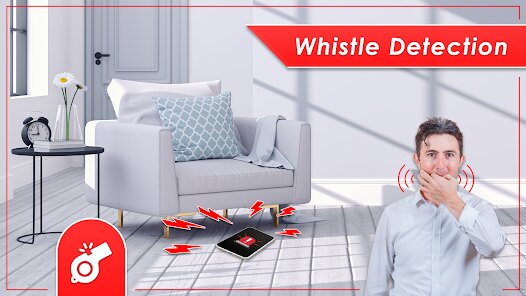
- 🔔 Anti Theft Alarm triggers a loud siren instantly when you shake the phone or press a panic button, which is much faster than similar apps like Cerberus that often have a slight delay before the sound starts. The alarm continues until you enter your passcode, making it harder for a thief to quickly silence it.
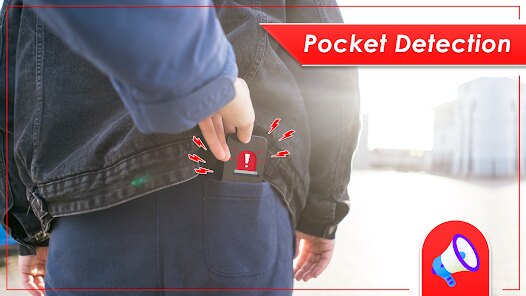
- 🔔 The app includes a smart pocket mode that prevents false alarms when the phone is in a bag or pocket. This is a small but noticeable improvement over apps like Lookout, which sometimes trigger the alarm accidentally during normal movement, causing embarrassment or annoyance.
- 🔔 It offers a simple lock screen that displays your custom message and contact info without requiring a subscription. In contrast, many apps like Kaspersky or Prey require a paid plan to add a custom lock screen message, while this app gives it for free with no hidden fees.
- 🔔 The whole setup takes less than a minute thanks to the minimalist onboarding process, unlike some competitors that force you through multiple screens, permission requests, and account creation steps before you can even test the alarm. This ease of entry is a standout feature for users who want quick protection.
pros
- ✅ The app is completely free with no paywalls or forced subscriptions, which is a significant advantage over Lookout or Cerberus, both of which lock key features behind monthly fees. You get all basic anti-theft functions without spending a dime.
- ✅ Battery usage is extremely low because the app does not constantly run background location services. This is a clear win over apps like Prey, which often drain battery due to continuous GPS tracking, especially on older phones.
- ✅ The interface is exceptionally clean and distraction-free, with no promotional banners or pop-ups urging you to upgrade. Many similar utilities, like Avast Anti-Theft, clutter the screen with upsells, but this app respects your focus.
cons
- ❌ There is no GPS-based location tracking, so if your phone is stolen and immediately moved, you cannot track its whereabouts. Apps like Cerberus and Find My Device offer real-time maps, making this app feel incomplete for serious theft scenarios.
- ❌ The alarm can only be triggered by shaking or tapping the app button, with no option for remote triggering from a web portal. Lookout, for example, lets you activate the alarm from a browser, which is crucial if you lose the phone itself.
- ❌ Customization is very limited: you cannot change the alarm sound, adjust volume independently, or set different profiles. Competing apps like Kaspersky allow you to assign specific tones or even record your own voice, adding a personal touch.
- ❌ The app occasionally fails to recognize the passcode correctly if you enter it too quickly during testing, requiring a restart. This minor bug does not appear in more polished apps like Prey, which have better input handling.
Articles
![]()
Guide
How to Update Google Play Store on Android 2026
![]()
Guide
How to Download Older Versions of Android Apps
![]()
Guide
How to Download Apps Without Google Play Store
![]()
Guide
What Is an APK File for Android?
If you use an Android phone, you may have seen the term APK while searching for apps or games online. Some websites offer an APK download instead of a Google Play install button. Some users also mention APK files when talking about apps that are not available in their region, older app versions, or Android games downloaded outside the Play Store.
![]()
Guide
How to Install Games from Google Play for Beginners
Installing games on an Android phone is usually simple, but for beginners, the process can still feel confusing at first. You may not know where to search, which button to tap, whether the game is safe, or why Google Play sometimes asks for account settings, storage access, or payment information. If you are using an Android phone for the first time, learning how to install games from Google Play is one of the easiest ways to get started.
![]()
Guide
How Useful Gemini Is for Everyday Questions and Quick Tasks
emini feels different from many AI apps because it is not only trying to be a chatbot. After using it for everyday questions, quick writing, image understanding, and planning, I think its biggest strength is convenience.
![]()
Guide
What to Know Before Downloading APKs
For many Android users, downloading an APK is a common way to install apps and games. Sometimes an app is not available in a certain country.
![]()
Guide
ChatGPT Review: Is It Still the Best AI App in 2026?
![]()
Guide
Seedance 2.0 vs Sora: The Future of AI Video Generation
The AI video race has intensified dramatically over the past two years. Platforms like Sora from OpenAI and Luma Dream Machine pushed the boundaries of text-to-video realism. Yet, despite their impressive outputs, most tools still operate as probabilistic generators—you describe a scene, and the model interprets it. Control remains limited. With the February 2026 release of Seedance 2.0, developed by ByteDance, the paradigm shifted. Internally known as Jimeng 2.0, Seedance does not position itself as just another video model. It positions itself as an AI Director. Rather than guessing what you want, Seedance 2.0 allows you to direct what happens. This distinction defines everything that follows.









Recommended Apps
![]()
Home Design 3D
Anuman4.2
![]()
Truth or Dare Game - Party App
Chouic4.8
![]()
Photo Collage Maker
Scoompa4.7![]()
Learn to Draw Flower
Creative APPS4.2![]()
FIFA World Cup 2026™
FIFA2.8![]()
Mirror Plus: Mirror with Light
Digitalchemy, LLC4.4![]()
Meitu- Photo Editor & AI Art
Meitu (China) Limited4.5![]()
Perplexity - Ask Anything
PerplexityAI4.7![]()
GhostTube SLS Camera Alternate
GhostTube4![]()
Boom Chip Blast: 2-Player
Black Pyramid 3D Games Studio0![]()
Healthy Benefits+
Solutran, Inc.4.5![]()
Deepcheck AI Search Assistant
rohe.ai4![]()
Idol Prank Video Call & Chat
LightCode Solutions4![]()
Face Shape - Pretty Scale
GlintTec Apps3.9![]()
Plant App - Plant Identifier
ScaleUp4.6











































