
GPS Speedometer: Speed Tracker

100K+
Installs
SM Infotech
Developer
-
Finance
Category
-
Everyone
Content Rating
-
samadhiyala.mandal@gmail.com
Developer Email
-
http://cloudsync.xyz:8081/consent/policy/SMInfo
Privacy Policy
Screenshots
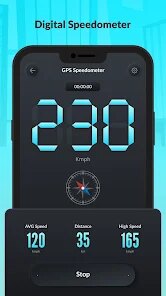
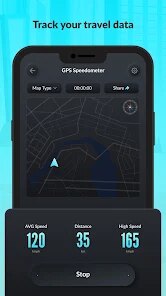
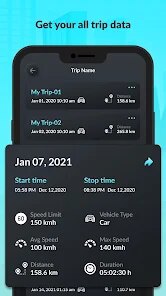
editor reviews
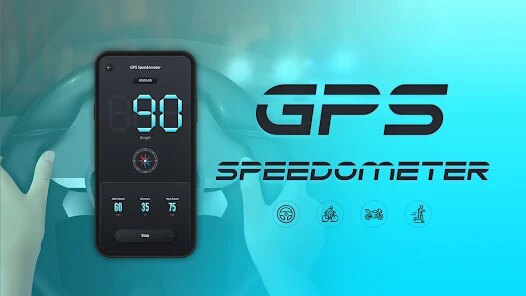
For Android users looking for a straightforward way to track their velocity during travel, there's a handy tool available on Google Play called GPS Speedometer: Speed Tracker. Developed by SM Infotech, this application focuses on providing real-time speed readings using the device's built-in GPS capabilities. The app is free to download and install, though like many free applications, it does contain advertisements. No mandatory in-app purchases lock away core functionality, making it an accessible option for anyone who simply needs to know how fast they are moving without a complicated setup process.
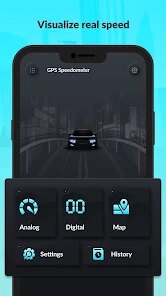
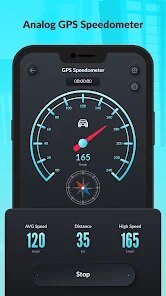
Upon launching the app, the interface presents a large, easy-to-read digital speedometer that dominates the screen. The system continuously updates based on your location, which means you can glance down and get an immediate sense of your current speed during a drive or a bike ride. There are a few additional displays for metrics like average speed, maximum speed, and total distance traveled, which can be reset as needed. While using the app on a long road trip, I found the data updates to be fairly responsive, although there was a slight lag when transitioning through tunnels or areas with weaker satellite signals.
When set against other speedometer apps on Google Play, this one leans heavily into visual clarity and simplicity. Apps like DigiHUD Speedometer often include a heads-up display mode for night driving, while Ulysse Speedometer offers more detailed mapping and tracking history. This SM Infotech version feels more minimal in comparison, choosing to emphasize the core speed reading over extra features. For me personally, that simplicity was both its strength and its limitation, as sometimes I wished for a night mode to reduce glare during evening drives.
features
- The primary speed display is quite large and uses bold digits, making it easy to read at a quick glance. During a drive, I appreciated not having to squint or focus too hard just to see my current reading.
- It tracks both your current speed and maintains a record of your trip's maximum speed. This is useful for those who want to know their peak velocity after a ride, though the average speed reading felt less accurate on winding roads.
- The app includes a simple one-button reset for all tracked data. Compared to more complex apps that require navigating menus to clear history, this direct approach saves time when starting a new journey.
- GPS signal strength is shown, which helps you understand when the reading might be less reliable. It's a practical touch that gives you confidence in the data rather than just presenting numbers blindly.
pros
- It helped me keep a steady pace during highway drives without constantly glancing at my vehicle's dashboard.
- The free download and install process is quick, and you start getting readings almost immediately without account creation.
- It's a reliable backup tool when your car's speedometer is obscured or not working temporarily.
cons
- The app can drain battery noticeably faster because it keeps the GPS active continuously during use.
- Advertisements appear at the bottom of the screen and occasionally overlay the display, which can be distracting at high speeds.
- There is no night or dark theme, so the bright interface can be uncomfortable to look at during nighttime trips.
Articles
![]()
Guide
How to Update Google Play Store on Android 2026
![]()
Guide
How to Download Older Versions of Android Apps
![]()
Guide
How to Download Apps Without Google Play Store
![]()
Guide
What Is an APK File for Android?
If you use an Android phone, you may have seen the term APK while searching for apps or games online. Some websites offer an APK download instead of a Google Play install button. Some users also mention APK files when talking about apps that are not available in their region, older app versions, or Android games downloaded outside the Play Store.
![]()
Guide
How to Install Games from Google Play for Beginners
Installing games on an Android phone is usually simple, but for beginners, the process can still feel confusing at first. You may not know where to search, which button to tap, whether the game is safe, or why Google Play sometimes asks for account settings, storage access, or payment information. If you are using an Android phone for the first time, learning how to install games from Google Play is one of the easiest ways to get started.
![]()
Guide
How Useful Gemini Is for Everyday Questions and Quick Tasks
emini feels different from many AI apps because it is not only trying to be a chatbot. After using it for everyday questions, quick writing, image understanding, and planning, I think its biggest strength is convenience.
![]()
Guide
What to Know Before Downloading APKs
For many Android users, downloading an APK is a common way to install apps and games. Sometimes an app is not available in a certain country.
![]()
Guide
ChatGPT Review: Is It Still the Best AI App in 2026?
![]()
Guide
Seedance 2.0 vs Sora: The Future of AI Video Generation
The AI video race has intensified dramatically over the past two years. Platforms like Sora from OpenAI and Luma Dream Machine pushed the boundaries of text-to-video realism. Yet, despite their impressive outputs, most tools still operate as probabilistic generators—you describe a scene, and the model interprets it. Control remains limited. With the February 2026 release of Seedance 2.0, developed by ByteDance, the paradigm shifted. Internally known as Jimeng 2.0, Seedance does not position itself as just another video model. It positions itself as an AI Director. Rather than guessing what you want, Seedance 2.0 allows you to direct what happens. This distinction defines everything that follows.









Recommended Apps
![]()
Home Design 3D
Anuman4.2
![]()
Truth or Dare Game - Party App
Chouic4.8
![]()
Photo Collage Maker
Scoompa4.7![]()
Learn to Draw Flower
Creative APPS4.2![]()
FIFA World Cup 2026™
FIFA2.8![]()
Mirror Plus: Mirror with Light
Digitalchemy, LLC4.4![]()
Meitu- Photo Editor & AI Art
Meitu (China) Limited4.5![]()
Perplexity - Ask Anything
PerplexityAI4.7![]()
GhostTube SLS Camera Alternate
GhostTube4![]()
Boom Chip Blast: 2-Player
Black Pyramid 3D Games Studio0![]()
Healthy Benefits+
Solutran, Inc.4.5![]()
Deepcheck AI Search Assistant
rohe.ai4![]()
Idol Prank Video Call & Chat
LightCode Solutions4![]()
Face Shape - Pretty Scale
GlintTec Apps3.9![]()
Plant App - Plant Identifier
ScaleUp4.6











































