

Idol Prank Call - Video & Chat

1M+
Installs
LeafMotion Software
Developer
-
Video Players & Editors
Category
-
Everyone
Content Rating
-
buihieu2568@gmail.com
Developer Email
-
https://leafmotion-software.vercel.app/privacy.txt
Privacy Policy
Screenshots

editor reviews
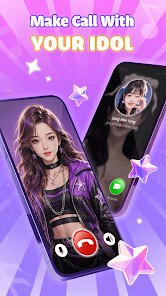
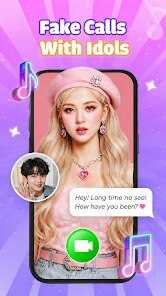
Idol Prank Call - Video & Chat, created by LeafMotion Software, offers a playful spin on communication apps by letting users simulate video calls and chat sessions with virtual idol characters. It is available for download on Google Play, where it has gathered a growing number of installations from users curious about its interactive premise. The app is free to install and operates on a freemium model, meaning it includes ads and offers in-app purchases for those who want to unlock additional content or remove interruptions.
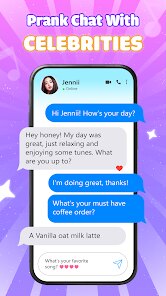
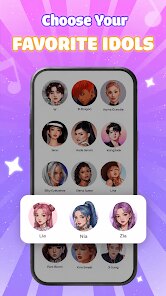
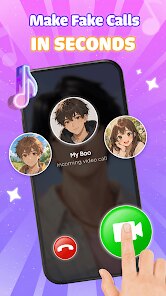
Getting started with the app is straightforward. After downloading it, you pick an idol from a modest roster of characters, each designed with distinct personalities and visual styles. The core interaction revolves around initiating a fake video call, during which the character responds with pre-recorded gestures, lip-synced speech, and occasional chat bubbles. You can also switch to a text-based chat mode, where the idol replies to your messages with a limited but decently scripted set of responses. The interface keeps things simple, with large buttons and clear icons, so navigating between call and chat modes never feels confusing.
When set against similar apps in this niche, such as fake call simulators or AI companion tools, Idol Prank Call stands out mainly for its visual polish and character presentation. Many competing apps rely on static images or generic avatars, whereas this one puts more effort into animated reactions and smoother transitions during the call screen. That said, it does not go as far as some AI-driven alternatives that offer open-ended conversations. The scripted nature of the responses keeps the experience predictable, which is fine for prank purposes but limits the sense of a genuine chat. From a purely practical angle, it serves its intended function well without pretending to be something more advanced.
features
- The video call simulation feels surprisingly convincing for a lightweight app. The character maintains eye contact, blinks at reasonable intervals, and shifts posture slightly, which adds a layer of realism that makes pranks more effective. However, the looping animations become noticeable after a few minutes, so it works best for short interactions.
- Chat mode offers a decent range of scripted replies, though the logic behind them can be hit or miss. Sometimes the idol responds perfectly to a joke, while at other times it picks up on a random keyword and steers the conversation in an odd direction. Compared to the more polished call feature, this part feels less refined, but it still passes the time pleasantly.
- Customization options let you change the idol's outfit or background scenery, which helps tailor the experience to specific prank scenarios. The selection is not huge, but the available choices vary enough to keep things fresh. Unlocking additional items requires watching ads or spending in-app currency, which is a common trade-off in free apps.
pros
- It is a great way to surprise friends or family with a harmless joke, especially since the call screen looks believable at first glance.
- The app runs smoothly on mid-range devices, and the setup takes less than a minute, so you can jump straight into using it without a steep learning curve.
- Since it does not require any personal data or account creation, you can keep your privacy intact while still enjoying the entertainment value.
cons
- The scripted dialogue repeats fairly quickly, so the novelty wears off after a handful of sessions with the same character.
- Ads appear frequently between actions, which can interrupt the flow when you are trying to set up a call or switch modes.
- In-app purchases for premium content feel slightly overpriced, especially when the free version already covers most core features.
Articles
![]()
Guide
How to Update Google Play Store on Android 2026
![]()
Guide
How to Download Older Versions of Android Apps
![]()
Guide
How to Download Apps Without Google Play Store
![]()
Guide
What Is an APK File for Android?
If you use an Android phone, you may have seen the term APK while searching for apps or games online. Some websites offer an APK download instead of a Google Play install button. Some users also mention APK files when talking about apps that are not available in their region, older app versions, or Android games downloaded outside the Play Store.
![]()
Guide
How to Install Games from Google Play for Beginners
Installing games on an Android phone is usually simple, but for beginners, the process can still feel confusing at first. You may not know where to search, which button to tap, whether the game is safe, or why Google Play sometimes asks for account settings, storage access, or payment information. If you are using an Android phone for the first time, learning how to install games from Google Play is one of the easiest ways to get started.
![]()
Guide
How Useful Gemini Is for Everyday Questions and Quick Tasks
emini feels different from many AI apps because it is not only trying to be a chatbot. After using it for everyday questions, quick writing, image understanding, and planning, I think its biggest strength is convenience.
![]()
Guide
What to Know Before Downloading APKs
For many Android users, downloading an APK is a common way to install apps and games. Sometimes an app is not available in a certain country.
![]()
Guide
ChatGPT Review: Is It Still the Best AI App in 2026?
![]()
Guide
Seedance 2.0 vs Sora: The Future of AI Video Generation
The AI video race has intensified dramatically over the past two years. Platforms like Sora from OpenAI and Luma Dream Machine pushed the boundaries of text-to-video realism. Yet, despite their impressive outputs, most tools still operate as probabilistic generators—you describe a scene, and the model interprets it. Control remains limited. With the February 2026 release of Seedance 2.0, developed by ByteDance, the paradigm shifted. Internally known as Jimeng 2.0, Seedance does not position itself as just another video model. It positions itself as an AI Director. Rather than guessing what you want, Seedance 2.0 allows you to direct what happens. This distinction defines everything that follows.









Recommended Apps
![]()
Home Design 3D
Anuman4.2
![]()
Truth or Dare Game - Party App
Chouic4.8
![]()
Photo Collage Maker
Scoompa4.7![]()
Learn to Draw Flower
Creative APPS4.2![]()
FIFA World Cup 2026™
FIFA2.8![]()
Mirror Plus: Mirror with Light
Digitalchemy, LLC4.4![]()
Meitu- Photo Editor & AI Art
Meitu (China) Limited4.5![]()
Perplexity - Ask Anything
PerplexityAI4.7![]()
GhostTube SLS Camera Alternate
GhostTube4![]()
Boom Chip Blast: 2-Player
Black Pyramid 3D Games Studio0![]()
Healthy Benefits+
Solutran, Inc.4.5![]()
Deepcheck AI Search Assistant
rohe.ai4![]()
Idol Prank Video Call & Chat
LightCode Solutions4![]()
Face Shape - Pretty Scale
GlintTec Apps3.9![]()
Plant App - Plant Identifier
ScaleUp4.6












































