
Canva: AI Photo & Video Editor

500M+
Installs
Canva
Developer
-
Art & Design
Category
-
Everyone 10+
Content Rating
-
android-app@canva.com
Developer Email
-
https://about.canva.com/privacy-policy/
Privacy Policy
Screenshots

editor reviews
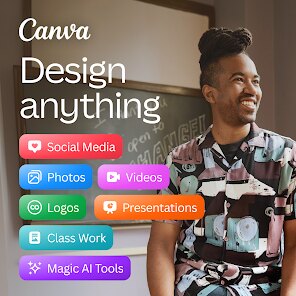
For those who regularly create visual content, Canva has become a familiar name, and its dedicated mobile application, simply called Canva: AI Photo & Video Editor, brings much of that functionality to handheld devices. Developed by Canva, this free-to-download app is available through Google Play and the App Store, with a solid install base reflecting its popularity. While the core features don't require payment, the app does offer in-app purchases for premium elements and a subscription service, and advertisements do appear for non-paying users. It positions itself as an all-encompassing design toolkit for social media posts, presentations, and quick video edits, all managed from a phone or tablet.
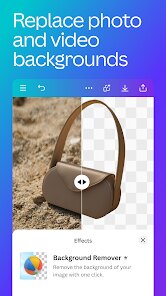
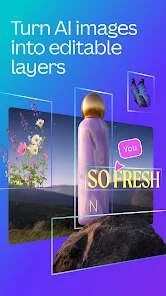
Navigating the app feels intuitive right from the start, as its layout mirrors the clean, template-driven approach of its desktop version. Users can begin by picking from an extensive library of templates, filtering by use case like stories, posters, or logos, or they can start with a blank canvas. Tapping into a template opens a straightforward editor where adjusting text, swapping images, and applying filters happens with minimal friction. In practice, the drag-and-drop functionality translates well to a touch interface, and the AI-assisted tools, such as background removal or the magic resize feature, work impressively fast on a modern device. A quick video edit involving trimming clips and adding transitions felt surprisingly smooth, without the app forcing a constant connection to the cloud for basic actions.
Compared with other mobile editors like Adobe Express or Picsart, Canva's mobile app stands out for its sheer breadth of safe-to-use templates and its emphasis on cohesive design systems. Adobe Express offers more granular control for brand consistency, while Picsart leans into playful community features and quirky stickers. Canva, however, feels like a middle ground; it is less intimidating than a professional tool but more structured than a casual photo editor. The mild observation here is that while it may not offer the deep customization of a dedicated vector tool on mobile, its predictability and ease of use make it the default suggestion when someone asks for a quick, polished graphic.
features
- The search function for templates and elements is genuinely helpful. Typing a niche keyword like "minimalist book club flyer" generates several curated options that have already paired suitable fonts and color palettes, which eliminates a lot of guesswork.
- Collaboration features are a strong point. Sharing a design link with a colleague lets them leave specific comments or edit directly in real time, even if they are on a different operating system, which has streamlined a few small team projects.
- Asset organization deserves praise; users can group brand colors, logos, and frequently used fonts into a single brand kit, and applying this kit to any new design is a tedious process avoided. This is more intuitive than similar functionality found in other mobile design apps I have tested.
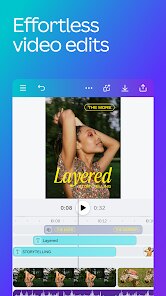
- The video editor, while not as robust as a dedicated editor like CapCut, covers essentials such as cropping, speed adjustments, and adding captions autonomously through its AI, which is sufficient for most short-form social content.
pros
- Saves significant time when creating routine content such as weekly Instagram posts; a new graphic can be ready in under two minutes using a resized template.
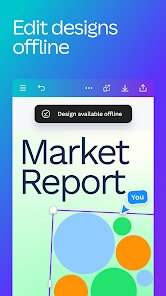
- Works reliably offline for basic edits, though template access requires a connection; this was useful during a commute with spotty service.
- Provides a single home for both photo manipulation and simple animation, removing the need to switch between several different applications on a phone.
cons
- The free version's template selection is limited; many visually striking designs are locked behind a premium license, which encourages frequent subscription prompts.
- Battery drain is noticeable during longer editing sessions, especially when applying heavy filters or exporting high-resolution videos.
- Spacing controls can feel finicky; aligning two objects perfectly requires zooming in close and sometimes making a second attempt to place the element correctly.
Articles
![]()
Guide
How to Update Google Play Store on Android 2026
![]()
Guide
How to Download Older Versions of Android Apps
![]()
Guide
How to Download Apps Without Google Play Store
![]()
Guide
What Is an APK File for Android?
If you use an Android phone, you may have seen the term APK while searching for apps or games online. Some websites offer an APK download instead of a Google Play install button. Some users also mention APK files when talking about apps that are not available in their region, older app versions, or Android games downloaded outside the Play Store.
![]()
Guide
How to Install Games from Google Play for Beginners
Installing games on an Android phone is usually simple, but for beginners, the process can still feel confusing at first. You may not know where to search, which button to tap, whether the game is safe, or why Google Play sometimes asks for account settings, storage access, or payment information. If you are using an Android phone for the first time, learning how to install games from Google Play is one of the easiest ways to get started.
![]()
Guide
How Useful Gemini Is for Everyday Questions and Quick Tasks
emini feels different from many AI apps because it is not only trying to be a chatbot. After using it for everyday questions, quick writing, image understanding, and planning, I think its biggest strength is convenience.
![]()
Guide
What to Know Before Downloading APKs
For many Android users, downloading an APK is a common way to install apps and games. Sometimes an app is not available in a certain country.
![]()
Guide
ChatGPT Review: Is It Still the Best AI App in 2026?
![]()
Guide
Seedance 2.0 vs Sora: The Future of AI Video Generation
The AI video race has intensified dramatically over the past two years. Platforms like Sora from OpenAI and Luma Dream Machine pushed the boundaries of text-to-video realism. Yet, despite their impressive outputs, most tools still operate as probabilistic generators—you describe a scene, and the model interprets it. Control remains limited. With the February 2026 release of Seedance 2.0, developed by ByteDance, the paradigm shifted. Internally known as Jimeng 2.0, Seedance does not position itself as just another video model. It positions itself as an AI Director. Rather than guessing what you want, Seedance 2.0 allows you to direct what happens. This distinction defines everything that follows.









Recommended Apps
![]()
Home Design 3D
Anuman4.2
![]()
Truth or Dare Game - Party App
Chouic4.8
![]()
Photo Collage Maker
Scoompa4.7![]()
Learn to Draw Flower
Creative APPS4.2![]()
FIFA World Cup 2026™
FIFA2.8![]()
Mirror Plus: Mirror with Light
Digitalchemy, LLC4.4![]()
Meitu- Photo Editor & AI Art
Meitu (China) Limited4.5![]()
Perplexity - Ask Anything
PerplexityAI4.7![]()
GhostTube SLS Camera Alternate
GhostTube4![]()
Boom Chip Blast: 2-Player
Black Pyramid 3D Games Studio0![]()
Healthy Benefits+
Solutran, Inc.4.5![]()
Deepcheck AI Search Assistant
rohe.ai4![]()
Idol Prank Video Call & Chat
LightCode Solutions4![]()
Face Shape - Pretty Scale
GlintTec Apps3.9![]()
Plant App - Plant Identifier
ScaleUp4.6











































