
Wave Live Wallpapers Maker 3D

50M+
Installs
Live Wallpapers by Wave Studio
Developer
-
Productivity
Category
-
Rated for 7+
Content Rating
-
office@wavekeyboard.com
Developer Email
-
https://www.livewallpapers.com/privacy-policy.html
Privacy Policy
Screenshots
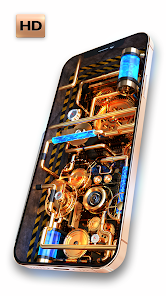
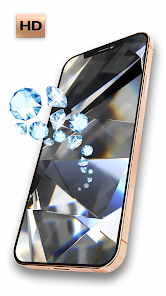
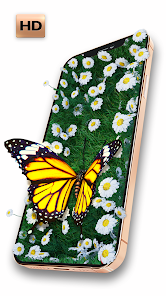
editor reviews
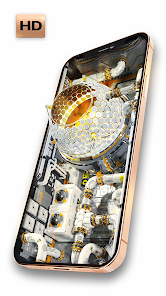
I first stumbled across Wave Live Wallpapers Maker 3D while browsing the Google Play Store for something to give my phone's home screen a bit more personality. It's a customization app from Live Wallpapers by Wave Studio, and it basically lets you create and apply dynamic, animated backgrounds. With something like fifty million installs and a free download option, it's definitely caught on. Right after launching it, the first thing that hit me was the sheer volume of options—tons of categories like nature, cars, abstract motion, and even love themes. It felt a bit overwhelming at the start but also kind of exciting if you're the type who likes to tinker.
Getting into the actual use, the onboarding walks you through the main sections: the wallpaper gallery, the search bar, and your favorites. I started by browsing the "3D" category and picked a cool space nebula animation. Tapping it previews the wallpaper on a mock phone screen, which is handy. From there, you can hit "Set Wallpaper" and it applies almost instantly. What caught me off guard is how many wallpapers have adjustable settings—like speed, brightness, or even a parallax effect that responds to tilting your phone. On a daily basis, I found myself flipping through categories whenever I felt bored with my current wallpaper. The smooth part is that switching only takes a few seconds. The confusing part? Some of the cooler animated ones drain the battery noticeably if you leave them running for hours, so I learned to stick with simpler loops during work days.
After a few weeks, I can say this app is a solid pick if you enjoy changing your phone's look often or want something more immersive than a static image. It stands apart from apps like Zedge or Walli because it really leans into interactive, live backgrounds rather than just high-res static pics. That said, if battery life is your absolute priority, you might find yourself uninstalling it after a week. I kept mine installed because the diversity of styles—from calm ocean waves to sci-fi cityscapes—keeps things fresh without needing to hunt for external downloads. It's not perfect, but for the price of free, it's hard to complain too much.
features
- 🌊 The app excels in variety. You get hundreds of live wallpapers spanning nature, vehicles, fantasy, and abstract art. Compare this to KLWP Live Wallpaper Maker, which requires you to build everything from scratch. Wave delivers polished presets that look great out of the box, no design skills needed.
- ⚙️ Customization sliders are a standout feature. Most live wallpaper apps just let you set and forget, but here you can tweak particle speed, color tint, and parallax depth. Forest Live Wallpaper, for instance, gives you far fewer controls. That extra flexibility makes a real difference if you like your background just so.
- 📱 Battery-friendly modes are built in. You can set wallpapers to pause when battery drops below a certain level or reduce animation quality. Wallpaper Engine on PC offers similar logic, but on mobile, this is rare and genuinely useful for daily drivers.
- 🔁 Seamless switching and favorites. The "Favorites" tab lets you queue up a handful of wallpapers and cycle through them automatically. Apps like Muzei have a similar rotation feature, but Wave's implementation feels snappier and more intuitive for quick changes.
pros
- 🎨 The sheer depth of the library is its biggest strength. You get everything from realistic 3D parallax oceans to sleek neon grids. Compared to Zedge, which mixes in static images and ads heavily, Wave's selection feels more curated and immersive.
- 📦 Smooth offline performance. Once you download a wallpaper, it works perfectly without an internet connection. That's a big plus over apps like Vellum, which constantly loads previews online. I never worry about buffering when I swipe to a new background.
- 🔄 Regular content updates. The team adds fresh packs every couple of weeks. I noticed new seasonal themes popping up, keeping the app from getting stale. Similar apps often rely on user uploads, but here the updates feel consistent and on-brand.
cons
- 📉 Battery drain is unavoidable with complex animations. Even with the power-saving sliders, some wallpapers still chew through juice faster than I'd like. Apps like Backdrops focus on static art and avoid this issue entirely, so heavy users might prefer that.
- 🔇 No native sound integration. Some live wallpapers would benefit from ambient audio, like ocean waves or rain. Other apps like TimeChanger support this, but Wave stays silent. It's a missed opportunity for creating a fuller sensory experience.
- 📺 Aggressive ads in the free version. You get a full-screen video ad every few wallpaper changes, and banner ads sit at the bottom of the gallery. Apps like Forest Live Wallpaper have lighter ad placements, making the free experience less intrusive.
- 🌀 Occasional glitches with parallax on certain launchers. On Nova Launcher, some 3D wallpapers stutter when scrolling home screens. Wave runs smoothly on stock launchers, but custom ROM users might notice hiccups that similar apps handle better.
Articles
![]()
Guide
How to Update Google Play Store on Android 2026
![]()
Guide
How to Download Older Versions of Android Apps
![]()
Guide
How to Download Apps Without Google Play Store
![]()
Guide
What Is an APK File for Android?
If you use an Android phone, you may have seen the term APK while searching for apps or games online. Some websites offer an APK download instead of a Google Play install button. Some users also mention APK files when talking about apps that are not available in their region, older app versions, or Android games downloaded outside the Play Store.
![]()
Guide
How to Install Games from Google Play for Beginners
Installing games on an Android phone is usually simple, but for beginners, the process can still feel confusing at first. You may not know where to search, which button to tap, whether the game is safe, or why Google Play sometimes asks for account settings, storage access, or payment information. If you are using an Android phone for the first time, learning how to install games from Google Play is one of the easiest ways to get started.
![]()
Guide
How Useful Gemini Is for Everyday Questions and Quick Tasks
emini feels different from many AI apps because it is not only trying to be a chatbot. After using it for everyday questions, quick writing, image understanding, and planning, I think its biggest strength is convenience.
![]()
Guide
What to Know Before Downloading APKs
For many Android users, downloading an APK is a common way to install apps and games. Sometimes an app is not available in a certain country.
![]()
Guide
ChatGPT Review: Is It Still the Best AI App in 2026?
![]()
Guide
Seedance 2.0 vs Sora: The Future of AI Video Generation
The AI video race has intensified dramatically over the past two years. Platforms like Sora from OpenAI and Luma Dream Machine pushed the boundaries of text-to-video realism. Yet, despite their impressive outputs, most tools still operate as probabilistic generators—you describe a scene, and the model interprets it. Control remains limited. With the February 2026 release of Seedance 2.0, developed by ByteDance, the paradigm shifted. Internally known as Jimeng 2.0, Seedance does not position itself as just another video model. It positions itself as an AI Director. Rather than guessing what you want, Seedance 2.0 allows you to direct what happens. This distinction defines everything that follows.









Recommended Apps
![]()
Home Design 3D
Anuman4.2
![]()
Truth or Dare Game - Party App
Chouic4.8
![]()
Photo Collage Maker
Scoompa4.7![]()
Learn to Draw Flower
Creative APPS4.2![]()
FIFA World Cup 2026™
FIFA2.8![]()
Mirror Plus: Mirror with Light
Digitalchemy, LLC4.4![]()
Meitu- Photo Editor & AI Art
Meitu (China) Limited4.5![]()
Perplexity - Ask Anything
PerplexityAI4.7![]()
GhostTube SLS Camera Alternate
GhostTube4![]()
Boom Chip Blast: 2-Player
Black Pyramid 3D Games Studio0![]()
Healthy Benefits+
Solutran, Inc.4.5![]()
Deepcheck AI Search Assistant
rohe.ai4![]()
Idol Prank Video Call & Chat
LightCode Solutions4![]()
Face Shape - Pretty Scale
GlintTec Apps3.9![]()
Plant App - Plant Identifier
ScaleUp4.6











































