
GPS Navigation Maps Directions

10M+
Installs
SaaAneeDroid
Developer
-
Productivity
Category
-
Rated for 3+
Content Rating
-
saaaneedroid@gmail.com
Developer Email
-
http://saaaneedroid.blogspot.com/2018/07/privacy-policy.html
Privacy Policy
Screenshots
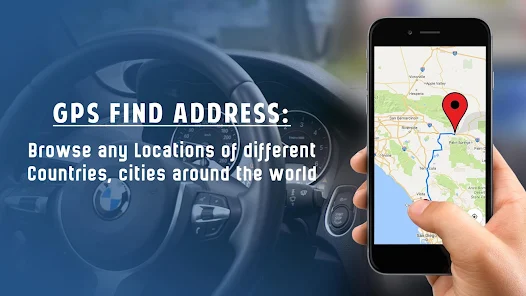
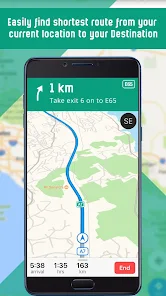
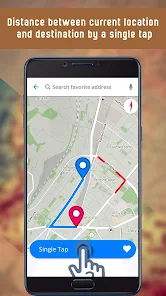
editor reviews
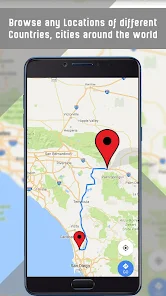
GPS Navigation Maps Directions by SaaAneeDroid is a navigation tool that fits into the offline maps category. I first saw it on the Google Play store with a decent install count and it was free to download, though it does have ads and some in-app purchases for extra features. A lot of people, like me, grab this sort of app when they're worried about data usage or traveling somewhere with spotty signal. After launching it, my first impression was that it looked a bit basic compared to big names like Google Maps. The interface feels stripped down, which isn't necessarily bad if you just want directions without all the extra clutter. You do not need to register an account to start using it, which saves some time.
Actually using the app gives a mixed experience. The main screen shows a map, and you can type in a destination to get a route. The voice guidance works, but the prompts can feel a bit delayed at times. The offline maps feature is the real draw here, and it functions well once you download an area. I downloaded my city's map through the settings menu, which took a few minutes. After that, the navigation worked without any internet, which is a relief in tunnels or remote stretches. One minor annoyance is that the interface can feel a little sluggish when zooming in and out or tapping around the map. It gets the job done, but it doesn't feel as smooth as the polished apps we are used to. A practical tip is to download smaller area by area rather than huge regions all at once to avoid hiccups during the download process.
After using it for a couple of weeks, I think this app works best for people who need a straightforward offline navigation tool and do not mind a less polished interface. It shines in reliability for basic routing when data is not available. However, for someone who heavily relies on live traffic updates, real-time transit info, or the rich points of interest data from apps like Google Maps or Waze, this app may feel too limited. I personally keep it installed as a backup when I know I will be driving through areas with weak signal, but I find myself switching back to my main navigation app for everyday use. The tradeoff between simplicity and missing modern features makes it a nice secondary app rather than a daily driver for most users.
features
- 🗺️ The standout feature of this app is its offline maps functionality. While Google Maps now offers offline downloads too, this app makes it feel more central to the experience and the offline routing actually works without any internet connection. You can plan a long trip ahead of time and not worry about data at all during the drive.
- 🗺️ There is a compass overlay on the map screen that helps with orientation. It's not something you see often in free navigation apps, and it is useful when you are walking or driving in an unfamiliar area without a clear sense of direction.
- 🗺️ The app automatically reroutes you if you miss a turn, which is a basic but good feature. It does not always find the fastest alternate path compared to Waze, but it does get you back on track in a reasonable way without crashing or freezing.
- 🗺️ Voice directions are provided with distance warnings. It's not the most natural sounding voice, but it includes street names when available, which helps a lot compared to some free apps that just say "turn left" without naming the road.
pros
- 👍 One big strength is that it uses much less storage space for offline maps compared to Here WeGo or Google Maps. This means you can save maps for several areas without running out of memory on a budget phone.
- 👍 Another plus is the battery efficiency. This app does not drain your battery as fast as Waze does during navigation because it does not constantly update traffic or show user reports.
- 👍 The simple interface avoids overwhelming you with icons and settings. Some people prefer this minimal approach over the busier screens of more full-featured navigation apps.
cons
- 👎 The app does not show live traffic data. For city driving, this is a big downside compared to Google Maps or Waze, which help you avoid jams and accidents on the fly.
- 👎 POI search is very limited. You can find an address if you type it exactly, but searching for a specific restaurant or gas station rarely works well, unlike Maps or Here WeGo where you can search by name or category.
- 👎 The interface feels outdated with low-resolution icons and small text. It can be hard to read at a glance while driving, especially compared to more modern designs.
- 👎 Support and updates seem slow. I noticed the app does not get updated frequently, so bugs or map changes take longer to be fixed than in bigger apps with regular patches.
Articles
![]()
Guide
How to Update Google Play Store on Android 2026
![]()
Guide
How to Download Older Versions of Android Apps
![]()
Guide
How to Download Apps Without Google Play Store
![]()
Guide
What Is an APK File for Android?
If you use an Android phone, you may have seen the term APK while searching for apps or games online. Some websites offer an APK download instead of a Google Play install button. Some users also mention APK files when talking about apps that are not available in their region, older app versions, or Android games downloaded outside the Play Store.
![]()
Guide
How to Install Games from Google Play for Beginners
Installing games on an Android phone is usually simple, but for beginners, the process can still feel confusing at first. You may not know where to search, which button to tap, whether the game is safe, or why Google Play sometimes asks for account settings, storage access, or payment information. If you are using an Android phone for the first time, learning how to install games from Google Play is one of the easiest ways to get started.
![]()
Guide
How Useful Gemini Is for Everyday Questions and Quick Tasks
emini feels different from many AI apps because it is not only trying to be a chatbot. After using it for everyday questions, quick writing, image understanding, and planning, I think its biggest strength is convenience.
![]()
Guide
What to Know Before Downloading APKs
For many Android users, downloading an APK is a common way to install apps and games. Sometimes an app is not available in a certain country.
![]()
Guide
ChatGPT Review: Is It Still the Best AI App in 2026?
![]()
Guide
Seedance 2.0 vs Sora: The Future of AI Video Generation
The AI video race has intensified dramatically over the past two years. Platforms like Sora from OpenAI and Luma Dream Machine pushed the boundaries of text-to-video realism. Yet, despite their impressive outputs, most tools still operate as probabilistic generators—you describe a scene, and the model interprets it. Control remains limited. With the February 2026 release of Seedance 2.0, developed by ByteDance, the paradigm shifted. Internally known as Jimeng 2.0, Seedance does not position itself as just another video model. It positions itself as an AI Director. Rather than guessing what you want, Seedance 2.0 allows you to direct what happens. This distinction defines everything that follows.









Recommended Apps
![]()
Home Design 3D
Anuman4.2
![]()
Truth or Dare Game - Party App
Chouic4.8
![]()
Photo Collage Maker
Scoompa4.7![]()
Learn to Draw Flower
Creative APPS4.2![]()
FIFA World Cup 2026™
FIFA2.8![]()
Mirror Plus: Mirror with Light
Digitalchemy, LLC4.4![]()
Meitu- Photo Editor & AI Art
Meitu (China) Limited4.5![]()
Perplexity - Ask Anything
PerplexityAI4.7![]()
GhostTube SLS Camera Alternate
GhostTube4![]()
Boom Chip Blast: 2-Player
Black Pyramid 3D Games Studio0![]()
Healthy Benefits+
Solutran, Inc.4.5![]()
Deepcheck AI Search Assistant
rohe.ai4![]()
Idol Prank Video Call & Chat
LightCode Solutions4![]()
Face Shape - Pretty Scale
GlintTec Apps3.9![]()
Plant App - Plant Identifier
ScaleUp4.6












































