
Weather Radar & Weather Live

1M+
Installs
Avn Global Application
Developer
-
Productivity
Category
-
Everyone
Content Rating
-
support@android.vn
Developer Email
-
https://sites.google.com/view/weatherradarmaplive/home
Privacy Policy
Screenshots
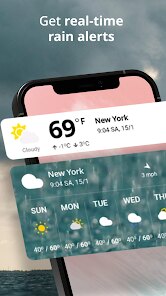
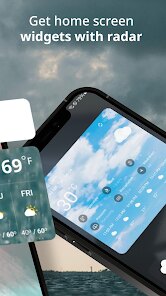
editor reviews
Weather Radar & Weather Live, developed by Avn Global Application, is a utility app focused on real-time weather tracking. It falls under the broader weather app category, but it emphasizes visual weather data through radar maps and live conditions. Most people download it to get hyperlocal forecasts, check rain or snow patterns, or simply see what the next few hours will look like without digging through complex data. After launching the app for the first time, the interface feels clean and modern, with a bright background and large, easily readable numbers. The app is free to install on Google Play and the App Store, and it has been downloaded over a million times. There's no mandatory registration at startup, though some features require location permission. I saw a few ads, but they didn't block the main screen, which was a pleasant surprise for a free weather tool.
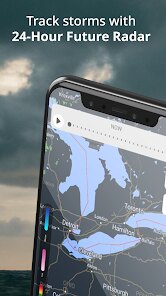
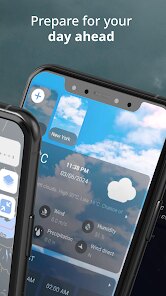
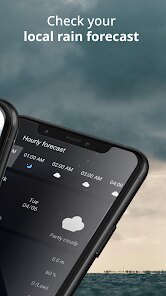
When you actually start using it, the experience is straightforward. The home screen shows your current location's temperature, humidity, wind speed, and a short-term forecast right at the top. Swiping down or tapping the radar icon brings up an animated weather map that moves across the timeline. I found this part particularly smooth — you can pinch to zoom into your street or swipe forward to see where a storm might head in the next hour. The onboarding is minimal; it just asks for location access and shows a brief tutorial slide. During daily use, I'd open it to check if I needed an umbrella before heading out. Tapping the hourly forecast expands into a 7-day view, and there's a small "details" button that shows sunrise, sunset, and UV index. One thing that tripped me up at first was the settings menu buried under a tiny gear icon in the top corner. But after that, navigation felt natural.
After spending a couple of weeks with Weather Radar & Weather Live, I think it's a solid pick for someone who wants quick, visual weather info without a lot of fluff. If you're the type of person who just needs to know "Is it going to rain this afternoon?" and doesn't care about pollen counts or air quality indexes, this app will serve you well. On the flip side, if you're someone who relies on detailed forecasts, severe weather alerts, or historical data, you might find it a bit shallow. Compared to something like AccuWeather, which piles on lifestyle forecasts and minute-by-minute data, this app keeps things simpler and more map-focused. What sets it apart is how responsive the radar animation feels — it's genuinely useful for tracking fast-moving weather. I could see myself keeping it installed as a backup radar companion, but for all-around weather needs, I'd probably lean toward a more feature-rich app. It's not a game-changer, but it does what it promises without getting in your way.
features
- 🎯 Real-Time Radar Animation: The app's standout feature is its animated radar map, which updates frequently and lets you scrub through a timeline to see how weather patterns evolve. This is more interactive than The Weather Channel's static radar, making it easier to anticipate rain or snow movement visually.
- 🎯 Hyperlocal Forecasts: It shows weather for your exact GPS location, not just a city center. I noticed the temperature and precipitation info felt more precise than what I get from WeatherBug, especially during scattered showers.
- 🎯 Clean Widget Options: There are several widget sizes that display current conditions or radar snippets right on your home screen. Unlike many free apps that clutter widgets with ads, these remain ad-free and update reliably, which is a nice touch for quick glances.
pros
- 🏆 Smoother Radar Playback: The radar animation runs more fluidly than what I've seen in AccuWeather, especially when zoomed in. It doesn't stutter or lag, which makes tracking fast-moving storms feel natural.
- 🏆 No Account Required: You can jump straight into using the app without creating an account or signing in. That's a clear win over WeatherBug, which pushes registration for extra features.
- 🏆 Low Battery Impact: Compared to my old experience with 1Weather, this app seems to drain less battery during radar use. The animations are efficient, and background updates don't hammer the processor as much.
cons
- 👎 Limited Severe Weather Alerts: The app does send push notifications for heavy rain or storms, but they don't include detailed warnings like tornado watches or flood advisories. AccuWeather and The Weather Channel offer more comprehensive alert systems with specific shelter instructions.
- 👎 No Historical Data or Trends: If you're curious about average temperatures or rainfall totals for the week, you won't find them here. WeatherBug provides past-24-hour graphs and monthly comparisons that this app completely skips.
- 👎 Occasional Ad Interruptions: While ads don't cover the main screen, they occasionally pop up as a full-screen video when you switch tabs. It's not constant, but it's more intrusive than what I recall from Yahoo Weather's subtle banner ads.
- 👎 Missing Severe Weather Widgets: The available widgets are nice for casual use, but there's no widget that automatically highlights active warnings or watches. Apps like 1Weather offer a dedicated alert widget that updates in real time, which is more useful for storm-prone areas.
Articles
![]()
Guide
How to Update Google Play Store on Android 2026
![]()
Guide
How to Download Older Versions of Android Apps
![]()
Guide
How to Download Apps Without Google Play Store
![]()
Guide
What Is an APK File for Android?
If you use an Android phone, you may have seen the term APK while searching for apps or games online. Some websites offer an APK download instead of a Google Play install button. Some users also mention APK files when talking about apps that are not available in their region, older app versions, or Android games downloaded outside the Play Store.
![]()
Guide
How to Install Games from Google Play for Beginners
Installing games on an Android phone is usually simple, but for beginners, the process can still feel confusing at first. You may not know where to search, which button to tap, whether the game is safe, or why Google Play sometimes asks for account settings, storage access, or payment information. If you are using an Android phone for the first time, learning how to install games from Google Play is one of the easiest ways to get started.
![]()
Guide
How Useful Gemini Is for Everyday Questions and Quick Tasks
emini feels different from many AI apps because it is not only trying to be a chatbot. After using it for everyday questions, quick writing, image understanding, and planning, I think its biggest strength is convenience.
![]()
Guide
What to Know Before Downloading APKs
For many Android users, downloading an APK is a common way to install apps and games. Sometimes an app is not available in a certain country.
![]()
Guide
ChatGPT Review: Is It Still the Best AI App in 2026?
![]()
Guide
Seedance 2.0 vs Sora: The Future of AI Video Generation
The AI video race has intensified dramatically over the past two years. Platforms like Sora from OpenAI and Luma Dream Machine pushed the boundaries of text-to-video realism. Yet, despite their impressive outputs, most tools still operate as probabilistic generators—you describe a scene, and the model interprets it. Control remains limited. With the February 2026 release of Seedance 2.0, developed by ByteDance, the paradigm shifted. Internally known as Jimeng 2.0, Seedance does not position itself as just another video model. It positions itself as an AI Director. Rather than guessing what you want, Seedance 2.0 allows you to direct what happens. This distinction defines everything that follows.









Recommended Apps
![]()
Home Design 3D
Anuman4.2
![]()
Truth or Dare Game - Party App
Chouic4.8
![]()
Photo Collage Maker
Scoompa4.7![]()
Learn to Draw Flower
Creative APPS4.2![]()
FIFA World Cup 2026™
FIFA2.8![]()
Mirror Plus: Mirror with Light
Digitalchemy, LLC4.4![]()
Meitu- Photo Editor & AI Art
Meitu (China) Limited4.5![]()
Perplexity - Ask Anything
PerplexityAI4.7![]()
GhostTube SLS Camera Alternate
GhostTube4![]()
Boom Chip Blast: 2-Player
Black Pyramid 3D Games Studio0![]()
Healthy Benefits+
Solutran, Inc.4.5![]()
Deepcheck AI Search Assistant
rohe.ai4![]()
Idol Prank Video Call & Chat
LightCode Solutions4![]()
Face Shape - Pretty Scale
GlintTec Apps3.9![]()
Plant App - Plant Identifier
ScaleUp4.6












































