
Water Reminder - Remind Drink

10M+
Installs
recorder & smart apps
Developer
-
Health & Fitness
Category
-
Everyone
Content Rating
-
olympic.game.studio@gmail.com
Developer Email
-
https://sites.google.com/view/wrreminddrinkwater
Privacy Policy
Screenshots
editor reviews
I first picked up Water Reminder - Remind Drink because I kept forgetting to stay hydrated during my workday. It's designed as a health and wellness utility app, specifically one that tracks your daily water intake and sends you push notifications to remind you to drink. After downloading it from Google Play (it's free and had a few million installs at the time), the first impression was clean and straightforward, with no forced registration or aggressive ads popping up immediately. That immediate sense of relief — just open it and start using it without creating an account or getting hit with a paywall — made it feel like a no-nonsense tool, which I really appreciated.
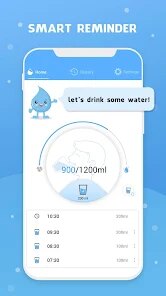
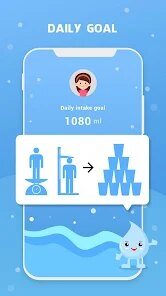
When I actually started using it, the first step was setting my daily goal. The app asks for your weight and activity level to estimate a baseline, which I thought was pretty neat since it felt personalized right away. After that, the main screen shows a simple water glass graphic that fills up as you log drinks. Logging is done by tapping a few preset sizes like a small glass or a bottle, though you can also add custom amounts. One small tip: I found that enabling the intelligent reminder mode (which adapts to your schedule) made a big difference in not getting annoyed by notifications at odd hours. The interface is smooth enough for regular use, though I did notice that editing a past log required a couple more taps than I'd have liked.
After a couple of weeks, I have a mixed opinion. For someone who actually wants to build a hydration habit and doesn't mind a little manual logging, this app does its core job well. The reminders are persistent but not too pushy, and the visual progress is motivating. However, compared to something like Plant Nanny or WaterMinder, this one feels a bit plain in terms of design polish and lacks extra gamification elements that keep you engaged long-term. I could see someone uninstalling it if they find the constant logging tedious, especially since apps like WaterMinder sync better with wearables to auto-track. I'll probably keep it installed for now because it's simple and ad-free enough, but I'm not sure it's a permanent fixture on my phone.
features
- 💧 Water Reminder focuses purely on hydration tracking, while Plant Nanny adds a virtual garden where drinking water grows cute plants. The core difference is that Water Reminder feels more like a practical tool, whereas Plant Nanny turns the habit into a game.
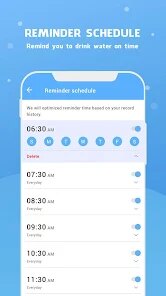
- 💧 The intelligent reminder system stands out here. It learns your daily patterns over time and adjusts notification timing, rather than just blasting you at fixed intervals like many simpler apps do. This makes the reminders feel more considerate and less robotic.
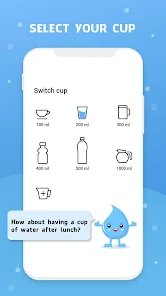
- 💧 You can set custom drink amounts beyond the default options, which is helpful for people who use non-standard cups or bottles. In contrast, some competitors like Drink Water only offer a few preset sizes, making logging less flexible.
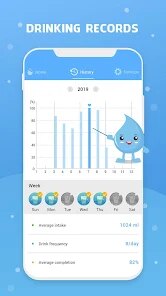
- 💧 The app includes a history chart that shows your weekly and monthly trends, making it easy to spot patterns in your hydration habits. This is more detailed than what you get in basic free versions of apps like Water Time.
pros
- ✅ It's completely free to download and use without any subscription required. Many similar apps, like WaterMinder, lock advanced features behind a monthly fee, but here you get the full reminder and logging system without paying a cent.
- ✅ The interface is very beginner-friendly with minimal clutter. Compared to Hydro Coach which has a more information-dense dashboard, this app uses large icons and simple text, making it easy for anyone to pick up quickly.
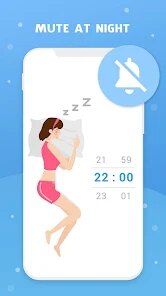
- ✅ The reminders adapt to your wake-up and sleep times automatically based on your settings. This is more intuitive than apps like MyWater that require you to manually set every reminder window.
- ✅ No account creation is needed, so your data stays on your device and you can start tracking instantly. That's a big privacy plus compared to apps that push cloud sync or social features.
cons
- ❌ The design feels outdated and lacks modern polish. Compared to WaterMinder's sleek animations and clean typography, Water Reminder looks like it hasn't been visually updated in years, which can make it less enjoyable to use daily.
- ❌ There's no smartwatch support at all. If you own a Wear OS device or Apple Watch, you'll be stuck logging manually on your phone, while apps like WaterMinder let you log directly from your wrist.
- ❌ The ad experience can be annoying. While the app is free, non-removable banner ads appear at the bottom of the screen and sometimes video ads play after logging a drink, which disrupts the flow more than in paid alternatives.
- ❌ Customization is very limited. You can't change the app theme, icon, or notification sounds beyond a few presets, whereas apps like Plant Nanny offer more personalization options to make the experience feel uniquely yours.
Articles
![]()
Guide
How to Update Google Play Store on Android 2026
![]()
Guide
How to Download Older Versions of Android Apps
![]()
Guide
How to Download Apps Without Google Play Store
![]()
Guide
What Is an APK File for Android?
If you use an Android phone, you may have seen the term APK while searching for apps or games online. Some websites offer an APK download instead of a Google Play install button. Some users also mention APK files when talking about apps that are not available in their region, older app versions, or Android games downloaded outside the Play Store.
![]()
Guide
How to Install Games from Google Play for Beginners
Installing games on an Android phone is usually simple, but for beginners, the process can still feel confusing at first. You may not know where to search, which button to tap, whether the game is safe, or why Google Play sometimes asks for account settings, storage access, or payment information. If you are using an Android phone for the first time, learning how to install games from Google Play is one of the easiest ways to get started.
![]()
Guide
How Useful Gemini Is for Everyday Questions and Quick Tasks
emini feels different from many AI apps because it is not only trying to be a chatbot. After using it for everyday questions, quick writing, image understanding, and planning, I think its biggest strength is convenience.
![]()
Guide
What to Know Before Downloading APKs
For many Android users, downloading an APK is a common way to install apps and games. Sometimes an app is not available in a certain country.
![]()
Guide
ChatGPT Review: Is It Still the Best AI App in 2026?
![]()
Guide
Seedance 2.0 vs Sora: The Future of AI Video Generation
The AI video race has intensified dramatically over the past two years. Platforms like Sora from OpenAI and Luma Dream Machine pushed the boundaries of text-to-video realism. Yet, despite their impressive outputs, most tools still operate as probabilistic generators—you describe a scene, and the model interprets it. Control remains limited. With the February 2026 release of Seedance 2.0, developed by ByteDance, the paradigm shifted. Internally known as Jimeng 2.0, Seedance does not position itself as just another video model. It positions itself as an AI Director. Rather than guessing what you want, Seedance 2.0 allows you to direct what happens. This distinction defines everything that follows.









Recommended Apps
![]()
Home Design 3D
Anuman4.2
![]()
Truth or Dare Game - Party App
Chouic4.8
![]()
Photo Collage Maker
Scoompa4.7![]()
Learn to Draw Flower
Creative APPS4.2![]()
FIFA World Cup 2026™
FIFA2.8![]()
Mirror Plus: Mirror with Light
Digitalchemy, LLC4.4![]()
Meitu- Photo Editor & AI Art
Meitu (China) Limited4.5![]()
Perplexity - Ask Anything
PerplexityAI4.7![]()
GhostTube SLS Camera Alternate
GhostTube4![]()
Boom Chip Blast: 2-Player
Black Pyramid 3D Games Studio0![]()
Healthy Benefits+
Solutran, Inc.4.5![]()
Deepcheck AI Search Assistant
rohe.ai4![]()
Idol Prank Video Call & Chat
LightCode Solutions4![]()
Face Shape - Pretty Scale
GlintTec Apps3.9![]()
Plant App - Plant Identifier
ScaleUp4.6












































