
Anime AI - Photo Maker

1M+
Installs
Brilliant Games Private Ltd.
Developer
-
Generative AI
Category
-
Rated for 3+
Content Rating
-
playredandblue@gmail.com
Developer Email
-
https://sites.google.com/view/playredandblue/
Privacy Policy
Screenshots
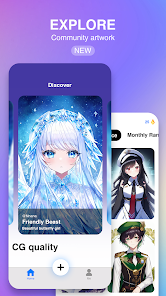
editor reviews
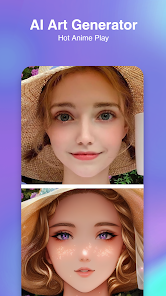
Anime AI - Photo Maker is one of those photo editing apps that transforms your regular photos into anime-style artwork. It falls into the category of AI-powered image editors, and people mainly use it to turn selfies or portraits into illustrations that look like they jumped out of a Japanese anime. You might download it from Google Play or the App Store if you're into anime culture, want a cool profile picture, or just feel like having some fun with your photos. I installed it because I kept seeing similar apps all over social media, and I was curious to see if this one actually delivered something decent. After launching the app, the first impression was mixed — the interface looked clean enough, but it immediately hit me with a registration prompt. No forced login, but it was clearly nudging you to sign up. The app is free to download and has quite a few installs, but you'll quickly notice that in-app purchases and ads are part of the deal.
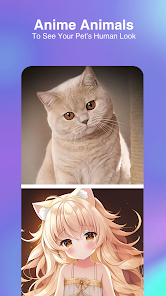
Once you get past the initial setup, the actual hands-on experience is fairly straightforward. You upload a photo from your gallery or take one on the spot, and then you pick a style filter. The app offers a handful of anime styles — some look like classic Studio Ghibli, others lean toward modern shonen or chibi. After selecting one, the AI processes the image, which takes maybe 10 to 15 seconds on a decent phone. The results can be hit or miss. On a clear, front-facing portrait, it works surprisingly well — skin tones, eyes, and hair get that soft cel-shaded look. But if your photo has multiple people, weird lighting, or weird angles, the output can look messy or distorted. The interface is simple enough that you won't get lost, but I wish the app gave you more control over details like background or shading intensity. There's no manual adjustment, so you're kind of stuck with what the AI decides.
After using Anime AI for a week or two, I think it's a solid pick if you just want quick anime-style edits without any hassle. People who post on social media a lot or enjoy customizing their avatars will probably enjoy it. But if you already use apps like Meitu or Picsart with anime filters, this doesn't bring much new to the table. What sets it apart is the dedicated focus — it doesn't try to be a full editing suite, so it feels less cluttered. But the lack of advanced features and the ads can get annoying fast. Personally, I kept it installed because I occasionally use it for fun edits, but I can see why someone might uninstall it after a few uses. It's not a must-have, but it does what it promises most of the time.
features
- 🖼️ Turn photos into consistent anime-style artwork: The core feature is straightforward — upload a picture and let the AI redraw it in a chosen anime style. Compared to apps like FaceApp or ToonMe, Anime AI seems more focused on preserving the original facial structure while applying the art style. It's not perfect, but for clean portraits, the output is noticeably more anime-like than a generic cartoon filter.
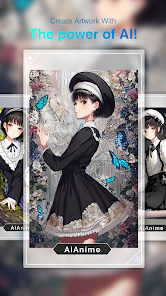
- 🎨 Multiple anime aesthetics: You get a few distinct styles, not just one generic filter. There's a softer pastel look, a bolder outline style, and even a chibi option. That variety makes it more useful than apps like Pastel or old-school anime filters that only offer one look. You can switch between them to see which fits your photo best.
- 📱 Simple, no-fuss interface: You don't need editing experience to use it. There's no layer system, no brush tool — just pick a photo, pick a style, and wait. That's a big plus if you just want a quick result without messing around. In contrast, apps like PicsArt or Photoshop Express require way more taps to get a similar effect.
pros
- ⚡ Fast processing: The AI works quickly. Usually under 15 seconds per image, which is faster than some other converters like ToonMe that can stall on complex photos. You can batch-process a few images without waiting forever.
- 🎯 Focused purpose: Unlike Meitu or YouCam, which bury the anime filter under tons of beauty tools and stickers, this app is purely about anime-style conversion. That narrow focus means less clutter and a more streamlined experience.
- 📸 Good for social media: The output images look clean enough for profile pictures or sharing on Instagram. The resolution isn't terrible either, so you won't end up with pixelated square thumbnails.
cons
- 🔧 No manual adjustments: Once the AI produces an image, you can't tweak details like eye size, shading, or background. If the result looks off, you have to retake the photo or hope another style works better. Apps like PicsArt let you edit further.
- 📺 Too many ads: After every edit, you're hit with a full-screen ad. Sometimes even before the processing starts. It breaks the flow, and the only way to avoid it is to pay for a subscription. Free users will find this frustrating.
- 👥 Poor performance with group photos: The AI struggles when more than one face is in the image. Faces get merged or distorted, so this app is really only usable for single-person shots. For group edits, you're better off with other tools.
Articles
![]()
Guide
How to Update Google Play Store on Android 2026
![]()
Guide
How to Download Older Versions of Android Apps
![]()
Guide
How to Download Apps Without Google Play Store
![]()
Guide
What Is an APK File for Android?
If you use an Android phone, you may have seen the term APK while searching for apps or games online. Some websites offer an APK download instead of a Google Play install button. Some users also mention APK files when talking about apps that are not available in their region, older app versions, or Android games downloaded outside the Play Store.
![]()
Guide
How to Install Games from Google Play for Beginners
Installing games on an Android phone is usually simple, but for beginners, the process can still feel confusing at first. You may not know where to search, which button to tap, whether the game is safe, or why Google Play sometimes asks for account settings, storage access, or payment information. If you are using an Android phone for the first time, learning how to install games from Google Play is one of the easiest ways to get started.
![]()
Guide
How Useful Gemini Is for Everyday Questions and Quick Tasks
emini feels different from many AI apps because it is not only trying to be a chatbot. After using it for everyday questions, quick writing, image understanding, and planning, I think its biggest strength is convenience.
![]()
Guide
What to Know Before Downloading APKs
For many Android users, downloading an APK is a common way to install apps and games. Sometimes an app is not available in a certain country.
![]()
Guide
ChatGPT Review: Is It Still the Best AI App in 2026?
![]()
Guide
Seedance 2.0 vs Sora: The Future of AI Video Generation
The AI video race has intensified dramatically over the past two years. Platforms like Sora from OpenAI and Luma Dream Machine pushed the boundaries of text-to-video realism. Yet, despite their impressive outputs, most tools still operate as probabilistic generators—you describe a scene, and the model interprets it. Control remains limited. With the February 2026 release of Seedance 2.0, developed by ByteDance, the paradigm shifted. Internally known as Jimeng 2.0, Seedance does not position itself as just another video model. It positions itself as an AI Director. Rather than guessing what you want, Seedance 2.0 allows you to direct what happens. This distinction defines everything that follows.









Recommended Apps
![]()
Home Design 3D
Anuman4.2
![]()
Truth or Dare Game - Party App
Chouic4.8
![]()
Photo Collage Maker
Scoompa4.7![]()
Learn to Draw Flower
Creative APPS4.2![]()
FIFA World Cup 2026™
FIFA2.8![]()
Mirror Plus: Mirror with Light
Digitalchemy, LLC4.4![]()
Meitu- Photo Editor & AI Art
Meitu (China) Limited4.5![]()
Perplexity - Ask Anything
PerplexityAI4.7![]()
GhostTube SLS Camera Alternate
GhostTube4![]()
Boom Chip Blast: 2-Player
Black Pyramid 3D Games Studio0![]()
Healthy Benefits+
Solutran, Inc.4.5![]()
Deepcheck AI Search Assistant
rohe.ai4![]()
Idol Prank Video Call & Chat
LightCode Solutions4![]()
Face Shape - Pretty Scale
GlintTec Apps3.9![]()
Plant App - Plant Identifier
ScaleUp4.6












































