
Lie Detector Test Prank (Joke)

500K+
Installs
Neko Soft
Developer
-
Entertainment
Category
-
Rated for 3+
Content Rating
-
nekosoft.feedback.app@gmail.com
Developer Email
-
https://sites.google.com/view/nksoftpolicy/home
Privacy Policy
Screenshots
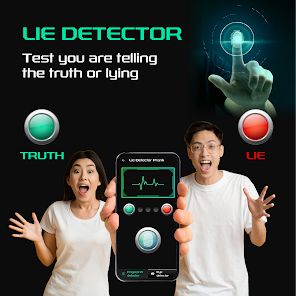
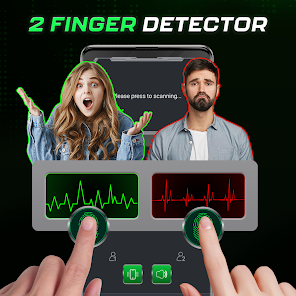
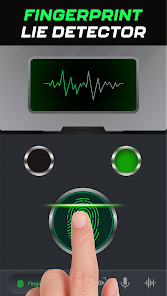
editor reviews
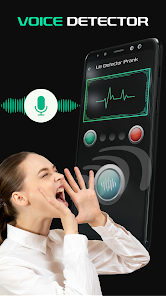
Lie Detector Test Prank by Neko Soft is exactly what it sounds like—a playful joke app designed to simulate a polygraph test. It falls squarely into the prank and entertainment category, something you might grab from the Google Play Store for a laugh or to mess with a friend. After downloading and installing it, which takes just a moment, the first impression is intentionally exaggerated: it mimics a serious, screen-based polygraph machine with flashing lights and fake metrics. It's free to download, though there are optional in-app purchases for extra themes or sound packs. Ads do pop up occasionally, but they aren't too aggressive. The whole point is to trick someone into thinking they're being hooked up to a real lie detector, so the more dramatic and convincing the interface looks, the better the joke works.
Once you open the app, the onboarding is almost nonexistent—you're dropped right into the main screen with a big "Start Test" button. The interface is straightforward: you place a finger on the screen (or attach a finger clip if you bought one), and the app pretends to measure pulse and sweat levels. After asking a few yes-or-no questions, it delivers a verdict with exaggerated sound effects and dramatic text like "LIE DETECTED!" or "TRUTHFUL." In practice, you'd hand the phone to your victim, ask them a few personal questions, and watch their face when the app calls them out. It works best if you set the sensitivity slider to high beforehand to “catch” more lies. One small tip: have a friend read the questions so you can watch the reaction up close. The whole flow is smooth and responsive, though the animations can feel a bit cheap if you're not ready for it.
After playing with this for a while, I'd say it's solid for a specific moment—like a party or a sleepover where everyone's in on the joke. But for long-term use, it doesn't have much staying power. It's fun to pull out once or twice, but after that, the gimmick wears thin. Compared to apps like “Prank Caller” or “Fake Call,” this one feels more limited in replay value unless you regularly hang out with new people who haven't seen it. It's also not great for anyone who wants a serious tool or a game to play alone—it's purely social. That said, it does its one job well: causing a quick, harmless laugh. I ended up keeping it installed for those random party moments but rarely open it otherwise.
features
- 😄 Lie Detection Simulation – The app mimics a real polygraph by measuring finger pressure and display fake biofeedback like heart rate and sweat levels. Compared to “Truth or Dare,” which relies on pre-set questions, this app feels more interactive because the “test” adapts to the user's responses.
- 😄 Pre-Recorded Question Packs – You can choose from themed packs like “Poker Bluff Prep,” “Girlfriend Confession,” and “Friendship Test.” This is a step up from “Prank Caller,” where you're limited to one script per call. Here, you can mix and match questions for different situations.
- 😄 Custom Sensitivity Slider – A standout feature is the adjustable lie detection sensitivity. Crank it up to “Detective Mode” and almost every answer gets flagged as a lie. In “Cheat Mode,” it flips the results for even more chaos. No other prank app I've tried offers this kind of fine-tuning for the joke.
pros
- ✅ Easy Setup for Maximum Embarrassment – The app is dead simple to set up. You just hand the phone to your target, press start, and watch them squirm. This outruns “Truth or Dare” because that requires explaining rules first—here, the victim is thrown right into the hot seat.
- ✅ Realistic Visuals During Test – The fake polygraph graph wiggles and spikes like a real lie detector, which adds to the shock when a “false” reading flashes. Other prank apps, like “Fake Call,” rely on a still image, but this one moves live and feels more believable in the moment.
- ✅ Good for Group Settings – Because it works best with an audience, it's great for parties, road trips, or game nights. Unlike “Prank Caller,” which requires one-on-one timing, this app gets the whole room laughing when someone's blatant lie gets flagged.
cons
- ❌ One-Time Use per Friend – Once someone sees the gimmick, the magic is gone for them. Unlike “Truth or Dare” where you can play multiple rounds, this app relies on surprise. After one use with a person, they won't fall for it again.
- ❌ No Real Online Play – There's no way to prank someone remotely. You have to physically hand over your phone. Competitors like “Fake Call” let you trigger an incoming call from your device, which adds remote mischief. This app misses that trick.
- ❌ In-App Purchases Can Feel Pushy – Some of the fun packs (like the “Police Interrogation” theme) are locked behind a paywall. Free users only get a basic gray layout, which feels plain compared to the flashy paid options. Other apps like “Prank Caller” give away most content for free.
Articles
![]()
Guide
How to Update Google Play Store on Android 2026
![]()
Guide
How to Download Older Versions of Android Apps
![]()
Guide
How to Download Apps Without Google Play Store
![]()
Guide
What Is an APK File for Android?
If you use an Android phone, you may have seen the term APK while searching for apps or games online. Some websites offer an APK download instead of a Google Play install button. Some users also mention APK files when talking about apps that are not available in their region, older app versions, or Android games downloaded outside the Play Store.
![]()
Guide
How to Install Games from Google Play for Beginners
Installing games on an Android phone is usually simple, but for beginners, the process can still feel confusing at first. You may not know where to search, which button to tap, whether the game is safe, or why Google Play sometimes asks for account settings, storage access, or payment information. If you are using an Android phone for the first time, learning how to install games from Google Play is one of the easiest ways to get started.
![]()
Guide
How Useful Gemini Is for Everyday Questions and Quick Tasks
emini feels different from many AI apps because it is not only trying to be a chatbot. After using it for everyday questions, quick writing, image understanding, and planning, I think its biggest strength is convenience.
![]()
Guide
What to Know Before Downloading APKs
For many Android users, downloading an APK is a common way to install apps and games. Sometimes an app is not available in a certain country.
![]()
Guide
ChatGPT Review: Is It Still the Best AI App in 2026?
![]()
Guide
Seedance 2.0 vs Sora: The Future of AI Video Generation
The AI video race has intensified dramatically over the past two years. Platforms like Sora from OpenAI and Luma Dream Machine pushed the boundaries of text-to-video realism. Yet, despite their impressive outputs, most tools still operate as probabilistic generators—you describe a scene, and the model interprets it. Control remains limited. With the February 2026 release of Seedance 2.0, developed by ByteDance, the paradigm shifted. Internally known as Jimeng 2.0, Seedance does not position itself as just another video model. It positions itself as an AI Director. Rather than guessing what you want, Seedance 2.0 allows you to direct what happens. This distinction defines everything that follows.









Recommended Apps
![]()
Home Design 3D
Anuman4.2
![]()
Truth or Dare Game - Party App
Chouic4.8
![]()
Photo Collage Maker
Scoompa4.7![]()
Learn to Draw Flower
Creative APPS4.2![]()
FIFA World Cup 2026™
FIFA2.8![]()
Mirror Plus: Mirror with Light
Digitalchemy, LLC4.4![]()
Meitu- Photo Editor & AI Art
Meitu (China) Limited4.5![]()
Perplexity - Ask Anything
PerplexityAI4.7![]()
GhostTube SLS Camera Alternate
GhostTube4![]()
Boom Chip Blast: 2-Player
Black Pyramid 3D Games Studio0![]()
Healthy Benefits+
Solutran, Inc.4.5![]()
Deepcheck AI Search Assistant
rohe.ai4![]()
Idol Prank Video Call & Chat
LightCode Solutions4![]()
Face Shape - Pretty Scale
GlintTec Apps3.9![]()
Plant App - Plant Identifier
ScaleUp4.6












































