

Neku: OC character creator

10M+
Installs
Neku Avatar Studio
Developer
-
Productivity
Category
-
Teen
Content Rating
-
info@neku.cc
Developer Email
-
https://avatar.zthd.io/Privacy-Terms/
Privacy Policy
Screenshots
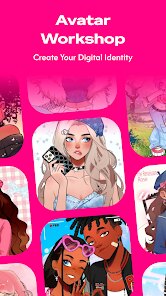
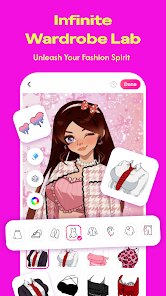
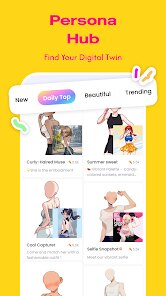
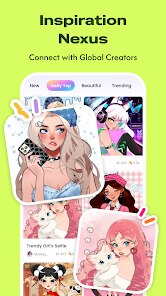
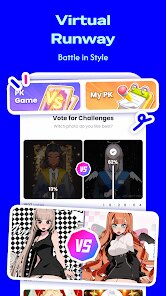
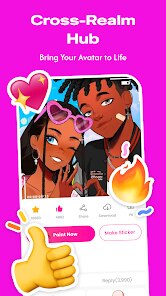
editor reviews
I stumbled upon Neku while looking for a decent avatar maker, and honestly, it's kind of a hidden gem in the character creation space. It's a dedicated OC creator app, so you're not dealing with the usual photo-editing fluff. The whole point is to build original characters from scratch, which is great for artists, writers, or anyone who just wants a unique profile pic. After downloading it from the Google Play store—I noticed it has over a million installs and is free to grab—I opened it up and was hit with a clean, almost minimalist start screen. No annoying sign-up wall, no video ads trying to sell me a subscription right away. That first impression was surprisingly chill, like the app actually wants you to mess around before deciding if you like it.
Once you get into the editor, the hands-on experience feels more like playing a dress-up game than using a serious art tool. There's a character base you can tweak with sliders for face shape, eye size, nose width—stuff that makes sense if you're trying to capture a specific look. The onboarding is light; I just tapped around and figured out most of it in a few minutes. You pick skin tone, hairstyle, eyes, mouth, then move onto clothes and accessories. One thing that stood out was how smooth the color picker is for hair and eyes—you can get really specific shades, which is a lifesaver when you're recreating a character from a story. I did hit a slightly confusing moment when trying to save a preset, because the menu labels are a bit vague, but after a few tries, I got the hang of it. A practical tip: always save your character as a project first, because the export option only gives a full render, not the layered file.
After spending a good hour playing with it, I'd say Neku is perfect for casual creators who want quick, good-looking results without learning a complex program like Clip Studio Paint or even something like Picrew's deeper editors. But if you're a professional illustrator needing precise control over every muscle or shading angle, you'll probably get annoyed fast. What makes it different from stuff like Avatar Maker: Anime or even the Sims' CAS is how much freedom you get with proportions—like making a chibi character with huge eyes and a tiny body, which other apps often lock. I'm keeping it installed because it's a fun way to visualize story characters on the go, but I can see someone deleting it if they only wanted one generic avatar. The in-app purchases are there for extra hairstyle packs, but you get plenty for free.
features
- 🌟 Customizable facial features: You can adjust things like jaw width, eye tilt, and lip fullness with sliders, not just presets. Compared to something like Avatar Maker: Anime, which mostly lets you swap fixed pieces, Neku gives you that extra level of control to make a face look uniquely yours.
- 🌟 Rich color picker: Instead of having only 10 basic hair colors, Neku uses a full gradient tool. So if you want a character with mint-green tips fading into dusty pink, you can actually do that. Most free avatar apps just give you solid blocks of color.
- 🌟 Style diversity: It supports everything from cute anime-style to semi-realistic heroes. You can shift the style sliders to change how sharp or round the eyes are, which feels like crossing Picrew's playfulness with a more structured character builder.
pros
- 👍 Great for storytelling: If you're a writer designing characters for a novel, you can save multiple OCs in one app. Other apps like Charat or Rinmaru Games don't let you save or export characters easily without screenshots.
- 👍 No forced login: A lot of avatar apps nag you to sign up with email or Google immediately. Neku lets you build and export before even seeing a registration page. That alone makes it more inviting than something like FaceQ.
- 👍 Free pack is generous: There's a solid set of base items—about 50 hairstyles, 30 eye types, and a bunch of clothing—all free. You don't hit a paywall after three minutes like in some mobile dress-up games.
cons
- 👎 Limited body editing: You can mess with facial proportions a lot, but the body options are pretty restrictive. You only get a few height and weight presets, while something like The Sims 4's CAS lets you drag every limb. This feels like a missed step for serious OC creators.
- 👎 Clunky layering: Sometimes accessories overlap in weird ways. For example, if you put on a scarf and a necklace, they clip through each other. Apps like Hero Forge handle layering much better, though they're more pricey.
- 👎 Export quality is average: The images come out clear but not super high-resolution. If you're trying to print a character sheet or use it for a cover art base, the pixel count might not cut it compared to drawing apps like Procreate or even Artbreeder's exports.
- 👎 No undo button: I can't believe this is missing. If you accidentally change a slider too far, you have to manually reset it instead of just hitting “undo.” That's a basic feature that makes other editors way less frustrating.
Articles
![]()
Guide
How to Update Google Play Store on Android 2026
![]()
Guide
How to Download Older Versions of Android Apps
![]()
Guide
How to Download Apps Without Google Play Store
![]()
Guide
What Is an APK File for Android?
If you use an Android phone, you may have seen the term APK while searching for apps or games online. Some websites offer an APK download instead of a Google Play install button. Some users also mention APK files when talking about apps that are not available in their region, older app versions, or Android games downloaded outside the Play Store.
![]()
Guide
How to Install Games from Google Play for Beginners
Installing games on an Android phone is usually simple, but for beginners, the process can still feel confusing at first. You may not know where to search, which button to tap, whether the game is safe, or why Google Play sometimes asks for account settings, storage access, or payment information. If you are using an Android phone for the first time, learning how to install games from Google Play is one of the easiest ways to get started.
![]()
Guide
How Useful Gemini Is for Everyday Questions and Quick Tasks
emini feels different from many AI apps because it is not only trying to be a chatbot. After using it for everyday questions, quick writing, image understanding, and planning, I think its biggest strength is convenience.
![]()
Guide
What to Know Before Downloading APKs
For many Android users, downloading an APK is a common way to install apps and games. Sometimes an app is not available in a certain country.
![]()
Guide
ChatGPT Review: Is It Still the Best AI App in 2026?
![]()
Guide
Seedance 2.0 vs Sora: The Future of AI Video Generation
The AI video race has intensified dramatically over the past two years. Platforms like Sora from OpenAI and Luma Dream Machine pushed the boundaries of text-to-video realism. Yet, despite their impressive outputs, most tools still operate as probabilistic generators—you describe a scene, and the model interprets it. Control remains limited. With the February 2026 release of Seedance 2.0, developed by ByteDance, the paradigm shifted. Internally known as Jimeng 2.0, Seedance does not position itself as just another video model. It positions itself as an AI Director. Rather than guessing what you want, Seedance 2.0 allows you to direct what happens. This distinction defines everything that follows.









Recommended Apps
![]()
Home Design 3D
Anuman4.2
![]()
Truth or Dare Game - Party App
Chouic4.8
![]()
Photo Collage Maker
Scoompa4.7![]()
Learn to Draw Flower
Creative APPS4.2![]()
FIFA World Cup 2026™
FIFA2.8![]()
Mirror Plus: Mirror with Light
Digitalchemy, LLC4.4![]()
Meitu- Photo Editor & AI Art
Meitu (China) Limited4.5![]()
Perplexity - Ask Anything
PerplexityAI4.7![]()
GhostTube SLS Camera Alternate
GhostTube4![]()
Boom Chip Blast: 2-Player
Black Pyramid 3D Games Studio0![]()
Healthy Benefits+
Solutran, Inc.4.5![]()
Deepcheck AI Search Assistant
rohe.ai4![]()
Idol Prank Video Call & Chat
LightCode Solutions4![]()
Face Shape - Pretty Scale
GlintTec Apps3.9![]()
Plant App - Plant Identifier
ScaleUp4.6











































