

AI Video - AI Video Generator

10M+
Installs
HubX
Developer
-
Video Players & Editors
Category
-
Teen
Content Rating
-
info@aivideoart.co
Developer Email
-
https://aivideoart.co/privacy
Privacy Policy
Screenshots





editor reviews
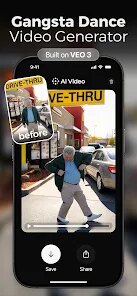
AI Video Generator by HubX is a mobile app that lets you create short video clips from text prompts. It fits into the growing category of generative AI tools, right alongside image and music generators, but focuses specifically on motion content. You can type in a description, pick a style, and the app outputs a short video that matches your idea. People usually download it to quickly make visuals for social media posts, ads, or just to experiment with what AI can produce these days. The first time you open it, the interface looks pretty clean with a simple input bar at the top and some example results below. There is no forced sign-up right away, which feels nice. It seems to have millions of installs on Google Play, though the exact number is not displayed everywhere, and it is free to download with optional in-app purchases for extra styles or longer videos. You might see an ad after a few creations, but it is not too aggressive.
Once you start using it, the workflow is straightforward. You type a prompt, like "a cat walking on a rainbow street," and choose a video style from a handful of options, like cinematic or anime. The app processes your request for maybe ten to twenty seconds, then plays the result. The interface has a bottom navigation bar with tabs for create, library, and settings. Onboarding is minimal, just a quick pop-up explaining the credits system. In daily use, you might find yourself tweaking prompts multiple times because the AI can be hit or miss with interpreting complex scenes. A practical tip is to keep prompts simple and skip fancy adjectives. The playback screen also has a download button and a share option, which makes it easy to post directly to TikTok or Instagram. However, sometimes the app freezes for a second after generating a video, which is a bit annoying when you are in a hurry. There is no bulk generation feature, so each clip requires you to start a new prompt manually.
After spending a week with it, I would say this app is great for casual creators who want quick, fun visuals without learning editing software. If you are a professional video editor or need high-resolution outputs, you will probably find it limiting because the resolution maxes out at 1080p and the clips are only a few seconds long. What sets it apart from something like CapCut is that it needs zero manual work, no cuts, no transitions, just text. But CapCut gives you way more control and better quality if you are willing to learn. Another similar app, RunwayML, offers more advanced features but is less mobile-friendly. I will likely keep AI Video Generator installed because it is useful for brainstorming visual ideas quickly, but I could see uninstalling it if the ads start piling up or if a free competitor appears. It is fun for a while, but it does not replace proper video tools.
features
- 🎬 Text-to-video generation is the core feature. You type a prompt, choose a style, and the AI creates a clip within seconds. Compared to Pika Labs, which requires you to join a Discord server and use slash commands, this app keeps everything inside one mobile interface, so there is no extra hopping between platforms.
- 🎬 Multiple artistic styles are built-in, including cinematic, anime, and 3D render. RunwayML also offers style options, but HubX's selection feels more tuned for casual users who just want a quick aesthetic look without tweaking parameters.
- 🎬 Download and share directly to social media from the app's playback screen. CapCut has a similar sharing feature, but it expects you to have finished editing a timeline first. Here, you download immediately after generation, which saves time for throwaway content.
pros
- 👍 No learning curve at all. You do not need to understand frame rates, keyframes, or layers. Just type and wait. This makes it more accessible than CapCut or KineMaster, which require some basic editing knowledge even for simple clips.
- 👍 Instant preview without rendering queues. Unlike some web-based tools that put you in a waiting list, HubX processes your video on-device or on a fast server, so you see the result in under 30 seconds.
- 👍 Free tier is generous enough for casual experiments. You get a decent number of daily credits before hitting a paywall. RunwayML gives you a few free trials but then asks for a subscription quickly.
cons
- 👎 Short clip length. Videos max out at around 5 seconds. If you need a longer scene, you have to manually stitch clips together. CapCut lets you create minutes-long videos with ease.
- 👎 Inconsistent output quality. The AI sometimes fails to follow the prompt accurately, especially with complex actions or specific objects. Pika Labs generally produces more coherent motion, though it takes longer.
- 👎 No fine-tuning controls. You cannot adjust camera movement, lighting, or object placement. RunwayML allows you to tweak these parameters, giving you more artistic control.
Articles
![]()
Guide
How to Update Google Play Store on Android 2026
![]()
Guide
How to Download Older Versions of Android Apps
![]()
Guide
How to Download Apps Without Google Play Store
![]()
Guide
What Is an APK File for Android?
If you use an Android phone, you may have seen the term APK while searching for apps or games online. Some websites offer an APK download instead of a Google Play install button. Some users also mention APK files when talking about apps that are not available in their region, older app versions, or Android games downloaded outside the Play Store.
![]()
Guide
How to Install Games from Google Play for Beginners
Installing games on an Android phone is usually simple, but for beginners, the process can still feel confusing at first. You may not know where to search, which button to tap, whether the game is safe, or why Google Play sometimes asks for account settings, storage access, or payment information. If you are using an Android phone for the first time, learning how to install games from Google Play is one of the easiest ways to get started.
![]()
Guide
How Useful Gemini Is for Everyday Questions and Quick Tasks
emini feels different from many AI apps because it is not only trying to be a chatbot. After using it for everyday questions, quick writing, image understanding, and planning, I think its biggest strength is convenience.
![]()
Guide
What to Know Before Downloading APKs
For many Android users, downloading an APK is a common way to install apps and games. Sometimes an app is not available in a certain country.
![]()
Guide
ChatGPT Review: Is It Still the Best AI App in 2026?
![]()
Guide
Seedance 2.0 vs Sora: The Future of AI Video Generation
The AI video race has intensified dramatically over the past two years. Platforms like Sora from OpenAI and Luma Dream Machine pushed the boundaries of text-to-video realism. Yet, despite their impressive outputs, most tools still operate as probabilistic generators—you describe a scene, and the model interprets it. Control remains limited. With the February 2026 release of Seedance 2.0, developed by ByteDance, the paradigm shifted. Internally known as Jimeng 2.0, Seedance does not position itself as just another video model. It positions itself as an AI Director. Rather than guessing what you want, Seedance 2.0 allows you to direct what happens. This distinction defines everything that follows.









Recommended Apps
![]()
Home Design 3D
Anuman4.2
![]()
Truth or Dare Game - Party App
Chouic4.8
![]()
Photo Collage Maker
Scoompa4.7![]()
Learn to Draw Flower
Creative APPS4.2![]()
FIFA World Cup 2026™
FIFA2.8![]()
Mirror Plus: Mirror with Light
Digitalchemy, LLC4.4![]()
Meitu- Photo Editor & AI Art
Meitu (China) Limited4.5![]()
Perplexity - Ask Anything
PerplexityAI4.7![]()
GhostTube SLS Camera Alternate
GhostTube4![]()
Boom Chip Blast: 2-Player
Black Pyramid 3D Games Studio0![]()
Healthy Benefits+
Solutran, Inc.4.5![]()
Deepcheck AI Search Assistant
rohe.ai4![]()
Idol Prank Video Call & Chat
LightCode Solutions4![]()
Face Shape - Pretty Scale
GlintTec Apps3.9![]()
Plant App - Plant Identifier
ScaleUp4.6












































