
Magic Voice Changer

100K+
Installs
PerryLeeGame3
Developer
-
Productivity
Category
-
Rated for 12+
Content Rating
-
perryleegame3@gmail.com
Developer Email
-
http://perrylegame.com/privacy.html
Privacy Policy
Screenshots
editor reviews
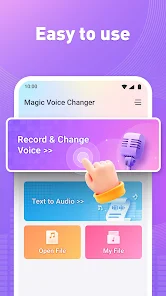
Magic Voice Changer, from developer PerryLeeGame3, is exactly what the name suggests: a real-time voice modification app that lets you sound completely different when you talk. You download it from the Play Store, install it, and launch it without paying anything upfront. The moment you open the app, you see a clean, gaming-inspired interface with colorful buttons and a big red record bar at the bottom. For a free app, the first impression is actually decent, no aggressive ad pop-ups, just a quick "tap to choose your voice" prompt. You can use it for prank calls, streaming, or just messing around with friends in voice chats. It does not require registration, which is a nice touch for anyone who just wants to try it out quickly.
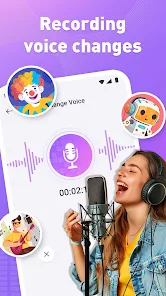
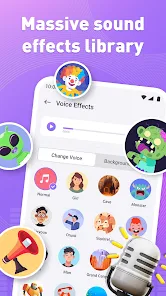
When you actually start using Magic Voice Changer, the flow is straightforward. You pick a voice from a grid of options like Robot, Alien, Girl, or Helium, then hit the microphone icon to speak. Your modified voice plays back through the speaker instantly. It feels responsive, no weird lag that kills the mood. The app also lets you record short clips and share them, which is handy if you want to send a funny voice message. A small tip: the pitch slider at the top lets you fine-tune each preset, so you are not stuck with just default settings. One thing I noticed is that the ads show up between tries, usually a 5-second video, but they do not interrupt while you are recording. For a free tool, it works smoother than I expected.
After using Magic Voice Changer for a while, I think it serves its purpose if you just want quick, silly fun. It is great for kids or anyone who enjoys playful audio effects without dealing with complex menus. Grown-ups who need professional voice modulation for calls or podcasts might find the sound quality a bit rough, though. Compared to apps like Voice Changer with Effects or RoboVox, Magic Voice Changer feels less polished on the sound side, but it wins on simplicity. I would keep it installed because it takes zero time to open and use, but I also imagine someone might uninstall it if they only needed it once for a joke. It does what it says, and that is fine.
features
- 🎤 Real-time voice changing with low latency, you speak and hear the effect almost instantly, no awkward delay like some other apps have.
- 🎤 A solid preset library including Robot, Alien, Girl, Helium, and more, each can be fine-tuned with a pitch slider for custom sounds.
- 🎤 Simple recording and sharing feature built right in, you can save your funny clips and send them directly to friends or on social media.
- 🎤 Compared to Voice Changer with Effects, this one skips complicated EQ settings and focuses on instant fun, which makes it more beginner-friendly.
pros
- 🎈 Completely free to download and use, no hidden paywalls or subscription traps, unlike some voice changers that lock good presets behind a paywall.
- 🎈 No registration required, you jump straight into using the app without handing over an email or creating an account, which respects your privacy.
- 🎈 The interface is very intuitive, even a child can figure it out in seconds, while RoboVox buries its best features in nested menus.
cons
- 🎲 Sound quality is noticeably lower than paid apps like Voicemod, voices can sound a bit tinny or robotic even on the "natural" presets.
- 🎲 Ads appear between uses, which can get annoying if you are testing multiple voices quickly, other free apps like Clownfish manage ads less intrusively.
- 🎲 No background noise suppression, so if you are in a noisy room, the effect picks up everything and sounds messy.
- 🎲 Limited to just a handful of presets, no option to create or save custom voice profiles, which makes it feel shallow for power users.
Articles
![]()
Guide
How to Update Google Play Store on Android 2026
![]()
Guide
How to Download Older Versions of Android Apps
![]()
Guide
How to Download Apps Without Google Play Store
![]()
Guide
What Is an APK File for Android?
If you use an Android phone, you may have seen the term APK while searching for apps or games online. Some websites offer an APK download instead of a Google Play install button. Some users also mention APK files when talking about apps that are not available in their region, older app versions, or Android games downloaded outside the Play Store.
![]()
Guide
How to Install Games from Google Play for Beginners
Installing games on an Android phone is usually simple, but for beginners, the process can still feel confusing at first. You may not know where to search, which button to tap, whether the game is safe, or why Google Play sometimes asks for account settings, storage access, or payment information. If you are using an Android phone for the first time, learning how to install games from Google Play is one of the easiest ways to get started.
![]()
Guide
How Useful Gemini Is for Everyday Questions and Quick Tasks
emini feels different from many AI apps because it is not only trying to be a chatbot. After using it for everyday questions, quick writing, image understanding, and planning, I think its biggest strength is convenience.
![]()
Guide
What to Know Before Downloading APKs
For many Android users, downloading an APK is a common way to install apps and games. Sometimes an app is not available in a certain country.
![]()
Guide
ChatGPT Review: Is It Still the Best AI App in 2026?
![]()
Guide
Seedance 2.0 vs Sora: The Future of AI Video Generation
The AI video race has intensified dramatically over the past two years. Platforms like Sora from OpenAI and Luma Dream Machine pushed the boundaries of text-to-video realism. Yet, despite their impressive outputs, most tools still operate as probabilistic generators—you describe a scene, and the model interprets it. Control remains limited. With the February 2026 release of Seedance 2.0, developed by ByteDance, the paradigm shifted. Internally known as Jimeng 2.0, Seedance does not position itself as just another video model. It positions itself as an AI Director. Rather than guessing what you want, Seedance 2.0 allows you to direct what happens. This distinction defines everything that follows.









Recommended Apps
![]()
Home Design 3D
Anuman4.2
![]()
Truth or Dare Game - Party App
Chouic4.8
![]()
Photo Collage Maker
Scoompa4.7![]()
Learn to Draw Flower
Creative APPS4.2![]()
FIFA World Cup 2026™
FIFA2.8![]()
Mirror Plus: Mirror with Light
Digitalchemy, LLC4.4![]()
Meitu- Photo Editor & AI Art
Meitu (China) Limited4.5![]()
Perplexity - Ask Anything
PerplexityAI4.7![]()
GhostTube SLS Camera Alternate
GhostTube4![]()
Boom Chip Blast: 2-Player
Black Pyramid 3D Games Studio0![]()
Healthy Benefits+
Solutran, Inc.4.5![]()
Deepcheck AI Search Assistant
rohe.ai4![]()
Idol Prank Video Call & Chat
LightCode Solutions4![]()
Face Shape - Pretty Scale
GlintTec Apps3.9![]()
Plant App - Plant Identifier
ScaleUp4.6












































