

Genral Tv | Video Player

1M+
Installs
elmahdy apps
Developer
-
Entertainment
Category
-
Rated for 3+
Content Rating
-
mrmemo2021@gmail.com
Developer Email
-
https://sites.google.com/view/kpplayer/%D8%A7%D9%84%D8%B5%D9%81%D8%AD%D8%A9-%D8%A7%D9%84%D8%B1%D8%A6%D9%8A%D8%B3%D9%8A%D8%A9
Privacy Policy
Screenshots


editor reviews
So, General TV & Video Player is basically your all-in-one media hub. It's a video player app that also pulls in live TV streams from the web, all wrapped up in one download. You can use it to watch movies, TV shows, or even live news channels you find online, which is pretty handy if you don't have a cable subscription. I grabbed it off Google Play because the idea of mixing local video playback with streaming felt convenient. After installing it, the first impression was a bit mixed—the interface looks functional but not the prettiest. It's free to download, though you might run into some ads now and then, and there are no forced logins, which I appreciated.
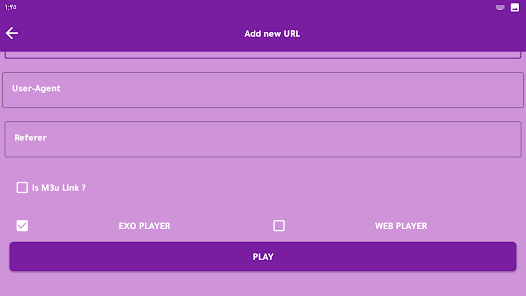
Once you actually open it up, the hands-on experience is decent. You get a simple player screen with controls that work like most video apps: play, pause, volume, and a seek bar. The app offers a few player skins, but honestly, they don't change much in usability. The onboarding is straightforward—just pick a video from your device or enter a URL for live TV. On the plus side, the player handles common formats like MP4 and AVI without hiccups, and the subtitle support is solid for regular SRT files. I did find that switching between different streams could be a bit laggy, especially if the source was weak. A small tip: if you want smoother playback, try reducing the hardware acceleration in settings—it helps on older phones.
After using it for a while, I can say this app works best for people who want a no-fuss media player that also lets you stream random live channels. But it's not for everyone—if you rely on polished features like Chromecast or cloud integration, you might be disappointed. Compared to VLC or MX Player, General TV feels a bit less refined; those apps have smoother interfaces and better codec support. However, this app's real hook is the built-in live TV channel directory, which VLC doesn't offer. I'd probably keep it installed just for that streaming feature, but if you're only watching local files, you could easily uninstall it and stick with something more polished.
features
- 📺 Live TV channel directory built directly into the player—you can browse and watch streams without needing a separate app, which sets it apart from VLC or MX Player that focus solely on local files.
- 🎨 Multiple player skins let you change the visual look of the controls, though it's more cosmetic than functional. Still, it's a nice touch for personalization that many players lack.
- 🔧 Hardware acceleration settings give you control over playback performance. You can tone it down for older devices to avoid lag, which is smarter than leaving it on auto like most competitors.
pros
- 📡 Streams live TV channels straight from the web without needing a separate stream finder app—VLC requires manual URL entry every time, while this one has a pre-built directory.
- 📁 Supports common video formats like MP4, AVI, and MKV out of the box, so you won't need to hunt for codec packs like with some basic players.
- 🔤 Subtitle support for SRT files works smoothly with most videos, making it a reliable choice for watching foreign content compared to apps that often mess up timing.
cons
- 🔧 The interface feels clunky and outdated next to polished apps like VLC, which has a cleaner layout and faster navigation for local files.
- ⏳ Switching between video streams can be slow, especially if the source is weak, while MX Player handles buffering transitions more smoothly by default.
- 📺 The live channel directory sometimes has dead links, so you'll end up skipping through stations hoping something works—VLC's manual approach is more reliable in that sense.
Articles
![]()
Guide
How to Update Google Play Store on Android 2026
![]()
Guide
How to Download Older Versions of Android Apps
![]()
Guide
How to Download Apps Without Google Play Store
![]()
Guide
What Is an APK File for Android?
If you use an Android phone, you may have seen the term APK while searching for apps or games online. Some websites offer an APK download instead of a Google Play install button. Some users also mention APK files when talking about apps that are not available in their region, older app versions, or Android games downloaded outside the Play Store.
![]()
Guide
How to Install Games from Google Play for Beginners
Installing games on an Android phone is usually simple, but for beginners, the process can still feel confusing at first. You may not know where to search, which button to tap, whether the game is safe, or why Google Play sometimes asks for account settings, storage access, or payment information. If you are using an Android phone for the first time, learning how to install games from Google Play is one of the easiest ways to get started.
![]()
Guide
How Useful Gemini Is for Everyday Questions and Quick Tasks
emini feels different from many AI apps because it is not only trying to be a chatbot. After using it for everyday questions, quick writing, image understanding, and planning, I think its biggest strength is convenience.
![]()
Guide
What to Know Before Downloading APKs
For many Android users, downloading an APK is a common way to install apps and games. Sometimes an app is not available in a certain country.
![]()
Guide
ChatGPT Review: Is It Still the Best AI App in 2026?
![]()
Guide
Seedance 2.0 vs Sora: The Future of AI Video Generation
The AI video race has intensified dramatically over the past two years. Platforms like Sora from OpenAI and Luma Dream Machine pushed the boundaries of text-to-video realism. Yet, despite their impressive outputs, most tools still operate as probabilistic generators—you describe a scene, and the model interprets it. Control remains limited. With the February 2026 release of Seedance 2.0, developed by ByteDance, the paradigm shifted. Internally known as Jimeng 2.0, Seedance does not position itself as just another video model. It positions itself as an AI Director. Rather than guessing what you want, Seedance 2.0 allows you to direct what happens. This distinction defines everything that follows.









Recommended Apps
![]()
Home Design 3D
Anuman4.2
![]()
Truth or Dare Game - Party App
Chouic4.8
![]()
Photo Collage Maker
Scoompa4.7![]()
Learn to Draw Flower
Creative APPS4.2![]()
FIFA World Cup 2026™
FIFA2.8![]()
Mirror Plus: Mirror with Light
Digitalchemy, LLC4.4![]()
Meitu- Photo Editor & AI Art
Meitu (China) Limited4.5![]()
Perplexity - Ask Anything
PerplexityAI4.7![]()
GhostTube SLS Camera Alternate
GhostTube4![]()
Boom Chip Blast: 2-Player
Black Pyramid 3D Games Studio0![]()
Healthy Benefits+
Solutran, Inc.4.5![]()
Deepcheck AI Search Assistant
rohe.ai4![]()
Idol Prank Video Call & Chat
LightCode Solutions4![]()
Face Shape - Pretty Scale
GlintTec Apps3.9![]()
Plant App - Plant Identifier
ScaleUp4.6











































