

PawAI: AI Cartoon Pet Filter

1M+
Installs
Now Tech
Developer
-
Generative AI
Category
-
Rated for 3+
Content Rating
-
quantumtech2021@gmail.com
Developer Email
-
https://nowtechpro.github.io/Privacy/Privacy.html
Privacy Policy
Screenshots
editor reviews
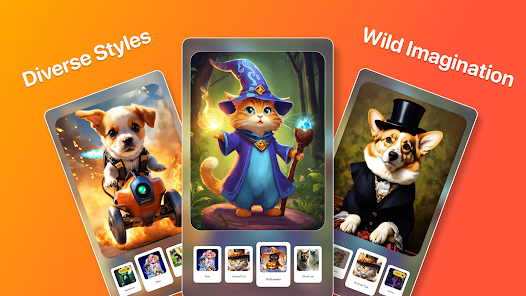
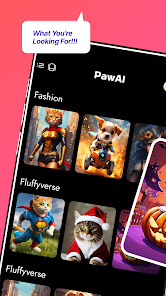
PawAI is a playful photo editing app that uses artificial intelligence to turn pictures of real pets into cartoon-style characters. It falls squarely into the utility-and-fun category, sitting somewhere between a standard photo filter app and a dedicated pet portrait generator. Most people download it because they want to turn their cat or dog into a cute animated avatar without any drawing skills. Right after launching the app, you get a clean, almost empty screen with just a camera button and a gallery icon. The first impression is that it looks more like a simple camera filter than a full editing suite, which can feel a bit underwhelming if you were expecting a flashy interface. Android Google Play shows a solid install count in the low millions, and the download itself is free, though you will bump into optional in-app purchases pretty quickly.
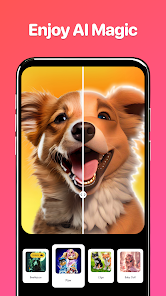
The actual experience after you start using it is mostly straightforward. You either snap a fresh photo or pick one from your gallery, and then you wait maybe five to eight seconds while the AI processes the image. The interface does not throw a lot of buttons at you at once, which helps, but the trade-off is that you do not get much control over the final result. Once the cartoon version shows up, you can tap to save it or try another style. There are a handful of preset cartoon filters, but the difference between them can be subtle. One practical tip is that photos with a clear face and good lighting turn out way better than group shots or dark images. I did run into a few moments where the app just hung on the processing screen, which made me close and reopen it. Not a dealbreaker, but annoying when it happens.
After spending a week with PawAI, I think it works best for pet owners who just want a quick, shareable cartoon version of their animal for social media profile pictures. If you are someone who enjoys tweaking every detail or comparing multiple filter versions side by side, you will probably feel limited here. Compared to something like ToonMe, which does a similar thing but focuses on humans, PawAI actually handles fur and whiskers more naturally, which makes sense since it is built specifically for pets. What makes it different from generic cartoon apps is that the AI seems trained on animal features, so the results usually look like your actual pet rather than just a random cartoon cat. I kept it installed because it is quick and fun for a laugh, but I can see people uninstalling it after the novelty wears off, especially since the app pushes a subscription for extra styles, and the free options run out fast.
features
- 🐱 Cartoon filter specifically trained on pet features - Unlike generic apps like ToonApp that give you human cartoon results even on animal photos, PawAI actually recognizes fur texture, whiskers, and ear shapes. The output keeps your pet identifiable rather than just a generic cartoon blob.
- 🐱 One-tap processing with no manual editing - You just upload a photo and wait a few seconds. There is no masking, no brush tool, no background removal needed. This makes it significantly faster than something like PicsArt, where you would have to manually apply filters and adjust layers.
- 🐱 Lightweight app size and fast load time - The app opens almost instantly and does not drain your battery during processing. Compared to Prisma which tends to heat up the phone, PawAI remains cool and responsive even after multiple tries.
- 🐱 Built-in gallery sharing direct to social platforms - After you generate a cartoon image, you can send it straight to Instagram or WhatsApp without saving to your phone first. This is a small touch but saves a step compared to apps like Cartoonify that only save locally.
pros
- 🚀 Very easy for non-tech users - My mom, who usually struggles with photo apps, figured it out in under a minute. That is a big plus over FaceApp where the interface feels cluttered with too many options.
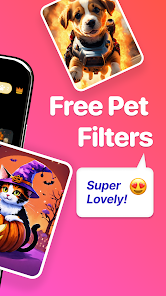
- 🚀 No watermarks on the free version - Unlike Snapseed or many free filter apps that slap a logo on your export, PawAI keeps your pictures clean unless you pay for premium. This alone makes it more shareable.
- 🚀 Works on both dogs and cats equally well - Some pet apps bias heavily toward one species, but PawAI handles both without obvious quality drops. My friend tried it on her rabbit and the result was still decent.
cons
- ⚠️ Limited free styles - You only get maybe three cartoon styles before the app asks you to subscribe. Apps like Meitu offer more free filters before hitting a paywall.
- ⚠️ No batch processing - If you have multiple pet photos you want to cartoon, you have to do them one by one. PicsArt at least lets you apply a filter to multiple images in quick succession.
- ⚠️ Struggles with accessories or partial obstacles - If your pet is wearing a collar or has a toy in its mouth, the AI sometimes messes up those areas. ToonMe handles headbands and glasses on humans better because it is trained on more varied data.
- ⚠️ Occasional crashes on older Android versions - I tested it on a 2021 phone and it froze twice. The app runs smoothly on newer devices though.
Articles
![]()
Guide
How to Update Google Play Store on Android 2026
![]()
Guide
How to Download Older Versions of Android Apps
![]()
Guide
How to Download Apps Without Google Play Store
![]()
Guide
What Is an APK File for Android?
If you use an Android phone, you may have seen the term APK while searching for apps or games online. Some websites offer an APK download instead of a Google Play install button. Some users also mention APK files when talking about apps that are not available in their region, older app versions, or Android games downloaded outside the Play Store.
![]()
Guide
How to Install Games from Google Play for Beginners
Installing games on an Android phone is usually simple, but for beginners, the process can still feel confusing at first. You may not know where to search, which button to tap, whether the game is safe, or why Google Play sometimes asks for account settings, storage access, or payment information. If you are using an Android phone for the first time, learning how to install games from Google Play is one of the easiest ways to get started.
![]()
Guide
How Useful Gemini Is for Everyday Questions and Quick Tasks
emini feels different from many AI apps because it is not only trying to be a chatbot. After using it for everyday questions, quick writing, image understanding, and planning, I think its biggest strength is convenience.
![]()
Guide
What to Know Before Downloading APKs
For many Android users, downloading an APK is a common way to install apps and games. Sometimes an app is not available in a certain country.
![]()
Guide
ChatGPT Review: Is It Still the Best AI App in 2026?
![]()
Guide
Seedance 2.0 vs Sora: The Future of AI Video Generation
The AI video race has intensified dramatically over the past two years. Platforms like Sora from OpenAI and Luma Dream Machine pushed the boundaries of text-to-video realism. Yet, despite their impressive outputs, most tools still operate as probabilistic generators—you describe a scene, and the model interprets it. Control remains limited. With the February 2026 release of Seedance 2.0, developed by ByteDance, the paradigm shifted. Internally known as Jimeng 2.0, Seedance does not position itself as just another video model. It positions itself as an AI Director. Rather than guessing what you want, Seedance 2.0 allows you to direct what happens. This distinction defines everything that follows.









Recommended Apps
![]()
Home Design 3D
Anuman4.2
![]()
Truth or Dare Game - Party App
Chouic4.8
![]()
Photo Collage Maker
Scoompa4.7![]()
Learn to Draw Flower
Creative APPS4.2![]()
FIFA World Cup 2026™
FIFA2.8![]()
Mirror Plus: Mirror with Light
Digitalchemy, LLC4.4![]()
Meitu- Photo Editor & AI Art
Meitu (China) Limited4.5![]()
Perplexity - Ask Anything
PerplexityAI4.7![]()
GhostTube SLS Camera Alternate
GhostTube4![]()
Boom Chip Blast: 2-Player
Black Pyramid 3D Games Studio0![]()
Healthy Benefits+
Solutran, Inc.4.5![]()
Deepcheck AI Search Assistant
rohe.ai4![]()
Idol Prank Video Call & Chat
LightCode Solutions4![]()
Face Shape - Pretty Scale
GlintTec Apps3.9![]()
Plant App - Plant Identifier
ScaleUp4.6












































