
Lockscreen Drawing

1M+
Installs
EZTech Apps
Developer
-
Productivity
Category
-
Everyone
Content Rating
-
thangpv5494@gmail.com
Developer Email
-
https://sites.google.com/view/eztechapps/home
Privacy Policy
Screenshots
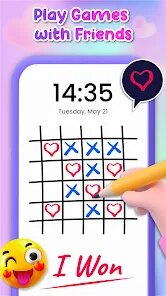
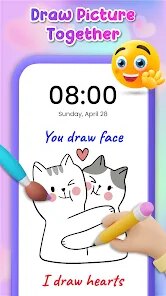
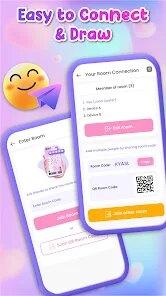
editor reviews
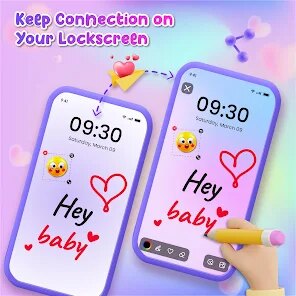
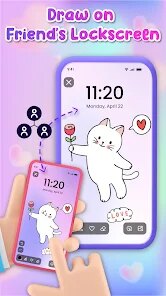
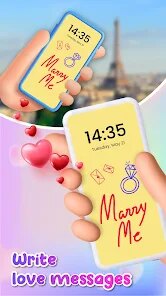
Lockscreen Drawing is a creative tool that turns your phone's lock screen into a small canvas. It's not a full drawing app like Procreate or Sketchbook, but more of a quick-doodle utility. You download it from Google Play or the App Store, install it, and after launching, you set it as your lock screen wallpaper. The first impression is simple and straightforward. You see a blank space where you can scribble, draw, or write notes. There's no registration required, and it's free to download, though there might be in-app purchases for extra brushes or colors. Ads appear occasionally, but they're not too intrusive. For someone who likes to jot down ideas or leave themselves quick reminders without opening another app, this feels handy right away.
Once you start using it, the experience is pretty smooth. The interface is minimal, almost bare bones. You pick a brush size and color, then just draw on the lock screen. The main actions are drawing, erasing, and saving. Onboarding takes just a few seconds, and you can start doodling immediately. In daily use, you might write a grocery list, draw a quick sketch, or leave a motivational quote. One practical tip is to use a stylus for better precision, since finger drawing can get a bit messy. The app responds well, but if you have a complex design, it can lag a little. Small moments like switching brushes or undoing a stroke feel fast. It's not perfect, but for something this niche, it gets the job done without fuss.
After spending some time with Lockscreen Drawing, I think it suits people who love casual doodling or need a quick visual note taker. Artists looking for serious drawing tools will find it too limited. It's different from apps like Notion or Google Keep because those focus on text, while this is visual. The standout part is how easily you can draw without unlocking your phone. That convenience makes me want to keep it installed, but the lack of layers or advanced editing might lead me to uninstall later. Compared to something like InkPad on the lock screen, this one feels more focused on drawing rather than writing. It's a decent app for what it does, but it's not for everyone.
features
- 🎨 Quick Drawing Access: You can start drawing right from the lock screen without unlocking your phone, which saves time and feels very direct. Compared to apps like Autodesk Sketchbook that require opening and navigating menus, this is much faster for spur-of-the-moment sketches.
- 🎨 Customizable Brushes: It offers several brush sizes and colors, letting you adjust your strokes to fit your needs. This is less advanced than the brush engine in Procreate, but for simple doodles on the lock screen, it's more than enough.
- 🎨 No Fuss Setup: There's no account creation or lengthy setup process. You download it, set it as your lock screen wallpaper, and start drawing. This contrasts with apps like Adobe Fresco that ask for sign-ins and have complex onboarding.
pros
- 👍 Instant Note Taking: The ability to scribble a reminder or idea directly on the lock screen is a huge time saver. Apps like Google Keep require you to unlock and open the app, which feels slower in comparison.
- 👍 Simple and Lightweight: The app runs without slowing down your phone and uses minimal storage. This is a big plus over heavier apps like Infinite Painter that are resource-intensive.
- 👍 Fun for Casual Use: It's great for quick doodles or passing time. Unlike drawing apps meant for professionals, this one feels playful and low-pressure.
cons
- 👎 Limited Tools: There's no support for layers, transparency, or advanced effects. For anyone used to apps like Clip Studio Paint, this will feel too basic and restrictive.
- 👎 Occasional Lag: When you draw complex shapes or many strokes, the app can stutter or lag. In contrast, apps like Sketchbook handle heavy strokes smoothly even on older devices.
- 👎 Ad Interruptions: Ads pop up sometimes, which can break your flow. Apps like Paper by WeTransfer are ad-free and offer a cleaner experience.
- 👎 No Export Options: You can't easily save your drawings as images or share them. This is a drawback compared to apps like ArtFlow that offer multiple export formats.
Articles
![]()
Guide
How to Update Google Play Store on Android 2026
![]()
Guide
How to Download Older Versions of Android Apps
![]()
Guide
How to Download Apps Without Google Play Store
![]()
Guide
What Is an APK File for Android?
If you use an Android phone, you may have seen the term APK while searching for apps or games online. Some websites offer an APK download instead of a Google Play install button. Some users also mention APK files when talking about apps that are not available in their region, older app versions, or Android games downloaded outside the Play Store.
![]()
Guide
How to Install Games from Google Play for Beginners
Installing games on an Android phone is usually simple, but for beginners, the process can still feel confusing at first. You may not know where to search, which button to tap, whether the game is safe, or why Google Play sometimes asks for account settings, storage access, or payment information. If you are using an Android phone for the first time, learning how to install games from Google Play is one of the easiest ways to get started.
![]()
Guide
How Useful Gemini Is for Everyday Questions and Quick Tasks
emini feels different from many AI apps because it is not only trying to be a chatbot. After using it for everyday questions, quick writing, image understanding, and planning, I think its biggest strength is convenience.
![]()
Guide
What to Know Before Downloading APKs
For many Android users, downloading an APK is a common way to install apps and games. Sometimes an app is not available in a certain country.
![]()
Guide
ChatGPT Review: Is It Still the Best AI App in 2026?
![]()
Guide
Seedance 2.0 vs Sora: The Future of AI Video Generation
The AI video race has intensified dramatically over the past two years. Platforms like Sora from OpenAI and Luma Dream Machine pushed the boundaries of text-to-video realism. Yet, despite their impressive outputs, most tools still operate as probabilistic generators—you describe a scene, and the model interprets it. Control remains limited. With the February 2026 release of Seedance 2.0, developed by ByteDance, the paradigm shifted. Internally known as Jimeng 2.0, Seedance does not position itself as just another video model. It positions itself as an AI Director. Rather than guessing what you want, Seedance 2.0 allows you to direct what happens. This distinction defines everything that follows.









Recommended Apps
![]()
Home Design 3D
Anuman4.2
![]()
Truth or Dare Game - Party App
Chouic4.8
![]()
Photo Collage Maker
Scoompa4.7![]()
Learn to Draw Flower
Creative APPS4.2![]()
FIFA World Cup 2026™
FIFA2.8![]()
Mirror Plus: Mirror with Light
Digitalchemy, LLC4.4![]()
Meitu- Photo Editor & AI Art
Meitu (China) Limited4.5![]()
Perplexity - Ask Anything
PerplexityAI4.7![]()
GhostTube SLS Camera Alternate
GhostTube4![]()
Boom Chip Blast: 2-Player
Black Pyramid 3D Games Studio0![]()
Healthy Benefits+
Solutran, Inc.4.5![]()
Deepcheck AI Search Assistant
rohe.ai4![]()
Idol Prank Video Call & Chat
LightCode Solutions4![]()
Face Shape - Pretty Scale
GlintTec Apps3.9![]()
Plant App - Plant Identifier
ScaleUp4.6











































