

AI Chat・Ask Chatbot Assistant

10M+
Installs
AI Chat Studio
Developer
-
Productivity
Category
-
Everyone
Content Rating
-
AIChat-google@outlook.com
Developer Email
-
https://aichat.emoji-keyboard.com/privacy.html
Privacy Policy
Screenshots
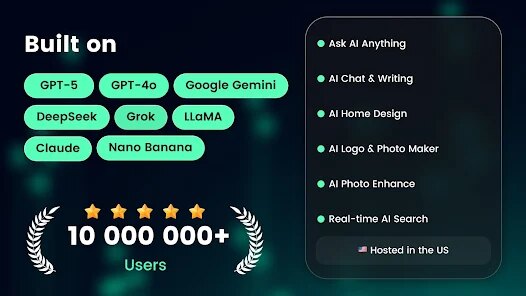
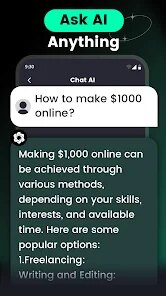
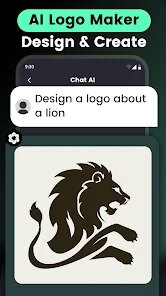
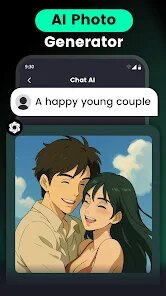
editor reviews
AI Chat・Ask Chatbot Assistant, as the name suggests, is a conversational AI app that lands you straight into a chat interface with a virtual assistant. You open it up, and there's a text box waiting, just like any messaging app, so the learning curve is basically zero. I downloaded it from Google Play on a whim, saw it had a decent number of installs, and was curious if it could actually handle daily questions without throwing a fit. First launch, it asks for permission to use the microphone for voice input, which felt natural, and then you're free to type anything: homework help, recipe ideas, even just random thoughts. It's free to download, but like most of these apps, there are in-app purchases if you want to unlock some premium features or remove ads. The initial impression was pretty clean: a dark mode option, quick replies, and a bot that actually responds in full sentences without making you wait too long. No account registration required at first, which is a big plus for someone who just wants to test it out quickly.
Once you start using it, the experience is mostly smooth, but not flawless. You type a question, hit send, and the bot usually answers within a few seconds. The interface is simple: your chat bubbles on one side, the bot's on the other, with a few buttons on top for settings or clearing history. I tried asking for a recipe for chicken soup, and it gave me a decent step-by-step, though it missed a couple of ingredients I expected. Onboarding is minimal, which is good, but it also means you don't know the full range of what it can do until you poke around. There's a feature where you can switch between different “personalities” or styles of response, which is neat, but it's tucked away in a menu. Daily use feels like texting a friend who's always available, though sometimes the answers feel a bit generic, especially for more specific or technical questions. A small tip: if you rephrase your question, you often get a better answer, because the AI handles straightforward prompts the best.
After a couple of weeks, I'd say this app is a solid pick if you need a quick, no-fuss assistant for everyday stuff like reminders, jokes, or simple explanations. But if you're diving into heavy research or need deep, precise answers, you'll probably get frustrated with the occasional vague reply. Compared to something like ChatGPT's official app, this feels a lot lighter and faster, but it's also less capable when you push it hard. What keeps it on my phone is the convenience: no login, no clutter, and it works offline for some preset responses. But what might make me uninstall is the ads that pop up after a few messages, which can get annoying if you're in the middle of something. Overall, it's a decent choice for casual users who just want a smart chatbot without the commitment of a full account setup.
features
- 💬 Quick response speed: Compared to Replika or even the official ChatGPT app, this one gets back to you faster, especially on basic queries, without that spinning wheel delay that makes you want to throw your phone.
- 🎭 Personality switching: You can pick from a few tones like “friendly” or “professional” from a small menu, which changes how the bot talks. It's not as deep as Character AI's roleplay, but it's nice to have options without extra steps.
- 📱 Lightweight interface: The app takes up very little space and runs smoothly on older phones, unlike some heavy AI apps that lag or crash. It's just a chat screen with no extra bloat, which feels refreshing.
- 🔇 Offline mode for basics: You can access a few preset responses or FAQs even without internet, which is a standout feature. Most competitors like Google Assistant or Siri need a connection for anything useful, but this gives you something when you're stuck without data.
pros
- ⭐ No sign-up needed: You can start chatting right after download, no email or phone number required. That's much simpler than Replika, which pushes you to create an account, or even the official ChatGPT app that asks for a login.
- ⭐ Handles casual chats well: It's good for light conversation, jokes, or quick book recommendations, and it keeps the talk flowing naturally without getting too formal. In that sense, it feels more approachable than Midjourney or other focused AI tools.
- ⭐ Affordable premium: The in-app purchases are fairly cheap compared to competitors like Jasper or Writesonic, so if you want to remove ads or unlock extra features, it won't break the bank.
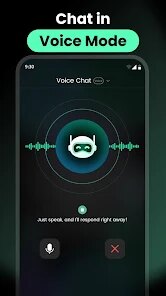
- ⭐ Voice input works reliably: The microphone feature picks up speech accurately, even with some background noise, which is better than what I've experienced with some free chatbot apps that mumble-recognize your words.
cons
- ❌ Ads interrupt frequently: After every few messages, a full-screen ad pops up, which breaks your flow. It's more annoying than Replika's occasional banner ads, and it makes you consider paying just to get rid of them.
- ❌ Generic answers for complex topics: If you ask about a niche subject like “quantum physics for beginners,” it gives a shallow overview that feels like a quick Google copy-paste. ChatGPT's free version handles depth much better here.
- ❌ Limited memory in conversations: The bot forgets what you said a few messages back, so you can't have a ongoing, context-rich chat like you might with Character AI or Claude. It's more like talking to someone with short-term memory loss.
- ❌ No voice output option: You can type or speak your questions, but the bot only replies in text, which feels outdated compared to Google Assistant or Siri that read aloud. It's a small thing, but it limits hands-free use while driving or cooking.
Articles
![]()
Guide
How to Update Google Play Store on Android 2026
![]()
Guide
How to Download Older Versions of Android Apps
![]()
Guide
How to Download Apps Without Google Play Store
![]()
Guide
What Is an APK File for Android?
If you use an Android phone, you may have seen the term APK while searching for apps or games online. Some websites offer an APK download instead of a Google Play install button. Some users also mention APK files when talking about apps that are not available in their region, older app versions, or Android games downloaded outside the Play Store.
![]()
Guide
How to Install Games from Google Play for Beginners
Installing games on an Android phone is usually simple, but for beginners, the process can still feel confusing at first. You may not know where to search, which button to tap, whether the game is safe, or why Google Play sometimes asks for account settings, storage access, or payment information. If you are using an Android phone for the first time, learning how to install games from Google Play is one of the easiest ways to get started.
![]()
Guide
How Useful Gemini Is for Everyday Questions and Quick Tasks
emini feels different from many AI apps because it is not only trying to be a chatbot. After using it for everyday questions, quick writing, image understanding, and planning, I think its biggest strength is convenience.
![]()
Guide
What to Know Before Downloading APKs
For many Android users, downloading an APK is a common way to install apps and games. Sometimes an app is not available in a certain country.
![]()
Guide
ChatGPT Review: Is It Still the Best AI App in 2026?
![]()
Guide
Seedance 2.0 vs Sora: The Future of AI Video Generation
The AI video race has intensified dramatically over the past two years. Platforms like Sora from OpenAI and Luma Dream Machine pushed the boundaries of text-to-video realism. Yet, despite their impressive outputs, most tools still operate as probabilistic generators—you describe a scene, and the model interprets it. Control remains limited. With the February 2026 release of Seedance 2.0, developed by ByteDance, the paradigm shifted. Internally known as Jimeng 2.0, Seedance does not position itself as just another video model. It positions itself as an AI Director. Rather than guessing what you want, Seedance 2.0 allows you to direct what happens. This distinction defines everything that follows.









Recommended Apps
![]()
Home Design 3D
Anuman4.2
![]()
Truth or Dare Game - Party App
Chouic4.8
![]()
Photo Collage Maker
Scoompa4.7![]()
Learn to Draw Flower
Creative APPS4.2![]()
FIFA World Cup 2026™
FIFA2.8![]()
Mirror Plus: Mirror with Light
Digitalchemy, LLC4.4![]()
Meitu- Photo Editor & AI Art
Meitu (China) Limited4.5![]()
Perplexity - Ask Anything
PerplexityAI4.7![]()
GhostTube SLS Camera Alternate
GhostTube4![]()
Boom Chip Blast: 2-Player
Black Pyramid 3D Games Studio0![]()
Healthy Benefits+
Solutran, Inc.4.5![]()
Deepcheck AI Search Assistant
rohe.ai4![]()
Idol Prank Video Call & Chat
LightCode Solutions4![]()
Face Shape - Pretty Scale
GlintTec Apps3.9![]()
Plant App - Plant Identifier
ScaleUp4.6












































