

Shell

10M+
Installs
Shell Information Technology International B.V.
Developer
-
Productivity
Category
-
Everyone
Content Rating
-
SITI-MLM-Support@shell.com
Developer Email
-
https://www.shell.com/privacy/b2c-notice.html
Privacy Policy
Screenshots

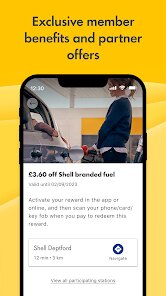
editor reviews
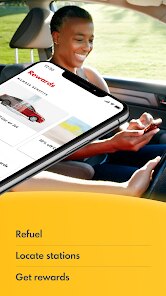
The Shell app is a practical mobile tool designed primarily for drivers who want to manage fuel purchases and locate nearby Shell stations. It is available for free on Google Play and requires an internet connection to function fully. The experience includes some banner ads and optional in-app payment features, making it a mixed utility application rather than a purely ad-supported product. Its download scale is moderate, targeting users in regions where Shell operates a widespread network of service stations.
Once installed, the app provides a map-based station locator that updates in real time based on your current location. You can filter results by services like car wash, ATM, or 24-hour access. The payment integration works through a linked account or card, and it processes at the pump in some supported locations. While I found the process of setting up payment a bit clunky at first, it became intuitive after one or two uses. The main interface is clean, with clearly labeled icons and a simple layout that avoids overcrowding.
Compared to apps like BPme or Exxon Mobil Rewards+, Shell's version feels slightly more focused on station discovery and practical trip planning. BPme, for example, leans more heavily into loyalty rewards and exclusive offers by location. Shell offers a similar points system but presents it less aggressively. For someone like me who mainly wants to see where the nearest station is and whether it has a car wash, Shell's app does that without extra noise. The layout prioritizes map functionality over promotional content, which I personally prefer.
features
- The station locator is responsive and accurate. During a recent trip through a less familiar area, the app updated station availability within seconds, which saved me from detouring to a closed location. I have used similar tools in other fuel apps that refresh noticeably slower.
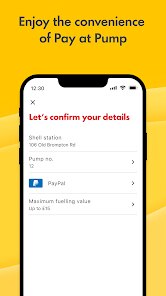
- Payment integration at the pump is a helpful feature, but its availability varies. I found it worked smoothly at a Shell station in a major city, while a smaller rural station did not support it. The app does not clearly indicate which stations offer this before you arrive.
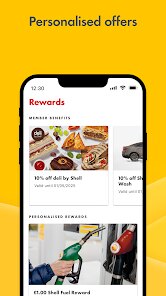
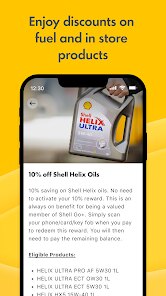
- The rewards tracking is simple to follow. You can view points earned per fill-up and see what offers are currently active. It lacks the gamified structure of some competitor apps, which I see as a positive — it just shows numbers and lets you move on.
- The fuel price comparison tool within the map view works well in areas with multiple Shell stations nearby. It lists prices clearly without unnecessary formatting, making quick decisions easier. Not all fuel apps include this at the same level of clarity.
pros
- It helps you find the cheapest nearby Shell station before you start driving, which can save both time and fuel costs on longer trips.
- The integrated payment option reduces time at the pump once set up, especially during bad weather or busy travel periods.
- Station services filters let you quickly find locations with specific amenities, which is practical when you need a restroom or air pump.
cons
- Payment setup requires entering card details manually, and the process is not as smooth as I expected from a modern app.
- Station coverage is limited in rural or less populated regions, reducing the app's usefulness outside urban areas.
- Occasional map loading delays occurred when switching between tabs, though it was not frequent enough to be a major issue.
Articles
![]()
Guide
How to Update Google Play Store on Android 2026
![]()
Guide
How to Download Older Versions of Android Apps
![]()
Guide
How to Download Apps Without Google Play Store
![]()
Guide
What Is an APK File for Android?
If you use an Android phone, you may have seen the term APK while searching for apps or games online. Some websites offer an APK download instead of a Google Play install button. Some users also mention APK files when talking about apps that are not available in their region, older app versions, or Android games downloaded outside the Play Store.
![]()
Guide
How to Install Games from Google Play for Beginners
Installing games on an Android phone is usually simple, but for beginners, the process can still feel confusing at first. You may not know where to search, which button to tap, whether the game is safe, or why Google Play sometimes asks for account settings, storage access, or payment information. If you are using an Android phone for the first time, learning how to install games from Google Play is one of the easiest ways to get started.
![]()
Guide
How Useful Gemini Is for Everyday Questions and Quick Tasks
emini feels different from many AI apps because it is not only trying to be a chatbot. After using it for everyday questions, quick writing, image understanding, and planning, I think its biggest strength is convenience.
![]()
Guide
What to Know Before Downloading APKs
For many Android users, downloading an APK is a common way to install apps and games. Sometimes an app is not available in a certain country.
![]()
Guide
ChatGPT Review: Is It Still the Best AI App in 2026?
![]()
Guide
Seedance 2.0 vs Sora: The Future of AI Video Generation
The AI video race has intensified dramatically over the past two years. Platforms like Sora from OpenAI and Luma Dream Machine pushed the boundaries of text-to-video realism. Yet, despite their impressive outputs, most tools still operate as probabilistic generators—you describe a scene, and the model interprets it. Control remains limited. With the February 2026 release of Seedance 2.0, developed by ByteDance, the paradigm shifted. Internally known as Jimeng 2.0, Seedance does not position itself as just another video model. It positions itself as an AI Director. Rather than guessing what you want, Seedance 2.0 allows you to direct what happens. This distinction defines everything that follows.









Recommended Apps
![]()
Home Design 3D
Anuman4.2
![]()
Truth or Dare Game - Party App
Chouic4.8
![]()
Photo Collage Maker
Scoompa4.7![]()
Learn to Draw Flower
Creative APPS4.2![]()
FIFA World Cup 2026™
FIFA2.8![]()
Mirror Plus: Mirror with Light
Digitalchemy, LLC4.4![]()
Meitu- Photo Editor & AI Art
Meitu (China) Limited4.5![]()
Perplexity - Ask Anything
PerplexityAI4.7![]()
GhostTube SLS Camera Alternate
GhostTube4![]()
Boom Chip Blast: 2-Player
Black Pyramid 3D Games Studio0![]()
Healthy Benefits+
Solutran, Inc.4.5![]()
Deepcheck AI Search Assistant
rohe.ai4![]()
Idol Prank Video Call & Chat
LightCode Solutions4![]()
Face Shape - Pretty Scale
GlintTec Apps3.9![]()
Plant App - Plant Identifier
ScaleUp4.6












































