

Video call Elssa

Installs
TOSSINGAME LTD
Developer
-
Video Players & Editors
Category
-
Everyone
Content Rating
-
contact@tossingame.space
Developer Email
-
https://sites.google.com/view/tossingame/privacy-policy
Privacy Policy
Screenshots
editor reviews
Video call Elssa, developed by TOSSINGAME LTD, is a simulation-based mobile game that lets players experience the feeling of receiving live video calls from a virtual friend. While it might sound simple at first, the app actually combines interactive chat mechanics with a casual storyline, aiming to create a sense of companionship through a phone screen. You can pick it up for free from Google Play and other app stores, and the download itself is fairly light, so it won't take up much space on your device. It does include ads, which appear between some conversations, and there are in-app purchases available if you want to unlock extra content or remove those interruptions entirely.
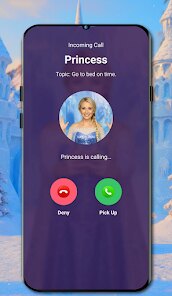
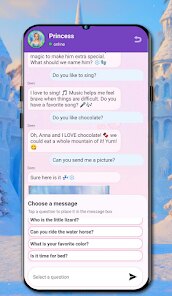
The core interaction revolves around a simulated incoming call interface that looks quite close to a real one. When a call arrives, you accept it and then respond to a series of questions or scenarios presented by the character, Elssa. Your choices influence how the conversation flows, which adds a slight layer of engagement beyond just watching a pre-recorded clip. The app uses short video snippets rather than full live rendering, so the transitions feel smooth, and the responses are quick enough to keep a steady pace. In my experience, the initial setup took less than a minute, and the calls themselves rarely overstayed their welcome, which made the overall flow feel pretty natural for a game of this type.
Comparing it to similar apps, like those that focus heavily on chat-based storytelling or AI-driven character interaction, Video call Elssa leans more toward the visual and emotional side. The video aspect gives it a more direct sense of presence than a purely text-based alternative, though it does not have the open-ended flexibility you might find in more sophisticated AI chat companions. Whereas some rivals offer deeper branching narratives or greater customization, this one keeps things tight and focused on the call itself, which creates a different kind of intimacy. That focus is both its strength and its limitation, depending on what you are looking for in such an app.
features
- One thing that stands out is the quality of the video content itself. The recordings feel lively, and the way Elssa looks directly at the camera helps suspend disbelief a little. It is not on par with full motion capture, but it does the job for a mobile game, and it makes the calls feel less robotic than some text-based interactions I have tried.
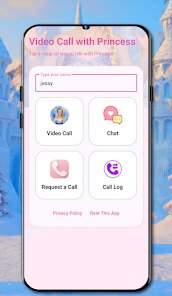
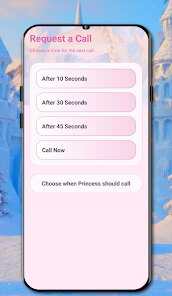
- The call-based interface keeps things simple and intuitive. You do not need to navigate a complex menu system, as everything revolves around accepting calls and picking answers. That simplicity can be refreshing, especially when compared to other apps that try to cram in dozens of features like mini-games or social feeds, which often just distract from the core idea.
- There is a decent amount of conversation variety, at least in the first hour or so. The questions range from casual topics like daily plans to slightly more personal ones, which helps keep the experience from becoming monotonous. However, I did notice that some responses start to repeat if you replay calls, a common issue in this genre.
pros
- It works well as a quick break activity. Since calls are short, you can pick it up and put it down without losing momentum, making it handy during commutes or waiting times.
- The free version offers enough content to get a real sense of what the app is about, so you can decide whether spending money on extras feels worthwhile before committing.
- It provides a gentle form of entertainment that does not demand rapid reflexes or complex strategies, which suits a more relaxed mood.
cons
- Ads do interrupt the flow at several points. While they are not constant, they sometimes appear right before a pivotal moment in a conversation, which can break the immersion.
- The lack of deeper branching means your choices do not seem to have significant consequences. After a few calls, it becomes clear that most answers lead to similar responses, reducing the incentive to explore different options.
- Once you have gone through the available calls a couple of times, the novelty fades relatively quickly. There is little long-term progression or new content to keep you coming back regularly.
Articles
![]()
Guide
How to Update Google Play Store on Android 2026
![]()
Guide
How to Download Older Versions of Android Apps
![]()
Guide
How to Download Apps Without Google Play Store
![]()
Guide
What Is an APK File for Android?
If you use an Android phone, you may have seen the term APK while searching for apps or games online. Some websites offer an APK download instead of a Google Play install button. Some users also mention APK files when talking about apps that are not available in their region, older app versions, or Android games downloaded outside the Play Store.
![]()
Guide
How to Install Games from Google Play for Beginners
Installing games on an Android phone is usually simple, but for beginners, the process can still feel confusing at first. You may not know where to search, which button to tap, whether the game is safe, or why Google Play sometimes asks for account settings, storage access, or payment information. If you are using an Android phone for the first time, learning how to install games from Google Play is one of the easiest ways to get started.
![]()
Guide
How Useful Gemini Is for Everyday Questions and Quick Tasks
emini feels different from many AI apps because it is not only trying to be a chatbot. After using it for everyday questions, quick writing, image understanding, and planning, I think its biggest strength is convenience.
![]()
Guide
What to Know Before Downloading APKs
For many Android users, downloading an APK is a common way to install apps and games. Sometimes an app is not available in a certain country.
![]()
Guide
ChatGPT Review: Is It Still the Best AI App in 2026?
![]()
Guide
Seedance 2.0 vs Sora: The Future of AI Video Generation
The AI video race has intensified dramatically over the past two years. Platforms like Sora from OpenAI and Luma Dream Machine pushed the boundaries of text-to-video realism. Yet, despite their impressive outputs, most tools still operate as probabilistic generators—you describe a scene, and the model interprets it. Control remains limited. With the February 2026 release of Seedance 2.0, developed by ByteDance, the paradigm shifted. Internally known as Jimeng 2.0, Seedance does not position itself as just another video model. It positions itself as an AI Director. Rather than guessing what you want, Seedance 2.0 allows you to direct what happens. This distinction defines everything that follows.









Recommended Apps
![]()
Home Design 3D
Anuman4.2
![]()
Truth or Dare Game - Party App
Chouic4.8
![]()
Photo Collage Maker
Scoompa4.7![]()
Learn to Draw Flower
Creative APPS4.2![]()
FIFA World Cup 2026™
FIFA2.8![]()
Mirror Plus: Mirror with Light
Digitalchemy, LLC4.4![]()
Meitu- Photo Editor & AI Art
Meitu (China) Limited4.5![]()
Perplexity - Ask Anything
PerplexityAI4.7![]()
GhostTube SLS Camera Alternate
GhostTube4![]()
Boom Chip Blast: 2-Player
Black Pyramid 3D Games Studio0![]()
Healthy Benefits+
Solutran, Inc.4.5![]()
Deepcheck AI Search Assistant
rohe.ai4![]()
Idol Prank Video Call & Chat
LightCode Solutions4![]()
Face Shape - Pretty Scale
GlintTec Apps3.9![]()
Plant App - Plant Identifier
ScaleUp4.6











































