

Subway®

10M+
Installs
SUBWAY Restaurants
Developer
-
Food & Drink
Category
-
Everyone
Content Rating
-
appreviews@subway.com
Developer Email
-
https://www.subway.com/en-US/Legal/PrivacyStatement-FWH
Privacy Policy
Screenshots
editor reviews
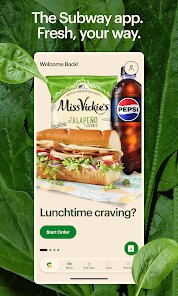
Subway® is the official mobile app for the well-known sandwich chain, available for free download on Google Play. It's designed to streamline the ordering process, offering a digital menu and the ability to customize sandwiches just like in-store. The app has been installed over 100 million times and is completely free to download, though it features in-app purchases for orders and occasional ads for promotions. It serves as a convenient tool for both regular and new customers looking to skip the line.
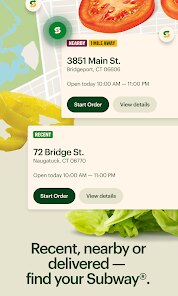
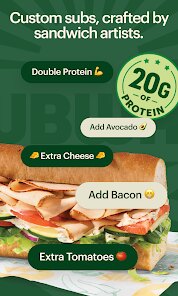
Getting started with the app is fairly simple. After installation, you can create an account or order as a guest, which is handy for quick use. The core function revolves around building a sandwich from scratch: you pick your bread, protein, cheese, veggies, and sauces right on your phone. I found the interface clean, with clear icons and a logical flow from menu selection to checkout. Payment can be done through credit cards or Google Pay, and you can save favorite orders for repeat purchases. It integrates location services to find nearby stores, which adds to its practicality.
Compared to other quick-service restaurant apps, Subway® feels more streamlined but less feature-rich. Apps like McDonald's offer push notifications for daily deals and a more integrated loyalty system, while this app focuses primarily on order customization and the Subway® Rewards program. The design prioritizes simplicity over flashy graphics, which I appreciate for its efficiency. However, it lacks some gamification elements found in competitors, like spin-to-win or limited-time challenges, which might make it feel less engaging for some users.
features
- One notable aspect is the sandwich builder, which mirrors the actual in-store experience. Dragging and selecting ingredients feels intuitive, though the sheer number of options can sometimes slow down the process. It's more detailed than the Panera app, but not as quick for a simple order.
- The rewards section is clear and tracks points easily, but earning progress can be slow unless you order frequently. I like that points don't expire quickly, which is a plus over some other fast-food apps.
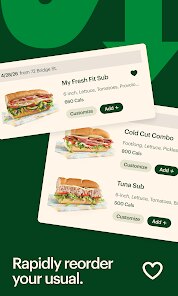
- Another feature is the order history, which stores past customizations. This saves time for recurring orders, though it occasionally mixes up details if you've made multiple similar sandwiches, requiring a quick double-check.
- The app also includes a nutrition calculator for each sandwich, which is helpful for health-conscious users. It's more transparent than many competitors, offering detailed breakdowns without being overly complex.
pros
- Saves time by skipping the queue, especially during lunch rush hours when stores are busy.
- Allows easy customization with no pressure to decide quickly, which is helpful for picky eaters.
- Tracks rewards automatically, so you don't need to carry a loyalty card or remember points manually.
- Provides store-specific information like hours and contact details, making it practical for planning stops.
cons
- The app can be slow to load when many promotions are active, leading to occasional frustration before ordering.
- Location services sometimes misidentify nearby stores, showing closed locations as available until you check individually.
- Customization options can be overwhelming for first-time users, with too many choices presented at once without clear guidance.
- Notifications are infrequent, so you might miss limited-time offers unless you check the app regularly.
Articles
![]()
Guide
How to Update Google Play Store on Android 2026
![]()
Guide
How to Download Older Versions of Android Apps
![]()
Guide
How to Download Apps Without Google Play Store
![]()
Guide
What Is an APK File for Android?
If you use an Android phone, you may have seen the term APK while searching for apps or games online. Some websites offer an APK download instead of a Google Play install button. Some users also mention APK files when talking about apps that are not available in their region, older app versions, or Android games downloaded outside the Play Store.
![]()
Guide
How to Install Games from Google Play for Beginners
Installing games on an Android phone is usually simple, but for beginners, the process can still feel confusing at first. You may not know where to search, which button to tap, whether the game is safe, or why Google Play sometimes asks for account settings, storage access, or payment information. If you are using an Android phone for the first time, learning how to install games from Google Play is one of the easiest ways to get started.
![]()
Guide
How Useful Gemini Is for Everyday Questions and Quick Tasks
emini feels different from many AI apps because it is not only trying to be a chatbot. After using it for everyday questions, quick writing, image understanding, and planning, I think its biggest strength is convenience.
![]()
Guide
What to Know Before Downloading APKs
For many Android users, downloading an APK is a common way to install apps and games. Sometimes an app is not available in a certain country.
![]()
Guide
ChatGPT Review: Is It Still the Best AI App in 2026?
![]()
Guide
Seedance 2.0 vs Sora: The Future of AI Video Generation
The AI video race has intensified dramatically over the past two years. Platforms like Sora from OpenAI and Luma Dream Machine pushed the boundaries of text-to-video realism. Yet, despite their impressive outputs, most tools still operate as probabilistic generators—you describe a scene, and the model interprets it. Control remains limited. With the February 2026 release of Seedance 2.0, developed by ByteDance, the paradigm shifted. Internally known as Jimeng 2.0, Seedance does not position itself as just another video model. It positions itself as an AI Director. Rather than guessing what you want, Seedance 2.0 allows you to direct what happens. This distinction defines everything that follows.









Recommended Apps
![]()
Home Design 3D
Anuman4.2
![]()
Truth or Dare Game - Party App
Chouic4.8
![]()
Photo Collage Maker
Scoompa4.7![]()
Learn to Draw Flower
Creative APPS4.2![]()
FIFA World Cup 2026™
FIFA2.8![]()
Mirror Plus: Mirror with Light
Digitalchemy, LLC4.4![]()
Meitu- Photo Editor & AI Art
Meitu (China) Limited4.5![]()
Perplexity - Ask Anything
PerplexityAI4.7![]()
GhostTube SLS Camera Alternate
GhostTube4![]()
Boom Chip Blast: 2-Player
Black Pyramid 3D Games Studio0![]()
Healthy Benefits+
Solutran, Inc.4.5![]()
Deepcheck AI Search Assistant
rohe.ai4![]()
Idol Prank Video Call & Chat
LightCode Solutions4![]()
Face Shape - Pretty Scale
GlintTec Apps3.9![]()
Plant App - Plant Identifier
ScaleUp4.6












































