
Google Drive

5,000,000,000+
Installs
Google LLC
Developer
-
Productivity
Category
-
Rated for 3+
Content Rating
-
apps-help@google.com
Developer Email
-
http://www.google.com/policies/privacy
Privacy Policy
Screenshots
editor reviews
Google Drive is essentially Google's cloud storage service that also functions as a full-on file management hub. You can upload anything from photos and videos to work documents and PDFs, then access them from your phone, tablet, or computer. It automatically syncs across devices, so if you save a file on your laptop, it's instantly available on your phone. Most people download it because they're already using Gmail or Google Photos, and the 15GB of free storage feels like a solid starting offer. The first time you open the app after installing it from the Play Store or App Store, the interface looks clean but a bit flat – it's mostly just a list of folders and files with a search bar at the top. There's no big welcome tour, which is fine if you know what you're doing, but a bit confusing if you're not familiar with cloud storage. Registration is automatic if you have a Google account, so you're essentially logged in the moment you tap the icon. In-app purchases exist for extra storage, and ads are absent, which keeps the experience smooth.
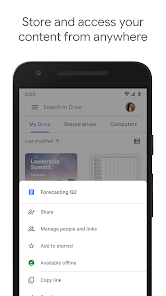
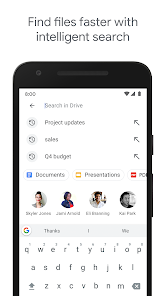
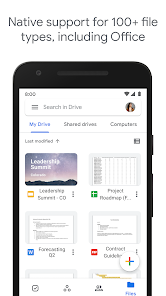
After you start using it, the workflow becomes straightforward. You tap the big plus button at the bottom to create a new folder, upload a file, or scan a document with your camera. The scanning feature is surprisingly decent – it crops edges and enhances contrast automatically. Browsing feels snappy, but searching for a specific file can be hit or miss; sometimes it finds a PDF from three years ago instantly, other times it just spins. Sharing is actually where Drive shines: you long-press any file, hit share, and send a link with adjustable permissions. One practical tip is that you can set files to “available offline” before a flight – your downloads stay on the device. On the flip side, opening a Google Doc or Sheet inside the app is smooth, but editing large spreadsheets on a small screen feels cramped. The app also integrates with Google's own apps like Docs, Sheets, and Slides seamlessly, so you can create a document from scratch directly inside Drive. However, managing storage space can be annoying because the free 15GB includes all your Gmail attachments and Google Photos backups, not just files you explicitly save.
After using it for a while, I'd say Google Drive is a no-brainer for anyone already living inside Google's ecosystem. If you use Gmail, Google Photos, or an Android phone, you'll barely notice it's there – which is the goal. People who need occasional backup for school or work projects will find it perfectly adequate. But if you're a heavy user with tons of RAW photos or 4K video files, the free space runs out fast, and the paid plans (starting at $1.99/month for 100GB) aren't as cheap as some rivals like OneDrive (which bundles with Office 365) or pCloud (lifetime plans). Microsoft OneDrive, for instance, feels more polished for Office file collaboration, while Dropbox has better third-party integrations. Google Drive's main selling point is its deep integration with Android and the Google ecosystem – you can search for files by their content, open PDFs in Google Docs, and even use it as a backup for your phone's settings. I keep it installed because it's baked into everything else I use, but I wouldn't recommend it as a standalone storage service unless you're already tied to Google. Uninstalling feels like tearing a thread out of a sweater – everything else gets a little messy.
features
- 🗂️ File organization and search are pretty basic compared to something like Dropbox. You can create folders and subfolders, but real-time syncing across multiple devices sometimes lags by a few seconds. Dropbox handles this more reliably for heavy multi-device users. Actually, the outstanding feature here is "file version history" – you can go back to an older version of a document within 30 days (or longer if you pay). Most casual users never use it, but it's a lifesaver if you accidentally overwrite something important.
- 🔗 Sharing and permissions are deceptively simple. You just tap share, choose "viewer," "commenter," or "editor," and send a link. But the link itself can be public, restricted, or password-protected (password only on paid plans). This is where it beats iCloud Drive, which still ties sharing heavily to Apple IDs. Google's link-based system works for anyone with a browser, which makes collaboration with non-Google users easy.
- 📂 Integration with Google Workspace (Docs, Sheets, Slides) is seamless and automatic. You can create a new Doc directly from Drive, and it saves to the folder without asking. Compare that to OneDrive, where Office Online works great but file switching between apps feels a bit clunkier. The standout feature is that you can search within file contents by typing terms from inside PDFs or images – it uses OCR, so even scanned receipts become searchable.
pros
- 🚀 Fast upload and download speeds, especially for small files (under 10MB). Large videos might throttle, but for everyday photos and docs, it rivals pCloud or Mega. The "make available offline" toggle also downloads files to your device quickly if you remember to do it.
- 📱 Native Android integration is unmatched. File selection inside other apps (like attaching a PDF in Gmail) pulls straight from Drive, and the "backup" settings on Android phones automatically save photos and contacts. No other cloud service feels this baked into the OS.
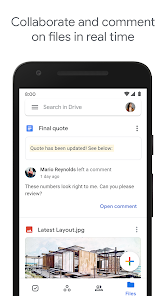
- 🔄 Real-time collaboration is solid, especially with multiple people editing a Google Sheet at once. OneDrive can do similar via Office Online, but Drive's version history and chat sidebar feel more responsive on mobile. It's even better than Dropbox Paper for team use.
cons
- 🐌 The 15GB free storage is shared with Gmail and Google Photos. A few years of email attachments plus phone backups kills it quickly, while Dropbox offers 2GB but keeps it isolated. You end up paying $1.99/month for 100GB more often than you'd like.
- 🪟 Desktop app is poorly designed compared to OneDrive or Dropbox. The Windows app alternates between "Stream files" and "Mirror files" modes – if you pick "Stream," everything lives online and downloads on access, but the folder icon in File Explorer sometimes shows "syncing" forever. OneDrive's "Files On-Demand" does the same thing but without the constant "not responding" moment.
- 🔐 Privacy concerns are a real issue. Google's Terms of Use allow scanning file content for ad targeting (though not for storing sensitive data). For work documents with NDAs, pCloud's client-side encryption feels safer. There's no way to fully encrypt a file before uploading without a third-party tool.
Articles
![]()
Guide
How to Update Google Play Store on Android 2026
![]()
Guide
How to Download Older Versions of Android Apps
![]()
Guide
How to Download Apps Without Google Play Store
![]()
Guide
What Is an APK File for Android?
If you use an Android phone, you may have seen the term APK while searching for apps or games online. Some websites offer an APK download instead of a Google Play install button. Some users also mention APK files when talking about apps that are not available in their region, older app versions, or Android games downloaded outside the Play Store.
![]()
Guide
How to Install Games from Google Play for Beginners
Installing games on an Android phone is usually simple, but for beginners, the process can still feel confusing at first. You may not know where to search, which button to tap, whether the game is safe, or why Google Play sometimes asks for account settings, storage access, or payment information. If you are using an Android phone for the first time, learning how to install games from Google Play is one of the easiest ways to get started.
![]()
Guide
How Useful Gemini Is for Everyday Questions and Quick Tasks
emini feels different from many AI apps because it is not only trying to be a chatbot. After using it for everyday questions, quick writing, image understanding, and planning, I think its biggest strength is convenience.
![]()
Guide
What to Know Before Downloading APKs
For many Android users, downloading an APK is a common way to install apps and games. Sometimes an app is not available in a certain country.
![]()
Guide
ChatGPT Review: Is It Still the Best AI App in 2026?
![]()
Guide
Seedance 2.0 vs Sora: The Future of AI Video Generation
The AI video race has intensified dramatically over the past two years. Platforms like Sora from OpenAI and Luma Dream Machine pushed the boundaries of text-to-video realism. Yet, despite their impressive outputs, most tools still operate as probabilistic generators—you describe a scene, and the model interprets it. Control remains limited. With the February 2026 release of Seedance 2.0, developed by ByteDance, the paradigm shifted. Internally known as Jimeng 2.0, Seedance does not position itself as just another video model. It positions itself as an AI Director. Rather than guessing what you want, Seedance 2.0 allows you to direct what happens. This distinction defines everything that follows.









Recommended Apps
![]()
Home Design 3D
Anuman4.2
![]()
Truth or Dare Game - Party App
Chouic4.8
![]()
Photo Collage Maker
Scoompa4.7![]()
Learn to Draw Flower
Creative APPS4.2![]()
FIFA World Cup 2026™
FIFA2.8![]()
Mirror Plus: Mirror with Light
Digitalchemy, LLC4.4![]()
Meitu- Photo Editor & AI Art
Meitu (China) Limited4.5![]()
Perplexity - Ask Anything
PerplexityAI4.7![]()
GhostTube SLS Camera Alternate
GhostTube4![]()
Boom Chip Blast: 2-Player
Black Pyramid 3D Games Studio0![]()
Healthy Benefits+
Solutran, Inc.4.5![]()
Deepcheck AI Search Assistant
rohe.ai4![]()
Idol Prank Video Call & Chat
LightCode Solutions4![]()
Face Shape - Pretty Scale
GlintTec Apps3.9![]()
Plant App - Plant Identifier
ScaleUp4.6












































