

SHAREit: Transfer, Share Files

1,000,000,000+
Installs
Smart Media4U Technology Pte.Ltd.
Developer
-
Productivity
Category
-
Rated for 3+
Content Rating
-
feedback_android@ushareit.com
Developer Email
-
https://web.wshareit.com/cdn/shareit/w/privacy/pr_en.html
Privacy Policy
Screenshots

editor reviews
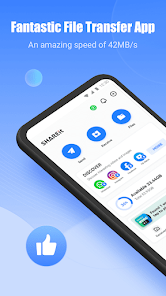
SHAREit is a file transfer app that lets you move photos, videos, music, documents, and even apps between devices without using mobile data. It works by creating a direct Wi-Fi connection between phones, tablets, and computers, so you can send stuff fast even when you're offline. A lot of people grab it from Google Play or the App Store because they want to move files from an old phone to a new one, or share something big with a friend nearby. When you first launch SHAREit, the home screen shows a big 'Send' and 'Receive' button, plus a section for exploring content from other users. It feels a bit crowded at first with all the extra tabs for music, videos, and games, but the core transfer buttons are easy to spot. The app has over a billion downloads on Android, and it's free, though there are ads and in-app purchases for removing them.
After using SHAREit for a while, the actual transfer process is straightforward. You tap 'Send,' pick the files you want to share, and the app searches for nearby devices. The other person taps 'Receive,' and within seconds they're connected. I've sent a 2GB video file in under a minute, which is way faster than Bluetooth or email. The interface shows thumbnails for all your media, so you can select multiple items at once without digging through folders. The first time I used it, I got confused by the 'Receive' button asking for a QR code or hotspot name, but after a few tries it becomes second nature. One handy tip: you can also use SHAREit to back up photos to your PC by installing the desktop version and connecting through the same Wi-Fi network.
After a few weeks with SHAREit, I can see why it's popular but also why some people delete it. If you frequently swap large files between Android phones or from phone to Windows laptop, it's a lifesaver. But if you mostly use iPhones and Macs, AirDrop does the same thing without extra apps. The app includes a media player and file explorer, which feels like bloatware to me, and the constant ads for games and videos make it a bit annoying. Compared to something like Xender or Send Anywhere, SHAREit is faster over long distances but has more clutter. I ended up keeping it installed for emergencies when I need to move big videos without using data, but I can see why someone might uninstall it if they prefer a cleaner tool like Files by Google.
features
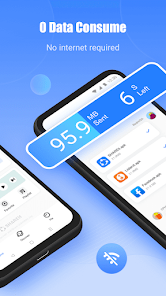
- 📡 SHAREit uses a direct Wi-Fi connection that doesn't require internet, so you can transfer files anywhere, even in remote areas with no signal. In contrast, Snapdrop relies on a shared Wi-Fi network, which limits it to places with router access.
- ⚡ It supports cross-platform transfers between Android, iOS, Windows, and Mac, making it more flexible than AirDrop, which only works within Apple's ecosystem. I've sent files from my Android phone to a Windows laptop without any extra setup.
- 🏆 The transfer speed is noticeably faster than Bluetooth or email, especially for large video files. I moved a 3GB movie in under two minutes, while Bluetooth would have taken over an hour.
- 🎵 SHAREit also includes a built-in media player that can play music and videos from your device, though it's not as polished as a dedicated app like VLC.
pros
- 💨 Transfer speeds are consistently high, often reaching 20MB/s or more in my tests, which beats Xender by a noticeable margin on larger files.
- 🔗 You can send entire folders of files in one go without compressing them first, unlike Bluetooth which forces you to zip or send individually.
- 🌍 The app supports sending files to multiple devices at the same time, which is handy when sharing photos with a group of friends. Send Anywhere limits this to single transfers without a paid plan.
- 📲 It also has a 'receive from PC' feature that works through a web link, so you can grab files from a laptop without installing any desktop software.
cons
- 💸 The free version shows frequent ads for other apps and games, which interrupts the transfer flow. Xender has fewer ads, and Send Anywhere offers a cleaner experience unless you pay.
- 🔒 There are privacy concerns because SHAREit has been flagged in the past for collecting user data without clear consent. Files by Google from Google is more transparent about its data practices.
- 🚫 The app pushes social features like 'Explore' and 'Fun' that let you browse content from strangers, which feels unnecessary and risks unwanted interactions. AirDrop avoids this by focusing purely on file transfer.
- 📉 On iOS, SHAREit requires you to manually set up a personal hotspot for transfers, which is less seamless than AirDrop's automatic discovery. This step adds friction compared to Android's direct connection method.
Articles
![]()
Guide
How to Update Google Play Store on Android 2026
![]()
Guide
How to Download Older Versions of Android Apps
![]()
Guide
How to Download Apps Without Google Play Store
![]()
Guide
What Is an APK File for Android?
If you use an Android phone, you may have seen the term APK while searching for apps or games online. Some websites offer an APK download instead of a Google Play install button. Some users also mention APK files when talking about apps that are not available in their region, older app versions, or Android games downloaded outside the Play Store.
![]()
Guide
How to Install Games from Google Play for Beginners
Installing games on an Android phone is usually simple, but for beginners, the process can still feel confusing at first. You may not know where to search, which button to tap, whether the game is safe, or why Google Play sometimes asks for account settings, storage access, or payment information. If you are using an Android phone for the first time, learning how to install games from Google Play is one of the easiest ways to get started.
![]()
Guide
How Useful Gemini Is for Everyday Questions and Quick Tasks
emini feels different from many AI apps because it is not only trying to be a chatbot. After using it for everyday questions, quick writing, image understanding, and planning, I think its biggest strength is convenience.
![]()
Guide
What to Know Before Downloading APKs
For many Android users, downloading an APK is a common way to install apps and games. Sometimes an app is not available in a certain country.
![]()
Guide
ChatGPT Review: Is It Still the Best AI App in 2026?
![]()
Guide
Seedance 2.0 vs Sora: The Future of AI Video Generation
The AI video race has intensified dramatically over the past two years. Platforms like Sora from OpenAI and Luma Dream Machine pushed the boundaries of text-to-video realism. Yet, despite their impressive outputs, most tools still operate as probabilistic generators—you describe a scene, and the model interprets it. Control remains limited. With the February 2026 release of Seedance 2.0, developed by ByteDance, the paradigm shifted. Internally known as Jimeng 2.0, Seedance does not position itself as just another video model. It positions itself as an AI Director. Rather than guessing what you want, Seedance 2.0 allows you to direct what happens. This distinction defines everything that follows.









Recommended Apps
![]()
Home Design 3D
Anuman4.2
![]()
Truth or Dare Game - Party App
Chouic4.8
![]()
Photo Collage Maker
Scoompa4.7![]()
Learn to Draw Flower
Creative APPS4.2![]()
FIFA World Cup 2026™
FIFA2.8![]()
Mirror Plus: Mirror with Light
Digitalchemy, LLC4.4![]()
Meitu- Photo Editor & AI Art
Meitu (China) Limited4.5![]()
Perplexity - Ask Anything
PerplexityAI4.7![]()
GhostTube SLS Camera Alternate
GhostTube4![]()
Boom Chip Blast: 2-Player
Black Pyramid 3D Games Studio0![]()
Healthy Benefits+
Solutran, Inc.4.5![]()
Deepcheck AI Search Assistant
rohe.ai4![]()
Idol Prank Video Call & Chat
LightCode Solutions4![]()
Face Shape - Pretty Scale
GlintTec Apps3.9![]()
Plant App - Plant Identifier
ScaleUp4.6











































