
QR & Barcode Scanner

100,000,000+
Installs
Gamma Play
Developer
-
Productivity
Category
-
Rated for 3+
Content Rating
-
gammaplay.com@gmail.com
Developer Email
-
http://gammaplay.com/privacy_policy.php
Privacy Policy
Screenshots
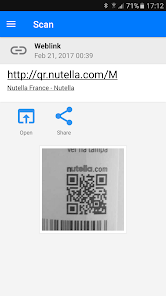
editor reviews
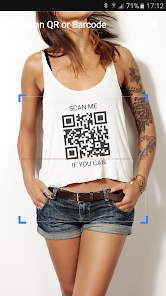
I first stumbled upon QR & Barcode Scanner by Gamma Play when I needed to quickly check a product's price in a store without downloading something overly complicated. It's a basic utility app, the kind you install once and hope never crashes. With over 100 million downloads on Google Play, it's clearly a go-to for many people who just need a lens that reads codes without any fluff. Right after launching it, I was greeted by a straightforward camera view—no registration, no tutorial, just a rectangle framing whatever I pointed it at. It felt refreshingly direct, especially compared to apps that try to sell you premium features before you've even scanned anything. There are ads, as expected from a free app, but they didn't get in the way during my first few uses.
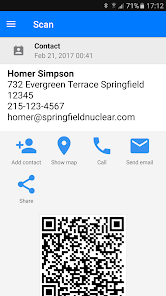
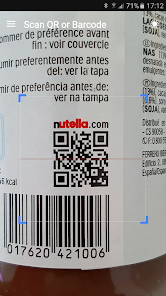
Using it day-to-day has been a mixed bag, but mostly good. The interface is minimal: you open it, the camera activates, and it auto-detects QR codes or barcodes within a second or two. I tried scanning a faded barcode on an old cereal box, and it picked it up faster than I expected. The app also includes a flashlight toggle, which I needed once in a dim restaurant. One thing that tripped me up initially was how it handled history—I scanned a few codes, but my list got cluttered because it kept every single one without asking. There's no manual delete option, so you have to just let it pile up unless you clear the whole log. The scanning itself is smooth, though, and it works with most code types I threw at it, from WiFi QR codes to payment links. I did notice it sometimes struggles with reflective surfaces, but that's common for this genre.
After using it for a couple of weeks, I can see why it's popular but also why some people might move on. It nails the basics: fast scanning, no login, and works offline. But if you're someone who wants to generate QR codes or needs detailed analytics, you'll hit a wall. Compared to something like QR Scanner by Kaspersky, this one feels less polished because it lacks extra tools like a built-in URL checker. I found myself keeping it installed because it's lightweight and doesn't drain battery, but I also uninstalled it after a few weeks when a friend recommended Zapper Scanner, which offered batch scanning. Overall, this app is perfect for users who just want to scan and go without any fuss, but power users who need more than the basics will likely outgrow it quickly.
features
- ⚡ Instant Code Recognition – The app picks up QR and barcode data almost the moment you point the camera, with no delay. Compared to Google Lens, which sometimes hesitates on blurry images, this one locks in quickly even when lighting is not ideal. It's not perfect with highly curved surfaces, but for standard labels, it's snappy.
- 💡 Built-in Flashlight and Zoom – You can toggle the flashlight directly from the scan screen without digging into menus, and the pinch-to-zoom is responsive. Many rivals like BarCoder force you to exit the scan mode to adjust light, which is annoying when you're in a hurry. This keeps everything on one screen, which I appreciated during a night market trip.
- 📜 History Log Without Duplicates – The app organizes past scans in a simple list with timestamps, and it cleverly avoids listing the same code twice in a row if you accidentally scan it again. Handy for keeping track of items when you're out shopping, unlike QR Scanner Supreme, which clogs the history with repeat entries.
pros
- 🔒 No Account Required – You can use the entire scan feature without signing up, which is rare among free scan apps. Kaspersky's QR Scanner forces a login for history syncing, but this one respects privacy by keeping everything local.
- 🔄 Auto-Detection of Code Type – It switches between QR, Data Matrix, and classic barcodes automatically without needing manual mode toggles. For example, while i-Nigma requires you to select a format, Gamma Play's tool just reads whatever it sees.
- 📱 Small App Size – Installed, it takes up less than 10 MB, making it great for older phones with limited storage. Google Lens, by contrast, is huge and often pre-installed but bloated with AI features.
cons
- 📢 Frequent Ads – Ads pop up after every few scans, often as fullscreen videos, which breaks the flow. Free versions of NeoReader show fewer interruptions, making this app feel clunky for heavy use.
- 🔙 No Back Button in History – Once you open a scanned result, there is no way to go back to the list without closing the app. This feels unfinished compared to QuickMark, which offers proper navigation.
- 📴 Limited Offline Features – While scanning works offline, the history cannot be exported or backed up without an internet connection. Many users might expect Google Lens-like cloud sync, but here you are stuck with local data only.
- ⚙️ No Batch Scan Mode – If you have multiple barcodes to scan in sequence, you cannot queue them; each scan closes the previous result. Apps like ShopSavvy let you batch scan for price comparisons, which this lacks entirely.
Articles
![]()
Guide
How to Update Google Play Store on Android 2026
![]()
Guide
How to Download Older Versions of Android Apps
![]()
Guide
How to Download Apps Without Google Play Store
![]()
Guide
What Is an APK File for Android?
If you use an Android phone, you may have seen the term APK while searching for apps or games online. Some websites offer an APK download instead of a Google Play install button. Some users also mention APK files when talking about apps that are not available in their region, older app versions, or Android games downloaded outside the Play Store.
![]()
Guide
How to Install Games from Google Play for Beginners
Installing games on an Android phone is usually simple, but for beginners, the process can still feel confusing at first. You may not know where to search, which button to tap, whether the game is safe, or why Google Play sometimes asks for account settings, storage access, or payment information. If you are using an Android phone for the first time, learning how to install games from Google Play is one of the easiest ways to get started.
![]()
Guide
How Useful Gemini Is for Everyday Questions and Quick Tasks
emini feels different from many AI apps because it is not only trying to be a chatbot. After using it for everyday questions, quick writing, image understanding, and planning, I think its biggest strength is convenience.
![]()
Guide
What to Know Before Downloading APKs
For many Android users, downloading an APK is a common way to install apps and games. Sometimes an app is not available in a certain country.
![]()
Guide
ChatGPT Review: Is It Still the Best AI App in 2026?
![]()
Guide
Seedance 2.0 vs Sora: The Future of AI Video Generation
The AI video race has intensified dramatically over the past two years. Platforms like Sora from OpenAI and Luma Dream Machine pushed the boundaries of text-to-video realism. Yet, despite their impressive outputs, most tools still operate as probabilistic generators—you describe a scene, and the model interprets it. Control remains limited. With the February 2026 release of Seedance 2.0, developed by ByteDance, the paradigm shifted. Internally known as Jimeng 2.0, Seedance does not position itself as just another video model. It positions itself as an AI Director. Rather than guessing what you want, Seedance 2.0 allows you to direct what happens. This distinction defines everything that follows.









Recommended Apps
![]()
Home Design 3D
Anuman4.2
![]()
Truth or Dare Game - Party App
Chouic4.8
![]()
Photo Collage Maker
Scoompa4.7![]()
Learn to Draw Flower
Creative APPS4.2![]()
FIFA World Cup 2026™
FIFA2.8![]()
Mirror Plus: Mirror with Light
Digitalchemy, LLC4.4![]()
Meitu- Photo Editor & AI Art
Meitu (China) Limited4.5![]()
Perplexity - Ask Anything
PerplexityAI4.7![]()
GhostTube SLS Camera Alternate
GhostTube4![]()
Boom Chip Blast: 2-Player
Black Pyramid 3D Games Studio0![]()
Healthy Benefits+
Solutran, Inc.4.5![]()
Deepcheck AI Search Assistant
rohe.ai4![]()
Idol Prank Video Call & Chat
LightCode Solutions4![]()
Face Shape - Pretty Scale
GlintTec Apps3.9![]()
Plant App - Plant Identifier
ScaleUp4.6











































