

Google Earth

500M+
Installs
Google LLC
Developer
-
Travel & Local
Category
-
Everyone
Content Rating
-
apps-help@google.com
Developer Email
-
http://www.google.com/policies/privacy
Privacy Policy
Screenshots
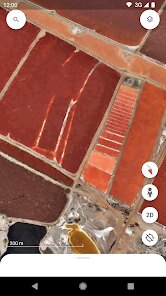
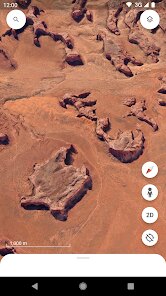
editor reviews
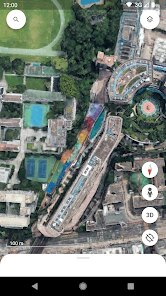
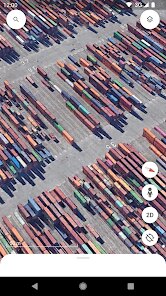
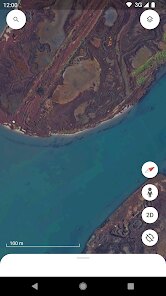
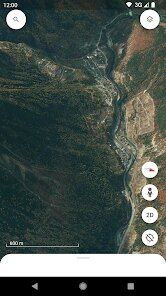
Google Earth, developed by Google LLC, is a geospatial application that has been around for nearly two decades. It is available for free on the Google Play Store and the Apple App Store, and while it does not require a subscription, it does include some ads and offers optional in-app purchases for advanced features like measuring tools and offline map areas. The app essentially functions as a digital globe, giving users access to high-resolution satellite imagery, 3D terrain, and detailed maps of nearly any location on the planet. Over the years, it has become a standard tool for casual explorers and professionals alike, with hundreds of millions of installations worldwide.
Navigating the app is fairly intuitive. You can search directly for an address or coordinates, or simply drag your finger across the screen to pan, pinch to zoom, and use two fingers to tilt the view into a 3D perspective. The interface is clean and uncluttered, with the main menu tucked away so the imagery remains the focus. I found that zooming into major cities is particularly impressive, as the 3D buildings render quickly and smoothly. The voyage layer, which includes guided tours and educational content, works well too, although it feels a bit more oriented toward browsing than deep exploration.
When compared to other mapping tools like Google Maps or the more specialized apps such as MapQuest, Google Earth stands out for its visual richness and exploratory focus. Standard map apps do not offer the same level of immersive satellite imagery or the ability to virtually fly over landscapes. In terms of usability, the app feels slightly less practical for day-to-day navigation, but it excels in what it is designed for: understanding the world from a broader perspective. I would say it is not a replacement for a navigation app, but rather a complementary tool that offers a different, more visually engaging way to interact with geography.
features
- The “I'm Feeling Lucky” feature is a personal favorite; it transports you to a random location with a fun, colorful dice animation. It is a simple way to discover places you would never think to search for, and it often surfaces some truly interesting spots.
- Historical imagery is a standout function. You can toggle back through decades of satellite photos for certain regions, which gives a fascinating look at how cities have expanded or how coastlines have changed. This is something that other mapping apps simply do not provide to the same degree.
- Measurement tools are handy for planning. Whether you are trying to estimate a walking route or just curious about the distance between two points, the ruler function works well. It is worth noting that these tools are locked behind a paid upgrade, which can be a bit annoying.
- Compared to Google Maps, the interface here feels calmer and more focused on viewing rather than calculating. There are fewer icons and buttons, and the spatial context of a location is much easier to grasp, making it a better fit for visual learners.
pros
- It is genuinely useful for travel planning, as you can scout out neighborhoods, landmarks, and hotel locations before you go.
- The educational aspect is a big plus; it is a great way to teach kids about geography and different parts of the world.
- It works offline for previously viewed areas, which is helpful if you are in a location with poor connectivity.
cons
- Battery drain is noticeable; the constant rendering of 3D graphics can eat up a phone's charge fairly quickly.
- The app takes up a significant amount of storage space, particularly after downloading offline regions.
- Occasionally, the search function provides outdated results for businesses, so it is not the best source for real-time information like opening hours.
Articles
![]()
Guide
How to Update Google Play Store on Android 2026
![]()
Guide
How to Download Older Versions of Android Apps
![]()
Guide
How to Download Apps Without Google Play Store
![]()
Guide
What Is an APK File for Android?
If you use an Android phone, you may have seen the term APK while searching for apps or games online. Some websites offer an APK download instead of a Google Play install button. Some users also mention APK files when talking about apps that are not available in their region, older app versions, or Android games downloaded outside the Play Store.
![]()
Guide
How to Install Games from Google Play for Beginners
Installing games on an Android phone is usually simple, but for beginners, the process can still feel confusing at first. You may not know where to search, which button to tap, whether the game is safe, or why Google Play sometimes asks for account settings, storage access, or payment information. If you are using an Android phone for the first time, learning how to install games from Google Play is one of the easiest ways to get started.
![]()
Guide
How Useful Gemini Is for Everyday Questions and Quick Tasks
emini feels different from many AI apps because it is not only trying to be a chatbot. After using it for everyday questions, quick writing, image understanding, and planning, I think its biggest strength is convenience.
![]()
Guide
What to Know Before Downloading APKs
For many Android users, downloading an APK is a common way to install apps and games. Sometimes an app is not available in a certain country.
![]()
Guide
ChatGPT Review: Is It Still the Best AI App in 2026?
![]()
Guide
Seedance 2.0 vs Sora: The Future of AI Video Generation
The AI video race has intensified dramatically over the past two years. Platforms like Sora from OpenAI and Luma Dream Machine pushed the boundaries of text-to-video realism. Yet, despite their impressive outputs, most tools still operate as probabilistic generators—you describe a scene, and the model interprets it. Control remains limited. With the February 2026 release of Seedance 2.0, developed by ByteDance, the paradigm shifted. Internally known as Jimeng 2.0, Seedance does not position itself as just another video model. It positions itself as an AI Director. Rather than guessing what you want, Seedance 2.0 allows you to direct what happens. This distinction defines everything that follows.









Recommended Apps
![]()
Home Design 3D
Anuman4.2
![]()
Truth or Dare Game - Party App
Chouic4.8
![]()
Photo Collage Maker
Scoompa4.7![]()
Learn to Draw Flower
Creative APPS4.2![]()
FIFA World Cup 2026™
FIFA2.8![]()
Mirror Plus: Mirror with Light
Digitalchemy, LLC4.4![]()
Meitu- Photo Editor & AI Art
Meitu (China) Limited4.5![]()
Perplexity - Ask Anything
PerplexityAI4.7![]()
GhostTube SLS Camera Alternate
GhostTube4![]()
Boom Chip Blast: 2-Player
Black Pyramid 3D Games Studio0![]()
Healthy Benefits+
Solutran, Inc.4.5![]()
Deepcheck AI Search Assistant
rohe.ai4![]()
Idol Prank Video Call & Chat
LightCode Solutions4![]()
Face Shape - Pretty Scale
GlintTec Apps3.9![]()
Plant App - Plant Identifier
ScaleUp4.6











































