

TeraBox: 1TB Cloud & AI Space

100M+
Installs
Flextech Inc.
Developer
-
Productivity
Category
-
Everyone
Content Rating
-
helpdesk@terabox.com
Developer Email
-
https://www.terabox.com/box-static/disk-system/html/wap_privacy.html
Privacy Policy
Screenshots
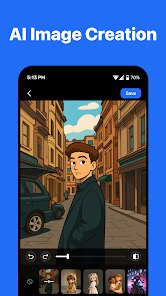
editor reviews
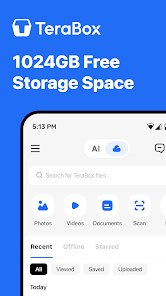
When you first open TeraBox, you are looking at a cloud storage app that offers a massive 1 TB of free space. The app is available for download on Google Play and developed by Flextech Inc. It provides a generous amount of initial storage at no cost, which is significant compared to the typical offerings from similar services. The core purpose is straightforward: give users a place to store, back up, and manage files like photos, videos, documents, and more. As you navigate the interface, you'll quickly notice that it is free to download and install, though it does include ads and offers in-app purchases for additional features or more space. The sheer volume of free capacity makes it stand out immediately.
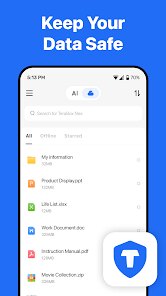
Operating the app is fairly intuitive. After installation, users grant permission for the app to access files on their device, and TeraBox can start backing up media automatically. You browse your saved content through a clean, tabbed interface that separates files into categories like photos, videos, and documents. The main screen presents your total storage usage clearly. I found that uploading a few large video files was quick over a stable Wi-Fi connection, and the app notified me when the uploads finished. There is also a built-in video player that supports streaming directly from the cloud, which is a handy feature if you want to watch files without downloading them first. The AI-powered functions, like smart cleaning and duplicate file detection, are located in a separate section and are fairly easy to understand without a tutorial.
In terms of how TeraBox compares to other cloud storage apps, it is most clearly competing with services like Google Drive, pCloud, and Mega. Its main distinction is the enormous free tier; most competitors offer only 15 GB (Google Drive) or 20 GB (OneDrive) for free. This makes TeraBox a strong choice for users who need a simple backup solution without paying immediately. However, the app experience is more focused on media storage and basic file management, whereas Google Drive integrates tightly with a productivity suite. In my view, if your main need is photo or video backup, TeraBox's free offering is hard to ignore. But if you work extensively with documents and need collaboration tools, it falls short of the competition. The interface feels slightly less polished than Google Drive, but it is functional and responsive.
features
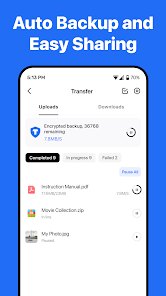
- The automatic backup feature works reliably. You set it and forget it, and photos or videos from your camera roll appear in the cloud without extra steps. I have tested it on several occasions, and it consistently saves everything without missing files or duplicating them, which is better than some competing apps that sometimes create clutter.
- Another notable function is the smart clean tool. It analyzes your local storage and suggests deleting screenshots, blurry photos, or duplicate files to free up space. This operates differently than normal file management and feels helpful rather than invasive, though its accuracy varies occasionally.
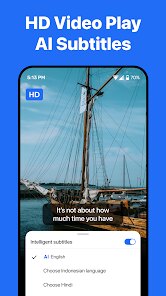
- The built-in video player supports many formats and can stream large files smoothly. I watched a 4K video without any buffering on a decent connection, making it more versatile than the standard preview found in, say, Dropbox or OneDrive.
pros
- Having 1 TB of free space means I can back up years worth of photos and videos without worrying about storage limits, something that saved me from buying extra iCloud space.
- File sharing through a generated link is straightforward and supports password protection, which is useful when sending sensitive documents to friends or colleagues.
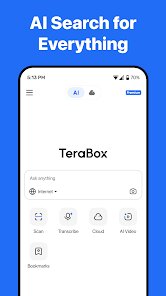
- The AI assistant can help organize files by type and identify duplicates, reducing the time I spend manually sorting through cluttered folders.
cons
- The free tier includes ads that appear periodically, which can be distracting when browsing files or watching videos. They are not overwhelming, but they are present.
- Upload speeds sometimes drop significantly when the server is busy, especially during peak hours. A large batch of files can take longer than anticipated.
- Some advanced features, like expanded file sharing options or cloud editing, require a paid subscription, limiting what you can do without upgrading.
Articles
![]()
Guide
How to Update Google Play Store on Android 2026
![]()
Guide
How to Download Older Versions of Android Apps
![]()
Guide
How to Download Apps Without Google Play Store
![]()
Guide
What Is an APK File for Android?
If you use an Android phone, you may have seen the term APK while searching for apps or games online. Some websites offer an APK download instead of a Google Play install button. Some users also mention APK files when talking about apps that are not available in their region, older app versions, or Android games downloaded outside the Play Store.
![]()
Guide
How to Install Games from Google Play for Beginners
Installing games on an Android phone is usually simple, but for beginners, the process can still feel confusing at first. You may not know where to search, which button to tap, whether the game is safe, or why Google Play sometimes asks for account settings, storage access, or payment information. If you are using an Android phone for the first time, learning how to install games from Google Play is one of the easiest ways to get started.
![]()
Guide
How Useful Gemini Is for Everyday Questions and Quick Tasks
emini feels different from many AI apps because it is not only trying to be a chatbot. After using it for everyday questions, quick writing, image understanding, and planning, I think its biggest strength is convenience.
![]()
Guide
What to Know Before Downloading APKs
For many Android users, downloading an APK is a common way to install apps and games. Sometimes an app is not available in a certain country.
![]()
Guide
ChatGPT Review: Is It Still the Best AI App in 2026?
![]()
Guide
Seedance 2.0 vs Sora: The Future of AI Video Generation
The AI video race has intensified dramatically over the past two years. Platforms like Sora from OpenAI and Luma Dream Machine pushed the boundaries of text-to-video realism. Yet, despite their impressive outputs, most tools still operate as probabilistic generators—you describe a scene, and the model interprets it. Control remains limited. With the February 2026 release of Seedance 2.0, developed by ByteDance, the paradigm shifted. Internally known as Jimeng 2.0, Seedance does not position itself as just another video model. It positions itself as an AI Director. Rather than guessing what you want, Seedance 2.0 allows you to direct what happens. This distinction defines everything that follows.









Recommended Apps
![]()
Home Design 3D
Anuman4.2
![]()
Truth or Dare Game - Party App
Chouic4.8
![]()
Photo Collage Maker
Scoompa4.7![]()
Learn to Draw Flower
Creative APPS4.2![]()
FIFA World Cup 2026™
FIFA2.8![]()
Mirror Plus: Mirror with Light
Digitalchemy, LLC4.4![]()
Meitu- Photo Editor & AI Art
Meitu (China) Limited4.5![]()
Perplexity - Ask Anything
PerplexityAI4.7![]()
GhostTube SLS Camera Alternate
GhostTube4![]()
Boom Chip Blast: 2-Player
Black Pyramid 3D Games Studio0![]()
Healthy Benefits+
Solutran, Inc.4.5![]()
Deepcheck AI Search Assistant
rohe.ai4![]()
Idol Prank Video Call & Chat
LightCode Solutions4![]()
Face Shape - Pretty Scale
GlintTec Apps3.9![]()
Plant App - Plant Identifier
ScaleUp4.6












































