

Instasquare Photo Editor: Neon

50M+
Installs
Lyrebird Studio
Developer
-
Video Players & Editors
Category
-
Rated for 3+
Content Rating
-
lyrebirdstudio@gmail.com
Developer Email
-
https://lyrebirdstudio.net/privacy_policy.htm
Privacy Policy
Screenshots
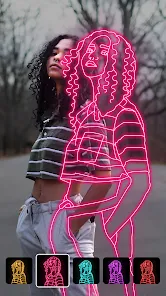
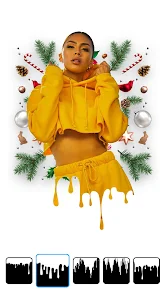
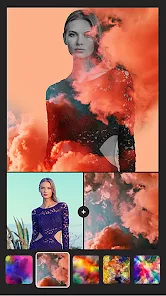
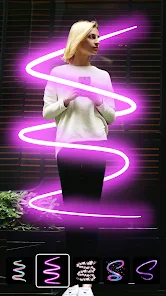
editor reviews
I first stumbled across Instasquare Photo Editor: Neon when I was scrolling through the Play Store looking for something to give my dull travel photos a bit of pop. It's basically a photo editing app, squarely in the filter and effects category, and it's free to download with some in-app purchases tucked away. After installing it, I noticed it had crossed over a million downloads, which felt reassuring. The first time I launched it, the splash screen loaded fast, and I was greeted by a clean, dark interface that felt more like a pro tool than a casual toy. You can immediately start editing from your gallery or snap a new shot, and the whole vibe screams “make your images look electric.”
Once I actually started using it, the experience was surprisingly smooth for a free app. The onboarding is basically nonexistent—you just pick a photo and start swiping through presets. The main actions are all filter-based, but there's also a manual adjustment panel for brightness, contrast, saturation, and a few more niche sliders like “neon glow” and “light leak.” I found myself tapping through the neon filters first, because that's clearly the app's specialty. A common flow for me was: import a photo, try a few neon presets, tweak the intensity with the slider, then save. It felt intuitive, though I did get confused once when I tried to undo a change—the undo button is hidden in a submenu. A practical tip: use the “compare” button to see the before and after, because it's easy to overdo the glow effect and make your photo look washed out.
After a few weeks of playing around, I've got a pretty clear sense of who this app is for. If you're into cyberpunk aesthetics, night photography, or just want your selfies to have that futuristic neon border, you'll love it. It's definitely not for someone who wants natural-looking edits or advanced tools like layer masks—those folks should stick with Snapseed or Lightroom. What sets Instasquare apart is its focus on that specific, vibrant glow that other apps don't nail as easily. I kept it installed because it's quick and delivers a unique look, but I can see uninstalling it if I get tired of the style or find a more versatile editor. It's a fun tool, but not a daily driver for everyone.
features
- 🟣 Neon filter library: The app's main draw is its collection of neon-themed presets that add glowing outlines, vibrant light streaks, and electric tones to any photo. Unlike Adobe Lightroom, which focuses on natural color grading, Instasquare pushes artistic, over-the-top effects that make images look like they belong in a sci-fi movie. You can adjust the intensity for each filter, so it's not always too aggressive.
- 🟣 Light leak simulation: You get a set of tools that mimic camera light leaks, creating colorful streaks across the image. This is unique because most editors like VSCO only offer basic grain or fade effects. The light leaks here feel more dynamic and customizable, letting you choose the angle and color of the leak.
- 🟣 Text overlay with glow fonts: Unlike Snapseed, which has basic text tools, Instasquare gives you a selection of glowing, neon-style fonts that you can place anywhere on the photo. This is a standout feature for creating social media graphics or poster-like edits without needing a separate design app.
pros
- ⚡ Superb neon effects: The app's strength is its specialized neon presets—VSCO and Snapseed don't offer anything close to this level of glowing, vibrant filters. It feels like a dedicated tool for a specific look, and it executes that look perfectly.
- ⚡ Lightweight and fast: The app loads quickly and doesn't lag even on older phones. Compared to PicsArt, which can be bloated with features, Instasquare feels snappy and focused.
- ⚡ Simple interface: It's easy to jump in without tutorials. You don't get lost in menus like in Lightroom, making it perfect for quick edits on the go.
cons
- ❌ Limited editing tools: You won't find advanced features like curve adjustments or healing brushes that Snapseed offers. It's great for neon effects, but weak for fixing blemishes or fine-tuning exposure.
- ❌ In-app ads: Free users see occasional banner ads that can be distracting during editing. VSCO's free version is ad-free, which feels more polished.
- ❌ No batch editing: Unlike Lightroom, you can't apply the same filter to multiple photos at once. If you're editing a series of images, it gets repetitive fast.
- ❌ Over-reliance on one style: The app's focus on neon makes it less versatile. If you want a natural, film-like look, you're better off with something like Afterlight.
Articles
![]()
Guide
How to Update Google Play Store on Android 2026
![]()
Guide
How to Download Older Versions of Android Apps
![]()
Guide
How to Download Apps Without Google Play Store
![]()
Guide
What Is an APK File for Android?
If you use an Android phone, you may have seen the term APK while searching for apps or games online. Some websites offer an APK download instead of a Google Play install button. Some users also mention APK files when talking about apps that are not available in their region, older app versions, or Android games downloaded outside the Play Store.
![]()
Guide
How to Install Games from Google Play for Beginners
Installing games on an Android phone is usually simple, but for beginners, the process can still feel confusing at first. You may not know where to search, which button to tap, whether the game is safe, or why Google Play sometimes asks for account settings, storage access, or payment information. If you are using an Android phone for the first time, learning how to install games from Google Play is one of the easiest ways to get started.
![]()
Guide
How Useful Gemini Is for Everyday Questions and Quick Tasks
emini feels different from many AI apps because it is not only trying to be a chatbot. After using it for everyday questions, quick writing, image understanding, and planning, I think its biggest strength is convenience.
![]()
Guide
What to Know Before Downloading APKs
For many Android users, downloading an APK is a common way to install apps and games. Sometimes an app is not available in a certain country.
![]()
Guide
ChatGPT Review: Is It Still the Best AI App in 2026?
![]()
Guide
Seedance 2.0 vs Sora: The Future of AI Video Generation
The AI video race has intensified dramatically over the past two years. Platforms like Sora from OpenAI and Luma Dream Machine pushed the boundaries of text-to-video realism. Yet, despite their impressive outputs, most tools still operate as probabilistic generators—you describe a scene, and the model interprets it. Control remains limited. With the February 2026 release of Seedance 2.0, developed by ByteDance, the paradigm shifted. Internally known as Jimeng 2.0, Seedance does not position itself as just another video model. It positions itself as an AI Director. Rather than guessing what you want, Seedance 2.0 allows you to direct what happens. This distinction defines everything that follows.









Recommended Apps
![]()
Home Design 3D
Anuman4.2
![]()
Truth or Dare Game - Party App
Chouic4.8
![]()
Photo Collage Maker
Scoompa4.7![]()
Learn to Draw Flower
Creative APPS4.2![]()
FIFA World Cup 2026™
FIFA2.8![]()
Mirror Plus: Mirror with Light
Digitalchemy, LLC4.4![]()
Meitu- Photo Editor & AI Art
Meitu (China) Limited4.5![]()
Perplexity - Ask Anything
PerplexityAI4.7![]()
GhostTube SLS Camera Alternate
GhostTube4![]()
Boom Chip Blast: 2-Player
Black Pyramid 3D Games Studio0![]()
Healthy Benefits+
Solutran, Inc.4.5![]()
Deepcheck AI Search Assistant
rohe.ai4![]()
Idol Prank Video Call & Chat
LightCode Solutions4![]()
Face Shape - Pretty Scale
GlintTec Apps3.9![]()
Plant App - Plant Identifier
ScaleUp4.6












































