

Ask AI - Chat with Chatbot

10M+
Installs
Codeway Dijital
Developer
-
Generative AI
Category
-
Rated for 3+
Content Rating
-
ask.ai@codeway.co
Developer Email
-
https://static.vegachat.ai/privacy-en.html
Privacy Policy
Screenshots
editor reviews
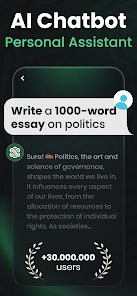
Ask AI – Chat with Chatbot is a conversational AI app developed by Codeway Dijital, falling squarely into the productivity and lifestyle category. You can use it for everything from brainstorming ideas and getting quick explanations to drafting emails or just having a casual chat. A lot of people download it from Google Play or the App Store because it promises an easy, no-commitment way to try out advanced AI without signing up for a subscription right away. When you first launch the app, the interface feels pretty clean and inviting – there is no overwhelming setup, and you can start typing a question almost immediately. The install count is solid, and while the app itself is free to download, you quickly notice that some features, like certain voice options or faster response models, are locked behind in-app purchases. Ads pop up occasionally, but they are not aggressive enough to ruin the experience right out of the gate.
Once you get into actually using Ask AI, the experience is mostly straightforward. The home screen presents a simple text bar at the bottom and a chat history on top, much like most messaging apps you already know. After you send your first query, the AI responds pretty quickly, and you can follow up naturally. I found myself using it for quick tasks like summarizing articles or rewriting sentences, and it handled those well. The onboarding is minimal – there is no tutorial, which some might see as a pro, but I think a small tip about the context memory would have been helpful. One small thing I noticed: if you switch between heavy topics, the AI sometimes forgets the earlier context, so you have to rephrase your questions. Other than that, the voice input works surprisingly well, and you can switch between different AI models from the settings, though the free tier limits you to just one or two.
After using Ask AI for a couple of weeks, I think it is a decent tool for people who want a no-fuss AI assistant without learning a complex interface. It is especially good for casual users who just need quick answers or creative help on the go. However, if you are looking for deep integration with other apps or more advanced features like file analysis or web search, you might feel limited. Compared to something like ChatGPT, Ask AI feels lighter and more focused on mobile convenience, but it also lacks the depth of conversation and the extensive plugin ecosystem. I can see someone keeping it installed for quick daily tasks, but if you already use a more powerful AI tool on your desktop, you might uninstall it after a week. It is a solid middle-ground app – not groundbreaking, but reliable for what it promises.
features
- 💬 Natural conversation flow – The app does a decent job of keeping the chat feeling human. Unlike some competitors that sound robotic or overly formal, Ask AI adapts its tone based on your wording. For example, if you ask a question casually, it replies in a relaxed way, but if you use more formal language, it matches that. Apps like Replika focus more on emotional support, while Ask AI leans into practical, everyday interactions.
- ⚡ Quick response speed – One standout feature is how fast the AI generates answers. Even on the free tier, you rarely experience long loading times. Compared to Microsoft Copilot, which sometimes takes a few extra seconds to pull up web results, Ask AI feels snappier for direct Q&A, making it ideal for when you need a fast answer without waiting.
- 📱 Clean mobile interface – The layout is designed specifically for phone screens, with large text bubbles and easy-to-tap buttons. Some AI apps like Claude feel cluttered on mobile, but Ask AI keeps everything minimal. The voice input button is also placed right where your thumb would rest, which is a nice touch for one-handed use.
- 🔒 Privacy mode option – You can enable a privacy setting that prevents chat history from being saved locally. This is a small but reassuring feature if you are asking sensitive questions. Not every AI app offers this so clearly – for instance, ChatGPT requires you to dig into settings to turn off history, but here it is front and center.
pros
- 👍 No account hassle – You can start using Ask AI without creating an account or linking a Google profile. This is a huge plus compared to apps like Perplexity, which push you to sign up almost immediately. It removes the friction and lets you test the app risk-free.
- 👍 Lightweight installation – The app takes up very little storage space compared to similar tools. ChatGPT, for instance, downloads additional language packs over time, while Ask AI stays lean. This matters if you have limited phone memory.
- 👍 Multiple voice options – Even on the free version, you get a few different AI voices to choose from. Apps like Gemini often restrict voice variety to paid tiers, so this feels generous and adds some personality to the chat.
- 👍 Offline mode for basic queries – A small but helpful feature: you can still access some pre-loaded responses or simple commands without an internet connection. Not many competitors offer this, and it saves you when you are in a low-signal area.
cons
- 👎 Context memory is short – Unlike ChatGPT, which can remember details across a long session, Ask AI tends to forget earlier parts of the conversation after about 10-15 exchanges. If you are working on a complex project, you will need to repeat yourself often, which gets annoying.
- 👎 No real-time web search – The free version cannot pull up current information from the internet. For example, if you ask for today's news or a live sports score, the AI will either give outdated info or refuse to answer. Perplexity does this much better even without a subscription.
- 👎 Limited formatting options – When the AI generates lists or code blocks, the formatting is basic and sometimes messy. Compared to Claude, which formats responses neatly with bullet points and tables, Ask AI feels raw and unpolished for professional use.
- 👎 Occasional ad interruptions – While the ads are not excessive, they pop up right after you get an answer, which breaks the flow. Apps like Replika are completely ad-free unless you count the optional store, so this might push some users to either pay or switch.
Articles
![]()
Guide
How to Update Google Play Store on Android 2026
![]()
Guide
How to Download Older Versions of Android Apps
![]()
Guide
How to Download Apps Without Google Play Store
![]()
Guide
What Is an APK File for Android?
If you use an Android phone, you may have seen the term APK while searching for apps or games online. Some websites offer an APK download instead of a Google Play install button. Some users also mention APK files when talking about apps that are not available in their region, older app versions, or Android games downloaded outside the Play Store.
![]()
Guide
How to Install Games from Google Play for Beginners
Installing games on an Android phone is usually simple, but for beginners, the process can still feel confusing at first. You may not know where to search, which button to tap, whether the game is safe, or why Google Play sometimes asks for account settings, storage access, or payment information. If you are using an Android phone for the first time, learning how to install games from Google Play is one of the easiest ways to get started.
![]()
Guide
How Useful Gemini Is for Everyday Questions and Quick Tasks
emini feels different from many AI apps because it is not only trying to be a chatbot. After using it for everyday questions, quick writing, image understanding, and planning, I think its biggest strength is convenience.
![]()
Guide
What to Know Before Downloading APKs
For many Android users, downloading an APK is a common way to install apps and games. Sometimes an app is not available in a certain country.
![]()
Guide
ChatGPT Review: Is It Still the Best AI App in 2026?
![]()
Guide
Seedance 2.0 vs Sora: The Future of AI Video Generation
The AI video race has intensified dramatically over the past two years. Platforms like Sora from OpenAI and Luma Dream Machine pushed the boundaries of text-to-video realism. Yet, despite their impressive outputs, most tools still operate as probabilistic generators—you describe a scene, and the model interprets it. Control remains limited. With the February 2026 release of Seedance 2.0, developed by ByteDance, the paradigm shifted. Internally known as Jimeng 2.0, Seedance does not position itself as just another video model. It positions itself as an AI Director. Rather than guessing what you want, Seedance 2.0 allows you to direct what happens. This distinction defines everything that follows.









Recommended Apps
![]()
Home Design 3D
Anuman4.2
![]()
Truth or Dare Game - Party App
Chouic4.8
![]()
Photo Collage Maker
Scoompa4.7![]()
Learn to Draw Flower
Creative APPS4.2![]()
FIFA World Cup 2026™
FIFA2.8![]()
Mirror Plus: Mirror with Light
Digitalchemy, LLC4.4![]()
Meitu- Photo Editor & AI Art
Meitu (China) Limited4.5![]()
Perplexity - Ask Anything
PerplexityAI4.7![]()
GhostTube SLS Camera Alternate
GhostTube4![]()
Boom Chip Blast: 2-Player
Black Pyramid 3D Games Studio0![]()
Healthy Benefits+
Solutran, Inc.4.5![]()
Deepcheck AI Search Assistant
rohe.ai4![]()
Idol Prank Video Call & Chat
LightCode Solutions4![]()
Face Shape - Pretty Scale
GlintTec Apps3.9![]()
Plant App - Plant Identifier
ScaleUp4.6












































