
Doodle Master - Glow Art

10M+
Installs
Hydodo
Developer
-
Art & Design
Category
-
Rated for 3+
Content Rating
-
Drawapp.feedback@hotmail.com
Developer Email
-
https://sites.google.com/view/draw-apps-for-free/
Privacy Policy
Screenshots
editor reviews
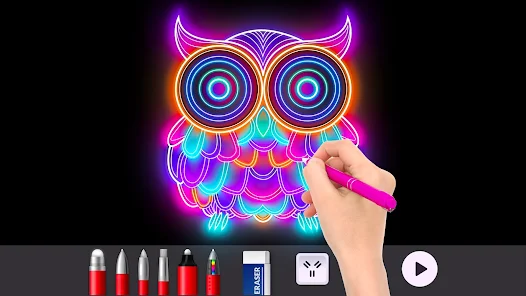
Doodle Master - Glow Art is a casual, creative app you can grab on Google Play (no official iOS version as far as I can tell) that's basically a digital coloring book with a neon twist. People download it for those idle moments—maybe on a commute or while winding down at night—when all they want is to fill shapes with glowing colors. I gave it a shot after seeing the install count hover around half a million, and it's free to download with no forced sign-up, though there's an optional premium upgrade. Launching it, the first thing that stands out is that splashy, dark interface that screams “neon party.” It feels more like opening a mini relaxation tool than just another drawing app, and that vibe honestly pulls you in immediately.
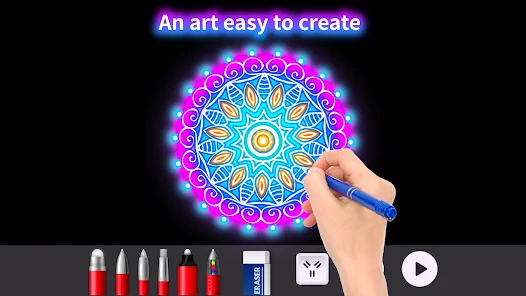
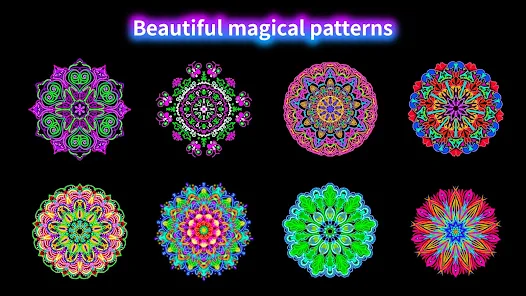
Once you're inside, the hands-on part is pretty straightforward. You pick a template from dozens of categories like animals, mandalas, or florals, and then tap the screen to “brush” in a wide range of glow-in-the-dark colors. The interface is clean—just a palette at the bottom, a zoom area on the side, and a clear undo button. I'd say the tool tip function could be slightly more intuitive because at first I thought the color wheel was just decoration, but tapping around reveals it's your brush. A key moment for me was when I realized you can hold down on a color to adjust brightness; those subtle shifts make a big difference. Daily use usually goes like this: pick a template, choose a glow color that stands out against the black background, tap away for a few minutes, and then maybe export it as a wallpaper or share it with friends. The app even has a time-lapse recording feature that captures your entire process, which is a nice touch for sharing on social media, but the autosave function could be smoother—I lost one piece when I accidentally hit “back” too fast.
After spending a week with it, I'd say this app is a great fit for people who enjoy mindful doodling, like winding down with something visual, or have a thing for neon aesthetics. It's not for serious digital artists—there's no layer system or export options beyond JPEG, and you can't do freehand drawing without templates. What sets it apart from apps like Colorfy or Pigment is that neon glow effect and the time-lapse recording; those make it feel more playful and shareable. I could see myself keeping it installed for lazy Sundays, but on weekdays, it might get ignored unless I'm in a specific mood. Honestly, I uninstalled it once because the ads popped up too frequently after every third save, but then I came back because none of the other similar apps offered that hypnotic glow effect that actually soothes me.
features
- 🖌️ Templated approach: Unlike Sketchbook, which gives you a blank canvas and expects you to draw from scratch, Doodle Master serves up pre-drawn templates. You choose a mandala or animal outline, then fill in glowing colors. It's way simpler for someone who just wants to relax without thinking about composition.
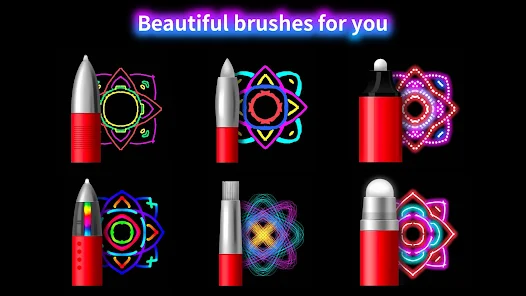
- ✨ Neon glow effect: This is the standout thing. Instead of normal solid colors like in Pigment, every brush stroke here leaves a soft, pulsating neon trail. It feels like you're painting with actual LED lights on a dark screen, which is oddly satisfying and unique among casual art apps.
- 📹 Time-lapse recording: The app automatically records your entire coloring process and can compress it into a short video. You don't need third-party screen recorders or editing tools, which is a genuine convenience compared to something like Colorfy, where you'd have to take separate screenshots and stitch them together manually.
- 🎨 Brightness adjust per color: Tapping and holding a hue lets you tweak its intensity. This isn't just a fake slider—it actually changes how the color lights up against the dark background, giving you way more creative freedom than typical glow apps where you're stuck with one preset brightness per color.
pros
- 🖌️ Low bar of entry: You don't need any drawing skill to enjoy this app. It's perfect for people who find apps like Procreate intimidating. Just pick a template and tap colors—no pressure to create from scratch, so even a total beginner can make something that looks cool. That's a big plus over many art apps that assume you know how to draw.
- ✨ Satisfying visual feedback: The glow effect isn't just there for looks—it creates a calming, hypnotic response as you watch the color pulse slightly after you apply it. Apps like Recolor don't have that dynamic quality; they just show static coloring, which feels flat compared to this living, neon finish.
- 🔄 No pressure to finish: Since it's template-based with no timers or scores (unlike some timed coloring apps on the Play Store), you can take a few days to complete one drawing, or stop after five minutes. This makes it a lot more flexible for people with busy or unpredictable schedules.
- 📱 Social sharing ready: The built-in time-lapse export means you can share your artistic process on Instagram or TikTok without extra steps. Most coloring apps like Pigment require you to take separate progress shots, so this smooth integration is a real time-saver for anyone who enjoys showing off their work.
cons
- 🖌️ Almost no freehand drawing: You're stuck with templates. If you want to draw a custom line or add a small detail outside the shapes, you can't. Apps like Sketchbook or Adobe Fresco let you do free work, but here, your entire “art” is just coloring inside predefined lines, which limits creative expression.
- ✨ Ads are quite intrusive: After saving each third piece or backing out of a template, an ad pops up and you have to wait through a 5-second video. Compared to apps like Colorfy that offer a clean free experience with optional ads, this one pushes them more aggressively, and there's no way to remove them except via the premium purchase.
- 🔄 Export options are limited: You can only save as JPEG, not PNG, especially if you want transparent backgrounds or higher res. That's a letdown versus Pigment or Adobe Fresco, which let you export in formats suitable for printing or merging into other projects.
- 🎨 Color palette feels preset-heavy: You have many glow shades, but you can't add custom hex values or load your own color palette like you could in Procreate or Clip Studio Paint. This can get repetitive if you've used up the available colors or want something very specific that's not in the default set.
Articles
![]()
Guide
How to Update Google Play Store on Android 2026
![]()
Guide
How to Download Older Versions of Android Apps
![]()
Guide
How to Download Apps Without Google Play Store
![]()
Guide
What Is an APK File for Android?
If you use an Android phone, you may have seen the term APK while searching for apps or games online. Some websites offer an APK download instead of a Google Play install button. Some users also mention APK files when talking about apps that are not available in their region, older app versions, or Android games downloaded outside the Play Store.
![]()
Guide
How to Install Games from Google Play for Beginners
Installing games on an Android phone is usually simple, but for beginners, the process can still feel confusing at first. You may not know where to search, which button to tap, whether the game is safe, or why Google Play sometimes asks for account settings, storage access, or payment information. If you are using an Android phone for the first time, learning how to install games from Google Play is one of the easiest ways to get started.
![]()
Guide
How Useful Gemini Is for Everyday Questions and Quick Tasks
emini feels different from many AI apps because it is not only trying to be a chatbot. After using it for everyday questions, quick writing, image understanding, and planning, I think its biggest strength is convenience.
![]()
Guide
What to Know Before Downloading APKs
For many Android users, downloading an APK is a common way to install apps and games. Sometimes an app is not available in a certain country.
![]()
Guide
ChatGPT Review: Is It Still the Best AI App in 2026?
![]()
Guide
Seedance 2.0 vs Sora: The Future of AI Video Generation
The AI video race has intensified dramatically over the past two years. Platforms like Sora from OpenAI and Luma Dream Machine pushed the boundaries of text-to-video realism. Yet, despite their impressive outputs, most tools still operate as probabilistic generators—you describe a scene, and the model interprets it. Control remains limited. With the February 2026 release of Seedance 2.0, developed by ByteDance, the paradigm shifted. Internally known as Jimeng 2.0, Seedance does not position itself as just another video model. It positions itself as an AI Director. Rather than guessing what you want, Seedance 2.0 allows you to direct what happens. This distinction defines everything that follows.









Recommended Apps
![]()
Home Design 3D
Anuman4.2
![]()
Truth or Dare Game - Party App
Chouic4.8
![]()
Photo Collage Maker
Scoompa4.7![]()
Learn to Draw Flower
Creative APPS4.2![]()
FIFA World Cup 2026™
FIFA2.8![]()
Mirror Plus: Mirror with Light
Digitalchemy, LLC4.4![]()
Meitu- Photo Editor & AI Art
Meitu (China) Limited4.5![]()
Perplexity - Ask Anything
PerplexityAI4.7![]()
GhostTube SLS Camera Alternate
GhostTube4![]()
Boom Chip Blast: 2-Player
Black Pyramid 3D Games Studio0![]()
Healthy Benefits+
Solutran, Inc.4.5![]()
Deepcheck AI Search Assistant
rohe.ai4![]()
Idol Prank Video Call & Chat
LightCode Solutions4![]()
Face Shape - Pretty Scale
GlintTec Apps3.9![]()
Plant App - Plant Identifier
ScaleUp4.6











































