
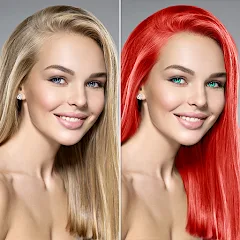
Change Hair And Eye Color

10M+
Installs
Csmartworld
Developer
-
Video Players & Editors
Category
-
Rated for 3+
Content Rating
-
csmartworld@gmail.com
Developer Email
-
http://csmartworldprivacypolicy.blogspot.in/2017/03/privacy-policy-of-csmartworldterms-and.html
Privacy Policy
Screenshots
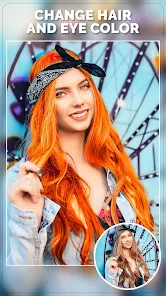
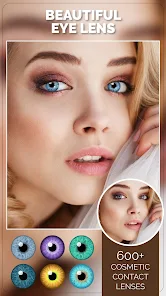
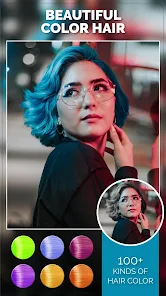
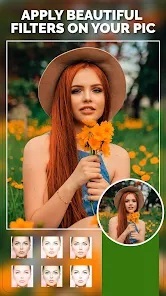
editor reviews
Change Hair And Eye Color is a photo editing tool that focuses specifically on altering facial features, letting you swap out natural hair and eye shades for something entirely different. You download it from Google Play or the App Store based on your device. After installing and launching it, the first impression is that it's a pretty straightforward utility app — no clutter, no endless menus. It's free to download, though you'll run into ads and in-app purchases for extra styles or tools. The setup is simple: grant camera roll access, pick a selfie or any face shot, and you're ready to experiment.
Once you start using it, the interface feels clean and responsive. The onboarding is quick — a few taps to choose a photo, then you select either hair or eye editing mode. Hair tools let you brush over strands to apply a new color, with options like blonde, blue, or pink. Eye editing uses a tap-to-select method, where you pick the pupil area and cycle through hues. The auto-detection works well on bright, front-facing photos, but struggles a bit with side angles or low light — you might have to manually resize the selection. A practical tip: use a close-up shot for best results. The undo button saves a lot of frustration when colors bleed outside the lines.
After playing around with it for a while, I'd say this app shines for casual fun — maybe you want to test a dramatic look without dyeing your hair, or just see how green eyes would suit you. It's not for professional editing; if you need realistic blending or skin tone matching, apps like Adobe Photoshop Express or FaceApp offer more control. What sets it apart is how low-effort it is — no steep learning curve, just quick edits for social media profile pics. I can see someone keeping it installed for occasional laughs, but power users might uninstall it after a week because the feature set feels limited. It's a solid “mood booster” tool, not a daily driver.
features
- 🎨 The core feature lets you swap hair and eye colors with a few taps, using auto-detection on faces. Compared to FaceApp, which offers more retouching like aging or smile filters, this app keeps it simple by focusing only on color changes, making it faster for specific edits.
- 🖌️ The brushing tool for hair gives you manual control over coverage, so you can color just a section or the whole head. It's less smart than YouCam Perfect's automatic hair dye, but more reliable when you need precision around edges.
- 👁️ The eye-color picker offers a wide palette from hazel to violet, with real-time preview — a standout feature because many photo editors, like PicsArt, require layer adjustments for the same effect, while this app does it in one step.
- 📸 The undo and reset options work smoothly, which is handy when experiments go wrong. Similar apps often bury these controls in submenus, but here they're front and center, reducing frustration during trial-and-error sessions.
pros
- 👍 Speed is a big win — edits apply instantly without lag, even on mid-range phones. Tools like Adobe Lightroom can feel sluggish for similar adjustments, so this app wins for quick, casual use.
- 👍 The UI is clean and doesn't overwhelm you with ads during editing. Unlike BeautyPlus, which often interrupts with pop-ups, here ads stay in banners, so your flow isn't broken.
- 👍 It doesn't need an account to function — just download and start editing. Many competitors, like YouCam Perfect, force sign-ups, which can be a turn-off for privacy-conscious users.
- 👍 The free version offers enough colors to test real changes, not just a few muted shades. You get a decent variety without paying, unlike in Visage Lab where premium locks most effects.
cons
- 👎 The auto-detection fails often on non-frontal faces or with glasses, forcing manual adjustments that can be fiddly. FaceApp handles angles much better with its AI.
- 👎 The output resolution is lower than the original photo, which dulls details. If you're used to PicsArt's high-res exports, this can feel like a downgrade for print-ready edits.
- 👎 The color blending looks unnatural on dark hair or skin tones — the dye lays flat instead of mimicking texture. YouCam Perfect does a better job preserving highlights and shadows.
- 👎 The app crashes occasionally on older devices when switching between hair and eye modes. It's less stable than simpler editors like Snapchat's lenses, though those are app-specific.
Articles
![]()
Guide
How to Update Google Play Store on Android 2026
![]()
Guide
How to Download Older Versions of Android Apps
![]()
Guide
How to Download Apps Without Google Play Store
![]()
Guide
What Is an APK File for Android?
If you use an Android phone, you may have seen the term APK while searching for apps or games online. Some websites offer an APK download instead of a Google Play install button. Some users also mention APK files when talking about apps that are not available in their region, older app versions, or Android games downloaded outside the Play Store.
![]()
Guide
How to Install Games from Google Play for Beginners
Installing games on an Android phone is usually simple, but for beginners, the process can still feel confusing at first. You may not know where to search, which button to tap, whether the game is safe, or why Google Play sometimes asks for account settings, storage access, or payment information. If you are using an Android phone for the first time, learning how to install games from Google Play is one of the easiest ways to get started.
![]()
Guide
How Useful Gemini Is for Everyday Questions and Quick Tasks
emini feels different from many AI apps because it is not only trying to be a chatbot. After using it for everyday questions, quick writing, image understanding, and planning, I think its biggest strength is convenience.
![]()
Guide
What to Know Before Downloading APKs
For many Android users, downloading an APK is a common way to install apps and games. Sometimes an app is not available in a certain country.
![]()
Guide
ChatGPT Review: Is It Still the Best AI App in 2026?
![]()
Guide
Seedance 2.0 vs Sora: The Future of AI Video Generation
The AI video race has intensified dramatically over the past two years. Platforms like Sora from OpenAI and Luma Dream Machine pushed the boundaries of text-to-video realism. Yet, despite their impressive outputs, most tools still operate as probabilistic generators—you describe a scene, and the model interprets it. Control remains limited. With the February 2026 release of Seedance 2.0, developed by ByteDance, the paradigm shifted. Internally known as Jimeng 2.0, Seedance does not position itself as just another video model. It positions itself as an AI Director. Rather than guessing what you want, Seedance 2.0 allows you to direct what happens. This distinction defines everything that follows.









Recommended Apps
![]()
Home Design 3D
Anuman4.2
![]()
Truth or Dare Game - Party App
Chouic4.8
![]()
Photo Collage Maker
Scoompa4.7![]()
Learn to Draw Flower
Creative APPS4.2![]()
FIFA World Cup 2026™
FIFA2.8![]()
Mirror Plus: Mirror with Light
Digitalchemy, LLC4.4![]()
Meitu- Photo Editor & AI Art
Meitu (China) Limited4.5![]()
Perplexity - Ask Anything
PerplexityAI4.7![]()
GhostTube SLS Camera Alternate
GhostTube4![]()
Boom Chip Blast: 2-Player
Black Pyramid 3D Games Studio0![]()
Healthy Benefits+
Solutran, Inc.4.5![]()
Deepcheck AI Search Assistant
rohe.ai4![]()
Idol Prank Video Call & Chat
LightCode Solutions4![]()
Face Shape - Pretty Scale
GlintTec Apps3.9![]()
Plant App - Plant Identifier
ScaleUp4.6












































