
Stickman: draw animation maker

10M+
Installs
Appache apps and games ltd
Developer
-
Art & Design
Category
-
Rated for 3+
Content Rating
-
tools@appache.games
Developer Email
-
https://appache.games/policy
Privacy Policy
Screenshots
editor reviews
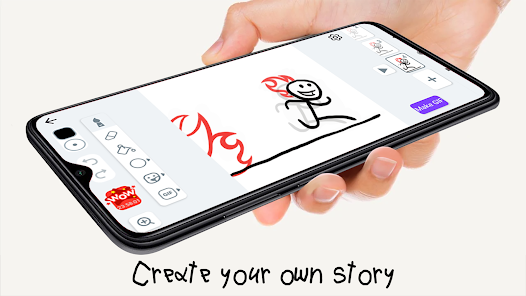
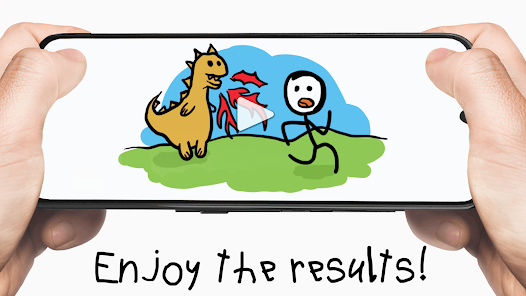
Stickman: Draw Animation Maker is a mobile app that lets you create frame-by-frame stick figure animations right on your phone. It falls under the category of drawing and animation tools, designed for anyone who wants to make simple cartoons without needing a full studio setup. I downloaded it from the Google Play store after a friend showed me a goofy clip he made with it. The install process was quick, and the app is free to download, though it does have in-app purchases and occasional ads. When I first opened it, the screen felt a bit cluttered with tool icons and buttons, but the main canvas was front and center, so I could immediately see where the magic happens. My first thought was, “Okay, this is for people who just want to mess around with drawing, not for professionals.”
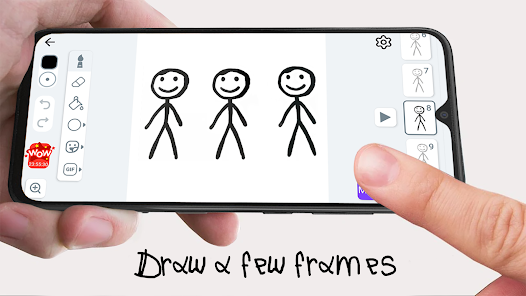
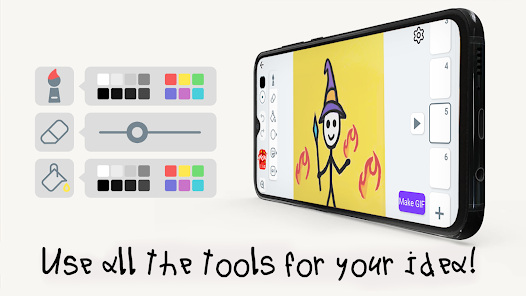
Once I started using it, the hands-on experience was a mix of satisfying and a little frustrating. The interface has a simple drawing toolbar with a pen, eraser, and color picker, along with a timeline at the bottom to manage frames. To create an animation, you draw a stickman pose on the first frame, then tap the “add frame” button to trace the next movement. The app plays your frames in a loop, so you can see your stickman come to life. I got the hang of it after a few tries, but the undo button is tiny and easy to miss when you mess up a line. A practical tip I learned: keep your drawings really simple, because complex shapes take forever to redraw on each frame. The app also has onion skinning, which shows a faint ghost of the previous frame, and that was a lifesaver for smooth motion. Navigating between frames felt smooth, but the occasional pop-up ad would break my flow right when I was in the zone.
After playing with Stickman for a few weeks, I have a pretty clear sense of who would like it and who might not. If you're into making silly little cartoons, memes, or short stickman battles, this app is a blast. It is much more straightforward than something like FlipaClip, which offers a ton of brushes and layers but can be overwhelming for a beginner. In fact, Stickman's main draw is that it strips everything down to the absolute basics. You are not going to create a polished animation studio piece here. But for quick, low-effort fun, it works. I could see someone keeping it installed to kill time during a commute or to entertain kids. On the flip side, if you want to make detailed animations or use advanced tools like keyframes or sound, you will get bored fast. I nearly uninstalled it after the third ad interruption, but the simplicity keeps me coming back for quick projects.
features
- 🎨 The core feature is a simple frame-by-frame animation tool with onion skinning, so you can see your previous frame as a faint outline. This makes it much easier to create smooth stickman movements compared to apps like RoughAnimator, which requires adjusting layers and settings just to get started.
- 📱 The app is built for mobile-first use, with a clean drawing canvas and a timeline that fits your phone screen. Unlike PicsArt Animator, which bombards you with social sharing buttons and filters, Stickman stays focused on the drawing and playing of your animation, keeping distractions minimal.
- ⏯ The auto-playback feature lets you watch your animation loop instantly after drawing a few frames. This immediate feedback is key for testing motion, and it is way more intuitive than apps like Animation Desk, where you have to export or press a specific play button hidden in a menu.
pros
- 💪 It is extremely lightweight and loads almost instantly, even on older phones. FlipaClip, for comparison, can get sluggish when you add multiple layers, but Stickman never stutters because it keeps everything simple.
- 💪 The learning curve is practically flat. You can create your first animation in under two minutes without watching a tutorial. That is a huge advantage over Krita, which requires you to learn a complex interface just to make a bouncing ball.
- 💪 Onion skinning is free and easy to toggle. In some alternatives like Stop Motion Studio, this feature is locked behind a paid upgrade, but Stickman gives it to you out of the box.
cons
- 👎 The app lacks any layer support, so you cannot separate a background from your character. FlipaClip allows multiple layers, which makes editing individual parts of a scene much more flexible, especially for longer projects.
- 👎 The drawing tools are very bare. There is no pressure sensitivity, no brush variety, and only a few colors. Apps like RoughAnimator offer at least basic brush customization, which gives you more control over line thickness and style.
- 👎 Ads interrupt your workflow frequently, often right after you finish a frame. While many free animation apps have ads, Stickman's timing feels more intrusive than in PicsArt Animator or other free options.
- 👎 Export options are limited to GIF and PNG sequences, with no way to save as MP4 or share directly to social media. Competing apps like Animation Desk let you export in multiple video formats, which is more convenient for sharing your work online.
Articles
![]()
Guide
How to Update Google Play Store on Android 2026
![]()
Guide
How to Download Older Versions of Android Apps
![]()
Guide
How to Download Apps Without Google Play Store
![]()
Guide
What Is an APK File for Android?
If you use an Android phone, you may have seen the term APK while searching for apps or games online. Some websites offer an APK download instead of a Google Play install button. Some users also mention APK files when talking about apps that are not available in their region, older app versions, or Android games downloaded outside the Play Store.
![]()
Guide
How to Install Games from Google Play for Beginners
Installing games on an Android phone is usually simple, but for beginners, the process can still feel confusing at first. You may not know where to search, which button to tap, whether the game is safe, or why Google Play sometimes asks for account settings, storage access, or payment information. If you are using an Android phone for the first time, learning how to install games from Google Play is one of the easiest ways to get started.
![]()
Guide
How Useful Gemini Is for Everyday Questions and Quick Tasks
emini feels different from many AI apps because it is not only trying to be a chatbot. After using it for everyday questions, quick writing, image understanding, and planning, I think its biggest strength is convenience.
![]()
Guide
What to Know Before Downloading APKs
For many Android users, downloading an APK is a common way to install apps and games. Sometimes an app is not available in a certain country.
![]()
Guide
ChatGPT Review: Is It Still the Best AI App in 2026?
![]()
Guide
Seedance 2.0 vs Sora: The Future of AI Video Generation
The AI video race has intensified dramatically over the past two years. Platforms like Sora from OpenAI and Luma Dream Machine pushed the boundaries of text-to-video realism. Yet, despite their impressive outputs, most tools still operate as probabilistic generators—you describe a scene, and the model interprets it. Control remains limited. With the February 2026 release of Seedance 2.0, developed by ByteDance, the paradigm shifted. Internally known as Jimeng 2.0, Seedance does not position itself as just another video model. It positions itself as an AI Director. Rather than guessing what you want, Seedance 2.0 allows you to direct what happens. This distinction defines everything that follows.









Recommended Apps
![]()
Home Design 3D
Anuman4.2
![]()
Truth or Dare Game - Party App
Chouic4.8
![]()
Photo Collage Maker
Scoompa4.7![]()
Learn to Draw Flower
Creative APPS4.2![]()
FIFA World Cup 2026™
FIFA2.8![]()
Mirror Plus: Mirror with Light
Digitalchemy, LLC4.4![]()
Meitu- Photo Editor & AI Art
Meitu (China) Limited4.5![]()
Perplexity - Ask Anything
PerplexityAI4.7![]()
GhostTube SLS Camera Alternate
GhostTube4![]()
Boom Chip Blast: 2-Player
Black Pyramid 3D Games Studio0![]()
Healthy Benefits+
Solutran, Inc.4.5![]()
Deepcheck AI Search Assistant
rohe.ai4![]()
Idol Prank Video Call & Chat
LightCode Solutions4![]()
Face Shape - Pretty Scale
GlintTec Apps3.9![]()
Plant App - Plant Identifier
ScaleUp4.6












































