
ThemeKit - Themes & Widgets

10M+
Installs
ThemeKit
Developer
-
Productivity
Category
-
Rated for 3+
Content Rating
-
ThemeKit.Studio@gmail.com
Developer Email
-
https://doc.themekit.live/Privacy-Policy.html
Privacy Policy
Screenshots
editor reviews
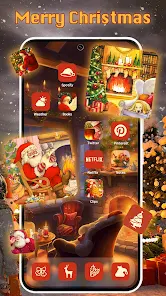
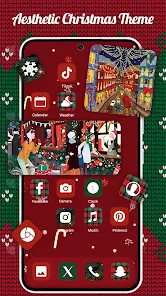
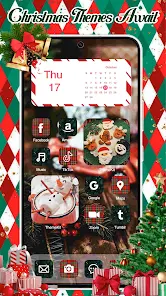
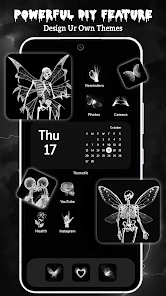
ThemeKit is a personalization app available on both Google Play and the App Store that lets you completely change the look of your phone's home screen. It belongs to the launcher and customization genre, and people mainly use it to apply wallpapers, icon packs, and widgets without needing to install a third-party launcher like Nova. I downloaded it because I was bored with my default layout and wanted something more unique without the hassle of deep system settings. The first impression after opening it was decent—clean, modern, and full of live previews that show each theme in action before you commit. It's free to download, though you'll run into in-app purchases and occasional ads if you want premium packs.
After a few days of hands-on use, I found the actual experience pretty smooth but not flawless. Once you sign up with an email or Google account, you're greeted by a grid of themed collections. The onboarding is quick—just a short tutorial showing how to apply a widget or change icons. The main actions are simply browsing categories, tapping a theme you like, and hitting apply. For example, I picked a neon cyberpunk set, and it automatically arranged the icons, changed the wallpaper, and added a clock widget in about 10 seconds. One small tip: the "favorites" tab helps when you want to save a few options before deciding. Occasionally, the apply process stutters if you're on a weaker phone, and some widgets don't resize perfectly on the first try, but a quick restart fixes that.
After using it for a week, I'd say ThemeKit is great for people who like switching up their phone's look frequently and want a one-tap solution. It's not for folks who want deep control over every detail—if you're used to Nova or KLWP, you'll find ThemeKit restrictive. The standout difference from similar apps like Miko or Hola Launcher is that ThemeKit doesn't force a new launcher onto your phone, so it feels lighter and less intrusive. I kept it installed because occasionally rotating themes keeps my phone feeling fresh, but if you prefer minimal changes or don't like in-app ads, you might uninstall it after a week. It's a solid middle-ground app—not revolutionary, but definitely handy.
features
- ✨ One-Tap Apply – Unlike many customization apps that require you to manually swap icons or use a separate launcher, ThemeKit lets you apply an entire theme in one step. It automatically adjusts wallpapers, icons, fonts, and widgets together, saving time.
- ✨ Wide Widget Library – The app includes over 200 widgets for weather, music, calendar, and more. Compared to KWGT, these widgets are pre-made and don't require manual resizing or scripting, making them more beginner-friendly.
- ✨ No Third-Party Launcher Needed – Most heavy customizers like Action Launcher demand you replace your default launcher. ThemeKit works on top of your existing setup, which is less intimidating and keeps your phone's stock features intact.
- ✨ Regular Theme Updates – The developers add new packs weekly, and some are holiday-themed or collab with artists. This keeps the library fresh compared to apps like Zedge, which often has stale content.
pros
- 🌟 Better Compatibility – Unlike Miko which can lag on older phones, ThemeKit runs smoothly on most devices. I tested it on a Galaxy A52 and a Pixel 6, and both handled the animations fine.
- 🌟 No Bloatware – Some apps like Hola Launcher sneak in junk features like a "speed boost" or "battery saver." ThemeKit sticks to theming, so you don't get unnecessary tools cluttering your drawer.
- 🌟 Simpler UI – Pure icon packs require you to manually apply each icon. ThemeKit's unified interface is far easier for newbies who just want a fast visual change.
- 🌟 Lite Size – The app is around 30MB, which is significantly smaller than apps like Smart Launcher 6 (over 100MB), so it doesn't eat up storage.
cons
- ⚠️ Limited Icon Customization – Unlike Nova Launcher, you can't individually change icons or hide app labels. ThemeKit applies icons in bulk, which is fine for whole themes but frustrating if you only want to swap a few.
- ⚠️ Ads in Free Version – Similar apps like Backdrops show ads only after applying a wall. ThemeKit has pop-ups more frequently, even when browsing categories, which gets annoying fast.
- ⚠️ No Dark Mode Toggle – The app itself doesn't follow system dark mode. Competitor apps like Wallsplash have a built-in dark theme that's more comfortable for night use.
- ⚠️ Occasional Widget Misalignment – On my 20:9 ratio display, a few widgets overlapped or had gaps. You can't manually drag them like in KLWP, so you're stuck waiting for an update.
Articles
![]()
Guide
How to Update Google Play Store on Android 2026
![]()
Guide
How to Download Older Versions of Android Apps
![]()
Guide
How to Download Apps Without Google Play Store
![]()
Guide
What Is an APK File for Android?
If you use an Android phone, you may have seen the term APK while searching for apps or games online. Some websites offer an APK download instead of a Google Play install button. Some users also mention APK files when talking about apps that are not available in their region, older app versions, or Android games downloaded outside the Play Store.
![]()
Guide
How to Install Games from Google Play for Beginners
Installing games on an Android phone is usually simple, but for beginners, the process can still feel confusing at first. You may not know where to search, which button to tap, whether the game is safe, or why Google Play sometimes asks for account settings, storage access, or payment information. If you are using an Android phone for the first time, learning how to install games from Google Play is one of the easiest ways to get started.
![]()
Guide
How Useful Gemini Is for Everyday Questions and Quick Tasks
emini feels different from many AI apps because it is not only trying to be a chatbot. After using it for everyday questions, quick writing, image understanding, and planning, I think its biggest strength is convenience.
![]()
Guide
What to Know Before Downloading APKs
For many Android users, downloading an APK is a common way to install apps and games. Sometimes an app is not available in a certain country.
![]()
Guide
ChatGPT Review: Is It Still the Best AI App in 2026?
![]()
Guide
Seedance 2.0 vs Sora: The Future of AI Video Generation
The AI video race has intensified dramatically over the past two years. Platforms like Sora from OpenAI and Luma Dream Machine pushed the boundaries of text-to-video realism. Yet, despite their impressive outputs, most tools still operate as probabilistic generators—you describe a scene, and the model interprets it. Control remains limited. With the February 2026 release of Seedance 2.0, developed by ByteDance, the paradigm shifted. Internally known as Jimeng 2.0, Seedance does not position itself as just another video model. It positions itself as an AI Director. Rather than guessing what you want, Seedance 2.0 allows you to direct what happens. This distinction defines everything that follows.









Recommended Apps
![]()
Home Design 3D
Anuman4.2
![]()
Truth or Dare Game - Party App
Chouic4.8
![]()
Photo Collage Maker
Scoompa4.7![]()
Learn to Draw Flower
Creative APPS4.2![]()
FIFA World Cup 2026™
FIFA2.8![]()
Mirror Plus: Mirror with Light
Digitalchemy, LLC4.4![]()
Meitu- Photo Editor & AI Art
Meitu (China) Limited4.5![]()
Perplexity - Ask Anything
PerplexityAI4.7![]()
GhostTube SLS Camera Alternate
GhostTube4![]()
Boom Chip Blast: 2-Player
Black Pyramid 3D Games Studio0![]()
Healthy Benefits+
Solutran, Inc.4.5![]()
Deepcheck AI Search Assistant
rohe.ai4![]()
Idol Prank Video Call & Chat
LightCode Solutions4![]()
Face Shape - Pretty Scale
GlintTec Apps3.9![]()
Plant App - Plant Identifier
ScaleUp4.6












































