

Walloop - Live Wallpapers

10M+
Installs
Walloop
Developer
-
Productivity
Category
-
Rated for 12+
Content Rating
-
luzapplications@gmail.com
Developer Email
-
https://walloop.weebly.com/
Privacy Policy
Screenshots
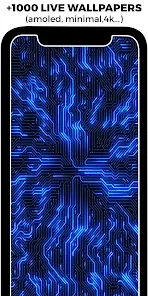
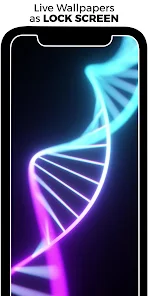
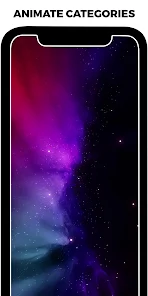
editor reviews
Walloop is a live wallpaper app you can grab from Google Play. It's basically a collection of animated backgrounds that move, react to touch, or just look cool sitting there on your home screen. People download it when they're tired of a static image and want their phone to feel a bit more alive. First time you launch it, you're hit with a big grid of bright, looping clips. The app is free to install, though you'll spot ads here and there. I didn't have to register anything, which was nice, but the “premium” unlock is dangled in front of you pretty aggressively right from the start.
Once you start browsing, the interface is straightforward enough. You scroll through categories like nature, abstract, or gaming, and each wallpaper plays a short preview automatically. Tapping one shows a bigger preview and a few options. The main actions are “Apply” or “Download,” but applying means Walloop has to work with a third-party launcher or a separate app if your phone doesn't natively support live wallpapers. That tripped me up at first—I hit apply and nothing happened until I realized I needed to go into my phone's wallpaper settings separately. It's clunky but doable. A small tip: download the ones you like first, because the previews sometimes stutter over a weak connection.
After a few days, I landed on a space scene with slow-moving nebula clouds. It didn't drain my battery as much as I feared, which was a relief. Walloop is great if you like to swap looks often and don't mind some janky setup steps. It's less polished than something like Muzei or Walli, but the variety makes up for it. You might uninstall it if you're only after one good wallpaper and don't care about the rest. For someone who likes a fresh screen every other day? It's worth keeping around.
features
- 🌀 Thousands of live wallpapers in one place: Walloop gives you a huge library right after installing, so you're not jumping between apps to find animations. Compared to apps like Muzei that focus on static art, Walloop prioritizes motion.
- 🌀 Touch interaction on many wallpapers: Tap or swipe on the screen, and some wallpapers react—like ripples on water or sparks flying. That's something you don't get from basic live wallpaper apps like ZEDGE Live.
- 🌀 Regular updates with new content: The team pushes fresh wallpapers weekly. You won't run out of options quickly, unlike apps like Backgrounds HD that barely update their library.
- 🌀 Saves battery with optimized previews: Before you apply a wallpaper, the app shows an estimated battery impact. It helps you avoid anything that drains too fast, which is smarter than what you see in most competitors.
pros
- + Huge selection out of the box: You don't need to dig through paid packs. Many wallpapers are free to download. Apps like Kustom require buying separate packs for the same variety.
- + Works on older devices: The app runs fine on phones with 4GB RAM. Muzei sometimes lags on weaker hardware, but Walloop keeps things smooth.
- + No login required: Just install and start browsing. No forced account like some apps (looking at you, Wallcraft).
cons
- - Setup can be confusing: Applying a wallpaper isn't always one tap. Many users get stuck because the app doesn't explain the extra steps. Muzei handles this way cleaner.
- - Ads interrupt browsing: Free version shows ads every few swipes. ZEDGE Live is just as guilty, but Walloop's ads feel more intrusive because they pop up mid-scroll.
- - Premium content is pushed hard: Unlocking a wallpaper shows a full-screen “subscribe” button. It slows down the free experience compared to Minimalist Wallpaper, which keeps upsells minimal.
Articles
![]()
Guide
How to Update Google Play Store on Android 2026
![]()
Guide
How to Download Older Versions of Android Apps
![]()
Guide
How to Download Apps Without Google Play Store
![]()
Guide
What Is an APK File for Android?
If you use an Android phone, you may have seen the term APK while searching for apps or games online. Some websites offer an APK download instead of a Google Play install button. Some users also mention APK files when talking about apps that are not available in their region, older app versions, or Android games downloaded outside the Play Store.
![]()
Guide
How to Install Games from Google Play for Beginners
Installing games on an Android phone is usually simple, but for beginners, the process can still feel confusing at first. You may not know where to search, which button to tap, whether the game is safe, or why Google Play sometimes asks for account settings, storage access, or payment information. If you are using an Android phone for the first time, learning how to install games from Google Play is one of the easiest ways to get started.
![]()
Guide
How Useful Gemini Is for Everyday Questions and Quick Tasks
emini feels different from many AI apps because it is not only trying to be a chatbot. After using it for everyday questions, quick writing, image understanding, and planning, I think its biggest strength is convenience.
![]()
Guide
What to Know Before Downloading APKs
For many Android users, downloading an APK is a common way to install apps and games. Sometimes an app is not available in a certain country.
![]()
Guide
ChatGPT Review: Is It Still the Best AI App in 2026?
![]()
Guide
Seedance 2.0 vs Sora: The Future of AI Video Generation
The AI video race has intensified dramatically over the past two years. Platforms like Sora from OpenAI and Luma Dream Machine pushed the boundaries of text-to-video realism. Yet, despite their impressive outputs, most tools still operate as probabilistic generators—you describe a scene, and the model interprets it. Control remains limited. With the February 2026 release of Seedance 2.0, developed by ByteDance, the paradigm shifted. Internally known as Jimeng 2.0, Seedance does not position itself as just another video model. It positions itself as an AI Director. Rather than guessing what you want, Seedance 2.0 allows you to direct what happens. This distinction defines everything that follows.









Recommended Apps
![]()
Home Design 3D
Anuman4.2
![]()
Truth or Dare Game - Party App
Chouic4.8
![]()
Photo Collage Maker
Scoompa4.7![]()
Learn to Draw Flower
Creative APPS4.2![]()
FIFA World Cup 2026™
FIFA2.8![]()
Mirror Plus: Mirror with Light
Digitalchemy, LLC4.4![]()
Meitu- Photo Editor & AI Art
Meitu (China) Limited4.5![]()
Perplexity - Ask Anything
PerplexityAI4.7![]()
GhostTube SLS Camera Alternate
GhostTube4![]()
Boom Chip Blast: 2-Player
Black Pyramid 3D Games Studio0![]()
Healthy Benefits+
Solutran, Inc.4.5![]()
Deepcheck AI Search Assistant
rohe.ai4![]()
Idol Prank Video Call & Chat
LightCode Solutions4![]()
Face Shape - Pretty Scale
GlintTec Apps3.9![]()
Plant App - Plant Identifier
ScaleUp4.6












































