
Manco - Cartoon Avatar Maker

100K+
Installs
Jessica Rendon
Developer
-
Generative AI
Category
-
Rated for 3+
Content Rating
-
rendonjessica969@gmail.com
Developer Email
-
https://sites.google.com/view/cartoon-avatar-maker2
Privacy Policy
Screenshots
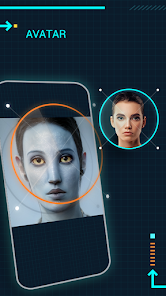
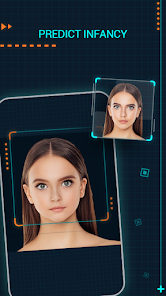
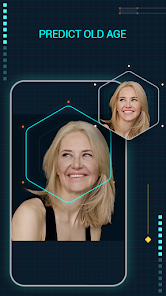
editor reviews
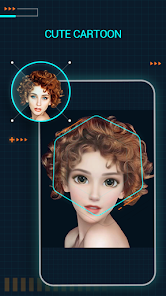
Manco - Cartoon Avatar Maker is one of those apps you stumble upon when you're tired of using your actual face as a profile picture. It's a cartoon avatar generator, plain and simple, and you download it from the Google Play store if you want to turn your selfies or your friends' photos into something that looks like it came out of a comic strip. The first time you open it, the interface hits you with a bunch of bright colors and big buttons, so it doesn't feel intimidating at all. There's no forced registration or sign-up process when you install and launch it, which is a huge relief because you just want to mess around with your pictures. It's free to download, but like most apps in this category, there are in-app purchases and ads that pop up now and then. It's not the kind of app you'd use for serious digital art, but for a quick laugh or a decent cartoon version of your face, it gets the job done without asking for too much upfront.
Once you get past the splash screen, you start with a photo of someone's face, and the app automatically tries to map the features into a cartoon. You can adjust the skin tone, hair style, eye shape, and a bunch of other little details, but sometimes the automatic mapping is a bit hit or miss. If the lighting in your photo is weird or the face is at an odd angle, the cartoon version might end up looking like a distant cousin rather than you. The onboarding is basically just trial and error because there's no tutorial holding your hand. You tap, drag sliders, and pick from a set of accessories like glasses, hats, and backgrounds. A practical tip is to use a well-lit, straight-on selfie for the best results, otherwise you'll spend more time fixing the eyes than actually enjoying the outcome. The whole process feels fairly smooth once you get the hang of it, but those small moments of frustration happen when the app misreads your eyebrow shape or adds an extra chin that wasn't there.
After playing around with Manco for a while, I think it's really for people who want a no-fuss avatar for social media or messaging apps without diving into complicated editing suites. Someone who just needs a quick cartoon profile picture for WhatsApp or Discord will find this perfectly fine. But if you're expecting hyper-realistic, studio-quality cartoon portraits, you'd probably be better off with something like Toongineer or even a paid app like MomentCam. What makes Manco stand out in a crowded market is how straightforward it is, but that also means it lacks the deep customization that power users might crave. I could see someone keeping it installed for the occasional fun edit, but if you're the type who wants every single strand of hair to match your actual hairstyle, you might delete it after a few tries. It's a fun little tool, but it knows its limits.
features
- 🎨 The feature that actually impressed me is the real-time preview while you adjust facial features. You slide the jaw width or nose size, and the cartoon updates instantly on the screen. No waiting for rendering or hitting a "apply" button, just immediate feedback. Compared to something like Avatar Maker: Cartoon Face, which sometimes lags during edits, Manco feels snappy and responsive in that regard.
- 🎨 Another solid feature is the wide range of hairstyles and accessories bundled right into the free version. You get dozens of hair options from curly to spiky, plus hats, glasses, earrings, and even face paint. Apps like Zmoji lock half of these behind a paywall, so Manco feels generous here, even though there are still some premium packs you can buy.
- 🎨 The outstanding one for me was the automatic background removal for the avatar. When you save your cartoon, it crops out the original background and gives you a clean transparent PNG. That's huge if you want to slap your avatar onto different wallpapers or stickers. Most similar tools either leave the messy background or force you to pay for the cutout.
pros
- 👍 First strength is how lightweight the app is. It doesn't hog your phone's storage or drain the battery while you're editing. Apps like Toongineer tend to bloat with extra features that slow things down, but Manco stays lean and simple.
- 👍 Second strength is the variety of export formats. You can save as PNG, JPG, or even a transparent sticker pack for messaging apps. Not every avatar maker offers that level of flexibility without extra steps.
- 👍 Third strength is the offline functionality. Once the app is installed, most of the editing works without an internet connection. That's rare for free apps in this space, where many require a constant Wi-Fi or data signal.
cons
- 👎 The biggest weakness is the inconsistent face detection. If your photo has shadows or you're wearing glasses, the app often misplaces the eyes or distorts the mouth. MomentCam handles tricky angles much better.
- 👎 Another downside is the limited body customization. You can change the face and accessories, but the body remains a generic cartoon torso with no option to adjust body type or clothing style. Avatar Maker allows full body editing, so this feels restricted.
- 👎 The ads are intrusive at times. You finish creating one avatar, and a full-screen video ad plays before you can save it. Some free apps place ads less aggressively, which makes the experience feel clunky here.
Articles
![]()
Guide
How to Update Google Play Store on Android 2026
![]()
Guide
How to Download Older Versions of Android Apps
![]()
Guide
How to Download Apps Without Google Play Store
![]()
Guide
What Is an APK File for Android?
If you use an Android phone, you may have seen the term APK while searching for apps or games online. Some websites offer an APK download instead of a Google Play install button. Some users also mention APK files when talking about apps that are not available in their region, older app versions, or Android games downloaded outside the Play Store.
![]()
Guide
How to Install Games from Google Play for Beginners
Installing games on an Android phone is usually simple, but for beginners, the process can still feel confusing at first. You may not know where to search, which button to tap, whether the game is safe, or why Google Play sometimes asks for account settings, storage access, or payment information. If you are using an Android phone for the first time, learning how to install games from Google Play is one of the easiest ways to get started.
![]()
Guide
How Useful Gemini Is for Everyday Questions and Quick Tasks
emini feels different from many AI apps because it is not only trying to be a chatbot. After using it for everyday questions, quick writing, image understanding, and planning, I think its biggest strength is convenience.
![]()
Guide
What to Know Before Downloading APKs
For many Android users, downloading an APK is a common way to install apps and games. Sometimes an app is not available in a certain country.
![]()
Guide
ChatGPT Review: Is It Still the Best AI App in 2026?
![]()
Guide
Seedance 2.0 vs Sora: The Future of AI Video Generation
The AI video race has intensified dramatically over the past two years. Platforms like Sora from OpenAI and Luma Dream Machine pushed the boundaries of text-to-video realism. Yet, despite their impressive outputs, most tools still operate as probabilistic generators—you describe a scene, and the model interprets it. Control remains limited. With the February 2026 release of Seedance 2.0, developed by ByteDance, the paradigm shifted. Internally known as Jimeng 2.0, Seedance does not position itself as just another video model. It positions itself as an AI Director. Rather than guessing what you want, Seedance 2.0 allows you to direct what happens. This distinction defines everything that follows.









Recommended Apps
![]()
Home Design 3D
Anuman4.2
![]()
Truth or Dare Game - Party App
Chouic4.8
![]()
Photo Collage Maker
Scoompa4.7![]()
Learn to Draw Flower
Creative APPS4.2![]()
FIFA World Cup 2026™
FIFA2.8![]()
Mirror Plus: Mirror with Light
Digitalchemy, LLC4.4![]()
Meitu- Photo Editor & AI Art
Meitu (China) Limited4.5![]()
Perplexity - Ask Anything
PerplexityAI4.7![]()
GhostTube SLS Camera Alternate
GhostTube4![]()
Boom Chip Blast: 2-Player
Black Pyramid 3D Games Studio0![]()
Healthy Benefits+
Solutran, Inc.4.5![]()
Deepcheck AI Search Assistant
rohe.ai4![]()
Idol Prank Video Call & Chat
LightCode Solutions4![]()
Face Shape - Pretty Scale
GlintTec Apps3.9![]()
Plant App - Plant Identifier
ScaleUp4.6












































