
Live Wallpapers 3D

5M+
Installs
Joy Wallpaper
Developer
-
Productivity
Category
-
Rated for 3+
Content Rating
-
joylivewallpaper@mobo.ai
Developer Email
-
https://sites.google.com/view/live-wallpapers3d
Privacy Policy
Screenshots
editor reviews
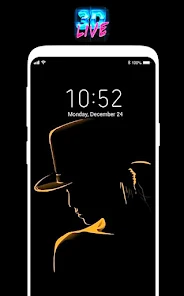
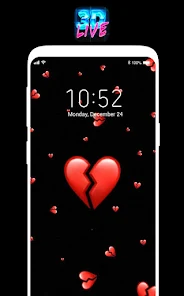
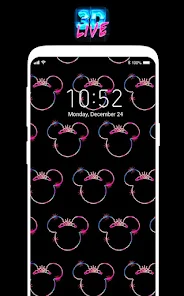
I first came across Live Wallpapers 3D while scrolling through the Google Play Store looking for something to spice up my phone's lock screen. It's a wallpaper app in the customization genre, letting you set animated backgrounds instead of static images. The app has been downloaded over a million times and is free to install, though it includes ads and offers in-app purchases for extra content. Right after launching it for the first time, I was greeted by a grid of previews showing various moving scenes — waterfalls, neon lights, space views — and each thumbnail played a short loop so you could see the animation before applying it. The initial impression was decent, but the ads popped up pretty quickly, which was a bit distracting.
Once you start browsing, the interface feels simple enough. You scroll through categories like 3D, abstract, nature, or seasonal themes. To set a wallpaper, you tap on a preview, hit the apply button, and the app guides you through the system permission steps. The first time I tried it, the app asked for access to storage and display settings, which felt standard. Applying the wallpaper took only a few seconds. The animations themselves run smoothly on my phone, though on older devices I noticed some stutter. A small tip I picked up: you can adjust animation speed in the settings menu, which helps if you want something subtle versus flashy. The free selection is decent, but many of the better-looking live wallpapers are locked behind a paywall or require watching an ad to unlock temporarily.
After using it for a couple weeks, I'd say this app works well for people who enjoy changing their phone's look frequently and don't mind occasional ads. It's not for someone who wants a completely ad-free experience or expects consistent high-resolution animations across all wallpapers. Compared to something like Wallpaper Engine, this app feels more limited in customization, but it's easier to use for quick setups. The standout part for me was the variety of 3D scenes, especially the space and nature ones. However, the constant nudges to buy the premium version got a little old. I kept it installed because the free wallpapers still look nice, but I can see someone uninstalling it if they find the ads too pushy.
features
- 🔶 Animated 3D scenes – The main draw here is the moving backgrounds, like flowing water, drifting clouds, or rotating galaxies. Unlike some apps that only offer static images, every wallpaper here runs as a live loop, which makes the lock screen feel more alive. A similar app like Backdrops mainly focuses on static HD photos, so this app has an edge if you want motion.
- 🔶 Category browsing – The app organizes wallpapers into neat categories such as nature, abstract, seasonal, and holiday themes. This makes it easy to find something specific without endless scrolling. In contrast, apps like Zedge mix wallpapers with ringtones and icons, which can feel cluttered. Here, it's purely about wallpapers.
- 🔶 Animation speed control – Not many wallpaper apps let you adjust how fast the animation plays. In Live Wallpapers 3D, you can slow down or speed up the motion from the settings. This is a nice touch for users who find some animations too distracting or too slow.
- 🔶 Built-in preview player – Before applying a wallpaper, you can watch a short video preview in the app. This saves time because you don't have to apply and test each one individually. Apps like Forest Live Wallpaper don't always offer this, so you end up guessing how the final result will look.
pros
- 🟢 Free to start – You can download and use the app without paying a cent, which is great for casual users. Compared to Wallpaper Engine, which costs money upfront on PC and has a paid mobile version, this app is more accessible for quick trials.
- 🟢 Wide device compatibility – The app runs on most Android devices without heavy performance lag. I tested it on a mid-range phone and an older tablet, and both handled the animations reasonably well. Some competitors like KLWP require more processing power and setup time.
- 🟢 Easy one-tap apply – The process of setting a wallpaper is very straightforward, with no complex steps. You don't need to read a manual or watch a tutorial. Apps like Muzei have more features but also a steeper learning curve for new users.
cons
- 🔴 Frequent ads – After almost every wallpaper preview or apply action, an ad pops up. This can get annoying fast. Other apps like Backdrops show ads less often, making the experience feel smoother.
- 🔴 Limited free selection – A large portion of the best-looking 3D wallpapers are locked behind a paywall or require watching a video ad to unlock one at a time. Apps like Zedge offer more free content without such heavy restrictions.
- 🔴 No advanced customization – You cannot tweak colors, add widgets, or change individual elements within a wallpaper. Compared to KLWP, which lets you build entire interactive home screens, this app feels basic for power users.
- 🔴 Occasional battery drain – Running live wallpapers always uses some battery, but this app seemed to drain slightly faster than alternatives like Walli, especially with complex 3D scenes enabled.
Articles
![]()
Guide
How to Update Google Play Store on Android 2026
![]()
Guide
How to Download Older Versions of Android Apps
![]()
Guide
How to Download Apps Without Google Play Store
![]()
Guide
What Is an APK File for Android?
If you use an Android phone, you may have seen the term APK while searching for apps or games online. Some websites offer an APK download instead of a Google Play install button. Some users also mention APK files when talking about apps that are not available in their region, older app versions, or Android games downloaded outside the Play Store.
![]()
Guide
How to Install Games from Google Play for Beginners
Installing games on an Android phone is usually simple, but for beginners, the process can still feel confusing at first. You may not know where to search, which button to tap, whether the game is safe, or why Google Play sometimes asks for account settings, storage access, or payment information. If you are using an Android phone for the first time, learning how to install games from Google Play is one of the easiest ways to get started.
![]()
Guide
How Useful Gemini Is for Everyday Questions and Quick Tasks
emini feels different from many AI apps because it is not only trying to be a chatbot. After using it for everyday questions, quick writing, image understanding, and planning, I think its biggest strength is convenience.
![]()
Guide
What to Know Before Downloading APKs
For many Android users, downloading an APK is a common way to install apps and games. Sometimes an app is not available in a certain country.
![]()
Guide
ChatGPT Review: Is It Still the Best AI App in 2026?
![]()
Guide
Seedance 2.0 vs Sora: The Future of AI Video Generation
The AI video race has intensified dramatically over the past two years. Platforms like Sora from OpenAI and Luma Dream Machine pushed the boundaries of text-to-video realism. Yet, despite their impressive outputs, most tools still operate as probabilistic generators—you describe a scene, and the model interprets it. Control remains limited. With the February 2026 release of Seedance 2.0, developed by ByteDance, the paradigm shifted. Internally known as Jimeng 2.0, Seedance does not position itself as just another video model. It positions itself as an AI Director. Rather than guessing what you want, Seedance 2.0 allows you to direct what happens. This distinction defines everything that follows.









Recommended Apps
![]()
Home Design 3D
Anuman4.2
![]()
Truth or Dare Game - Party App
Chouic4.8
![]()
Photo Collage Maker
Scoompa4.7![]()
Learn to Draw Flower
Creative APPS4.2![]()
FIFA World Cup 2026™
FIFA2.8![]()
Mirror Plus: Mirror with Light
Digitalchemy, LLC4.4![]()
Meitu- Photo Editor & AI Art
Meitu (China) Limited4.5![]()
Perplexity - Ask Anything
PerplexityAI4.7![]()
GhostTube SLS Camera Alternate
GhostTube4![]()
Boom Chip Blast: 2-Player
Black Pyramid 3D Games Studio0![]()
Healthy Benefits+
Solutran, Inc.4.5![]()
Deepcheck AI Search Assistant
rohe.ai4![]()
Idol Prank Video Call & Chat
LightCode Solutions4![]()
Face Shape - Pretty Scale
GlintTec Apps3.9![]()
Plant App - Plant Identifier
ScaleUp4.6











































