
AI Nature Photo Frame & Editor

10M+
Installs
ClickLab Technology
Developer
-
Video Players & Editors
Category
-
Rated for 3+
Content Rating
-
clicklab7@gmail.com
Developer Email
-
https://clicklabprivacypolicy.blogspot.com/
Privacy Policy
Screenshots


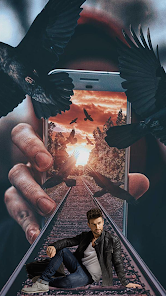
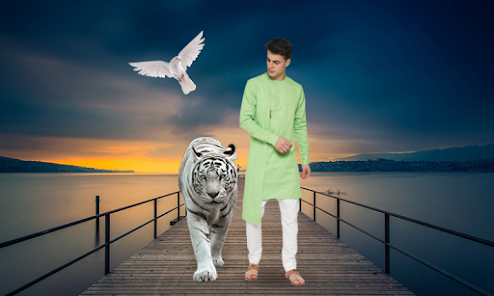
editor reviews
AI Nature Photo Frame & Editor is a photo editing app that uses artificial intelligence to place your pictures into nature-themed frames and backgrounds. I came across it while looking for something to spruce up my travel photos without doing any heavy editing myself. After downloading it from Google Play (it was free, by the way), I opened it and was greeted with a clean layout that mostly shows frame categories right away. There weren't any annoying sign-up walls blocking me, which I appreciated. It seems to have a decent number of downloads, though I can't recall the exact figure, but it didn't feel like an obscure app. The first impression was that it's straightforward, but I wondered if the AI feature was just marketing fluff or actually useful for someone like me.
Using the app was simpler than I expected. You pick a photo from your gallery, then browse through nature frames like forests, beaches, or mountain sunsets. The AI does its thing by automatically detecting the subject in your photo and blending it into the frame's background. I tested it with a portrait of my dog, and the cutting out was surprisingly clean, though the edges were a bit soft around his fur. You can adjust the position or size manually if it looks off. There's also a bunch of filters and brightness sliders, but honestly, I stuck to the frames since that's the main draw. Onboarding took maybe a minute with a quick tutorial pop-up. One tip: some frames look better with brighter photos, so keep that in mind.
After playing with it for a while, I think it's great for casual users who want to make quick, shareable nature-themed edits without learning complex tools. If you're into serious photo manipulation, you'll probably find it limiting. What sets it apart from apps like Photoshop Express or even Picsart is how focused it is on one thing: putting you into a scenic background effortlessly. I can see keeping it installed for when I want to make a funny or scenic profile picture fast. But if you already have a full-featured editor, this might feel redundant after the novelty wears off. The ads pop up occasionally but aren't too intrusive.
features
- 🌿 AI auto-cutout and background blend: The app detects your subject and places them into nature frames. I tested it against Picsart's cutout tool, and this one handled simple portraits faster, though Picsart wins with complex hair or fur. The blend into the frame's background looks more natural here, with softer edges. For a quick fix, this feature saves time compared to manual masking elsewhere.
- 🌿 Extensive nature frame library: There are dozens of frames, from Aurora to tropical rainforests. Unlike Canva, which mixes nature with general templates, this app keeps it focused. New frames seem added often, so you're not stuck with the same set. I didn't feel overwhelmed by choices, just enough variety for different moods.
- 🌿 One-tap filter presets: Each frame comes with suggested presets that match the lighting. I didn't find this in Adobe Lightroom's auto-tune, which is broader. It's less customizable but perfect for someone who wants a finished look in seconds without tweaking sliders endlessly.
pros
- 👍 Easy for non-editors: If you've never used a photo editor before, this app is friendly. I showed it to my mom, and she figured it out in minutes. Compared to Snapseed, which has a learning curve, this one simplifies the process. You just pick a frame and let AI do the work, no layers or masks needed.
- 👍 Quick results for social media: The entire workflow takes under a minute per photo. When I'm in a rush to post something, I choose this over FaceApp or YouCam Perfect because it's more predictable. No waiting for weird AI hallucinations that miss the mark.
- 👍 No storage flood: The app doesn't save heavy project files, just the final edit. Other apps like Pixlr leave temp files or force you to save a copy. Here, you export, delete, and move on. It keeps your gallery clean.
cons
- 👎 Limited to nature themes: If you want urban or abstract frames, you're out of luck. Apps like Canva or Photo Lab offer tons more variety. This app is too niche for regular use unless you love nature edits. I felt boxed in after a while.
- 👎 AI cutout struggles on details: My test with hair and glasses came out patchy. Picsart's manual eraser or TouchRetouch's tools let you fix that. Here, you're stuck if the AI messes up. I had to discard a few photos because the cutout looked fake.
- 👎 Ads after each export: You get a 5-second ad after saving an edit. While it's not video-heavy, it breaks the flow. Adobe Express lets you export without interruptions. I'd pay a small fee to remove ads, but that option isn't obvious in the app.
- 👎 Basic editing tools: The extra sliders like brightness and saturation feel surface-level. VSCO offers granular control. I missed being able to adjust specific colors. For a photo that needed a contrast fix, I had to go back to another app first.
Articles
![]()
Guide
How to Update Google Play Store on Android 2026
![]()
Guide
How to Download Older Versions of Android Apps
![]()
Guide
How to Download Apps Without Google Play Store
![]()
Guide
What Is an APK File for Android?
If you use an Android phone, you may have seen the term APK while searching for apps or games online. Some websites offer an APK download instead of a Google Play install button. Some users also mention APK files when talking about apps that are not available in their region, older app versions, or Android games downloaded outside the Play Store.
![]()
Guide
How to Install Games from Google Play for Beginners
Installing games on an Android phone is usually simple, but for beginners, the process can still feel confusing at first. You may not know where to search, which button to tap, whether the game is safe, or why Google Play sometimes asks for account settings, storage access, or payment information. If you are using an Android phone for the first time, learning how to install games from Google Play is one of the easiest ways to get started.
![]()
Guide
How Useful Gemini Is for Everyday Questions and Quick Tasks
emini feels different from many AI apps because it is not only trying to be a chatbot. After using it for everyday questions, quick writing, image understanding, and planning, I think its biggest strength is convenience.
![]()
Guide
What to Know Before Downloading APKs
For many Android users, downloading an APK is a common way to install apps and games. Sometimes an app is not available in a certain country.
![]()
Guide
ChatGPT Review: Is It Still the Best AI App in 2026?
![]()
Guide
Seedance 2.0 vs Sora: The Future of AI Video Generation
The AI video race has intensified dramatically over the past two years. Platforms like Sora from OpenAI and Luma Dream Machine pushed the boundaries of text-to-video realism. Yet, despite their impressive outputs, most tools still operate as probabilistic generators—you describe a scene, and the model interprets it. Control remains limited. With the February 2026 release of Seedance 2.0, developed by ByteDance, the paradigm shifted. Internally known as Jimeng 2.0, Seedance does not position itself as just another video model. It positions itself as an AI Director. Rather than guessing what you want, Seedance 2.0 allows you to direct what happens. This distinction defines everything that follows.









Recommended Apps
![]()
Home Design 3D
Anuman4.2
![]()
Truth or Dare Game - Party App
Chouic4.8
![]()
Photo Collage Maker
Scoompa4.7![]()
Learn to Draw Flower
Creative APPS4.2![]()
FIFA World Cup 2026™
FIFA2.8![]()
Mirror Plus: Mirror with Light
Digitalchemy, LLC4.4![]()
Meitu- Photo Editor & AI Art
Meitu (China) Limited4.5![]()
Perplexity - Ask Anything
PerplexityAI4.7![]()
GhostTube SLS Camera Alternate
GhostTube4![]()
Boom Chip Blast: 2-Player
Black Pyramid 3D Games Studio0![]()
Healthy Benefits+
Solutran, Inc.4.5![]()
Deepcheck AI Search Assistant
rohe.ai4![]()
Idol Prank Video Call & Chat
LightCode Solutions4![]()
Face Shape - Pretty Scale
GlintTec Apps3.9![]()
Plant App - Plant Identifier
ScaleUp4.6












































