
Bluey: Let's Play!

10M+
Installs
Budge Studios
Developer
-
Adventure
Category
-
Everyone
Content Rating
-
support@budgestudios.com
Developer Email
-
https://budgestudios.com/en/legal/privacy-policy/
Privacy Policy
Screenshots
editor reviews
So, you're looking for a game to play with the little ones, or maybe you're just a fan of the show yourself? I've been diving into Bluey: Let's Play! on my Android phone, and honestly, it's one of the better licensed kids' games I've come across. It's a digital playset, pure and simple, not an action game or a complex puzzle. You can grab it on the Google Play store and the App Store for iOS, and it's strictly a mobile game – no download on Steam, Xbox, or Switch, which is fine because it works perfectly as a touch-screen experience. The game first launched back in 2020, and it's been going strong. It was free to download and play, with a single in-app purchase to unlock the full game for about $4.99 or equivalent, which removes ads and opens all the content. I've seen it has over 10 million installs on Android alone, so it's clearly found its audience. The app itself is light and quick to install, which is a relief for parents with limited device space.
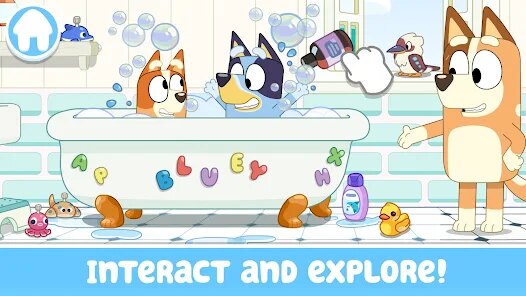
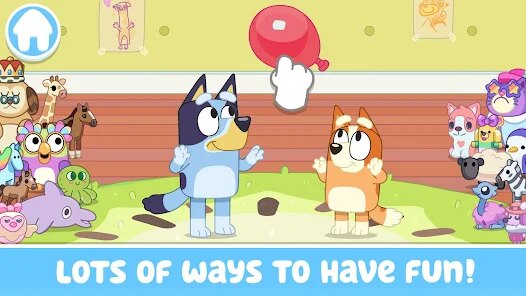
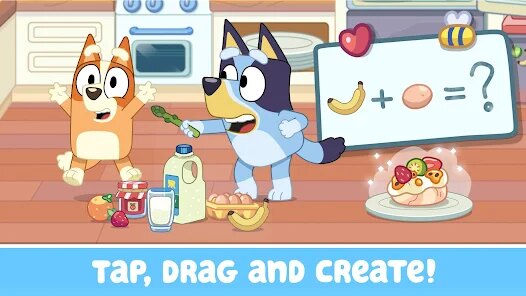
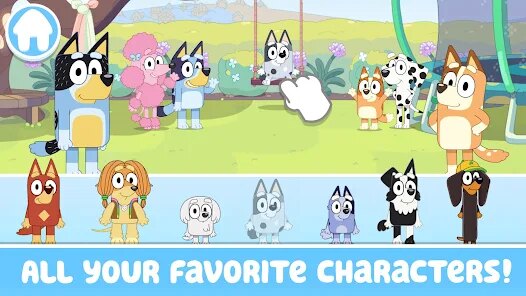
Playing this game is super simple, and that's the genius of it. You basically pick a character from the Heeler family – Bluey, Bingo, Bandit, or Chilli – and then you choose a location, like the back yard or the beach. Then you just... play. You tap on objects, drag them around, and watch the characters react. The best part of this game is how it captures the essence of the show. The animations are spot-on, the voice actors are the same, and the little interactive moments feel like actual episodes. My favorite part? It's not a single player game in the competitive sense. It encourages imagination. I spent a solid 20 minutes just having Bluey and Bingo play "Keepy Uppy" with a balloon in the living room, and the physics felt right. There's no timer, no score, no losing – just pure, unstructured fun. That's rare in mobile gaming, and it's why I keep coming back to it.
When you look at other games in this family-friendly space on Android, things like "Paw Patrol: Rescue World" or "Peppa Pig: Golden Boots" often feel way too linear. You're just tapping to complete a pre-set activity, and then it's done. Bluey: Let's Play! feels more like a digital toy box. It's closer to something like "Toca Boca" in its sandbox nature, but with the strong game IP of Bluey. The big draw is the open-endedness. I'd recommend this app over other similar games because it doesn't talk down to kids. It trusts them to make their own stories. If you're a fan of the show, you'll love the hidden references – like making Bandit do the "flossing" dance. For a free install on Google Play, it's a solid choice that respects both the source material and the player's creativity.
features
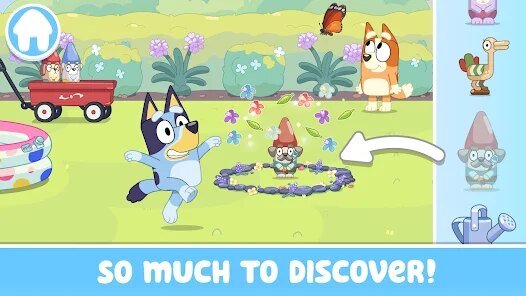
- Massive Sandbox Play 🎮 – Unlike other games like "Peppa Pig: World Adventures," which guide you through specific missions, Bluey: Let's Play! gives you a whole environment to mess around with. You can switch characters, change locations, and just interact with everything. It's a true open-ended experience, which is brilliant for sparking a kid's imagination.
- Authentic Show Feel 🎬 – The devs nailed the license. The art style, the music, and especially the voice lines from the original cast make this feel like an interactive episode. Other games, like "Paw Patrol: Grand Prix," often use sound-alikes that break the immersion. This one doesn't, and it makes a huge difference for fans of the series.
- Simple, Non-Punishing Controls 🖐️ – The control scheme is just tap and drag. There's no complex menu, no way to "lose," and no timer. This is a huge plus over other kids' games on Android, like "Minecraft," which can be overwhelming for very young players due to its crafting and survival mechanics. This is pure, stress-free play.
pros
- Incredible Replay Value 🔄 – Because it's a sandbox, the game never gets old. I've seen kids play the same level for 30 minutes just moving a hat from one character to another. Games like "Adventure Academy" have structured lessons that can feel like a chore after a while. This one relies on the kid's own creativity, so it stays fresh.
- Offline Play Capability 📡 – This is a massive strength for parents. Once you do the initial download and install on your Android or iOS device, the game works perfectly without Wi-Fi. No need for data or a constant internet connection. A lot of games, like "Pokémon GO," are useless without a signal. Bluey: Let's Play! is perfect for car rides or flights.
- No Aggressive Monetization 🚫 – The model is simple: a single, clear $4.99 purchase to unlock the full game and remove ads. You don't get hit with constant pop-ups to buy gems or skip timers, which is a plague on the Google Play store. Compare this to "Roblox," where microtransactions are everywhere, and this is a breath of fresh air for parents.
cons
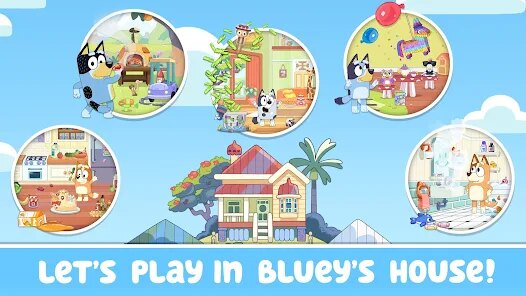
- Limited Content for Price 🔒 – Even after unlocking the full version with the in-app purchase, the number of locations and characters is capped. You get the back yard, the beach, the living room, and a couple of others. That's it. For a sandbox game, the lack of new maps over the years feels disappointing. Games like "Toca Life: World" have dozens of locations, so this feels a bit shallow.
- Not Much Long-Term Engagement for Adults 👶 – As an adult gamer who can appreciate the quality, there's no challenge here. It's 100% designed for toddlers and preschoolers. If you're buying it for yourself as a fan of the show, you'll explore every room in 15 minutes and never come back. It has zero of the progression hooks found in other mobile games, even simple ones like "Crossy Road."
- Single-Player Limitations 📱 – The game really begs for some basic multiplayer features, especially given the show's theme of family play. You can't have a second player join on the same screen or via a local network. In that sense, it feels less social than a game like "Mario Party Superstars" on the Switch, which is a shame for playdates or siblings sharing a tablet.
Articles
![]()
Guide
How to Update Google Play Store on Android 2026
![]()
Guide
How to Download Older Versions of Android Apps
![]()
Guide
How to Download Apps Without Google Play Store
![]()
Guide
What Is an APK File for Android?
If you use an Android phone, you may have seen the term APK while searching for apps or games online. Some websites offer an APK download instead of a Google Play install button. Some users also mention APK files when talking about apps that are not available in their region, older app versions, or Android games downloaded outside the Play Store.
![]()
Guide
How to Install Games from Google Play for Beginners
Installing games on an Android phone is usually simple, but for beginners, the process can still feel confusing at first. You may not know where to search, which button to tap, whether the game is safe, or why Google Play sometimes asks for account settings, storage access, or payment information. If you are using an Android phone for the first time, learning how to install games from Google Play is one of the easiest ways to get started.
![]()
Guide
How Useful Gemini Is for Everyday Questions and Quick Tasks
emini feels different from many AI apps because it is not only trying to be a chatbot. After using it for everyday questions, quick writing, image understanding, and planning, I think its biggest strength is convenience.
![]()
Guide
What to Know Before Downloading APKs
For many Android users, downloading an APK is a common way to install apps and games. Sometimes an app is not available in a certain country.
![]()
Guide
ChatGPT Review: Is It Still the Best AI App in 2026?
![]()
Guide
Seedance 2.0 vs Sora: The Future of AI Video Generation
The AI video race has intensified dramatically over the past two years. Platforms like Sora from OpenAI and Luma Dream Machine pushed the boundaries of text-to-video realism. Yet, despite their impressive outputs, most tools still operate as probabilistic generators—you describe a scene, and the model interprets it. Control remains limited. With the February 2026 release of Seedance 2.0, developed by ByteDance, the paradigm shifted. Internally known as Jimeng 2.0, Seedance does not position itself as just another video model. It positions itself as an AI Director. Rather than guessing what you want, Seedance 2.0 allows you to direct what happens. This distinction defines everything that follows.









Recommended Apps
![]()
My Supermarket Simulator 3D®
Game District LLC3.9

![]()
Fortnite
Epic Games, Inc4![]()
Poppy Playtime Chapter 3
Mob Entertainment4.2![]()
Diamond Painting ASMR Coloring
CrazyLabs LTD4.5![]()
Real Bus Simulator : Bus Games
Solo Studio Inc3.2![]()
Sprunki All Phases Beat Maker
Gotstar Studio0![]()
Looper!
Kwalee (Ltd)4.2![]()
Gugu Gaga Penguin: Mini Games
Kids Games LLC3![]()
KPop Demon Hunter Wallpaper
Highlights Devloper0![]()
Count Masters: Stickman Games
Freeplay Inc4.6![]()
Scary Teacher 3D
Z & K Games4.3![]()
Papa's Wingeria HD
Flipline Studios4.6![]()
Who's Your Daddy?!
Evil Tortilla Games Incorporated2.7![]()
AFK Arena
LilithGames4.6![]()
Hungry Balls
HYPERCELL4.6












































