
Find Your Phone By Clap

10M+
Installs
Trusted App Global
Developer
-
Productivity
Category
-
Everyone
Content Rating
-
trustedappglobal@gmail.com
Developer Email
-
https://sites.google.com/view/trustedappglobal
Privacy Policy
Screenshots
editor reviews
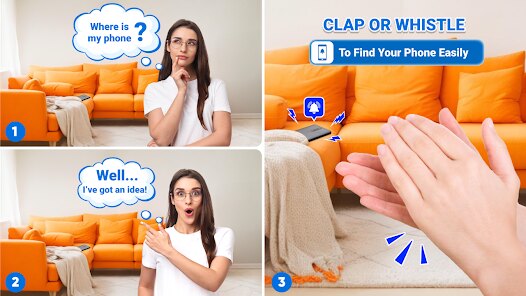
Find Your Phone By Clap is a utility app from Trusted App Global that does exactly what it says on the tin — you clap, and it helps you locate your misplaced phone. It falls squarely into the tools and utilities category, meant for those moments when your phone has slipped between couch cushions or vanished under a pile of laundry. After downloading it from the Google Play Store, I was a bit surprised to see it has over 10 million installs, which suggests plenty of folks have found it handy. The first time I launched the app, it asked straight away for microphone and notification permissions, which makes sense since it needs to listen for claps and then ring loudly. There's no forced sign-up or login, which felt refreshing — just a straightforward setup screen that took about a minute to get through. The app is free to download, though it does show occasional banner ads unless you opt for a small in-app purchase to remove them.
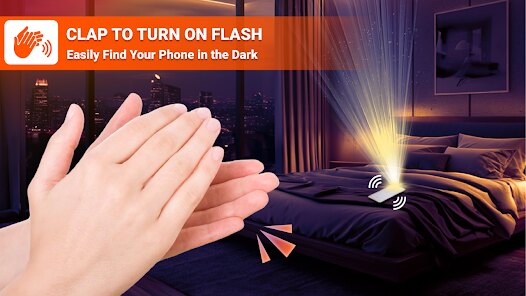
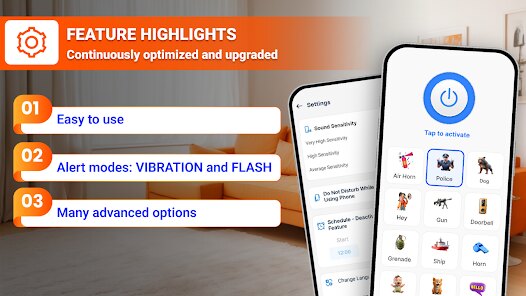
Once I started using it, the interface turned out to be cleaner than I expected from a no-frills utility. The main screen has a big toggle to enable the clap detection service, plus a slider to adjust sensitivity from soft claps to loud ones. I tested it by leaving my phone on the kitchen counter and walking into the next room. A couple of medium claps triggered the ringtone almost instantly, and the phone kept playing until I tapped the notification to stop it. The app also offers a flash option that makes the camera LED blink, which helped when I couldn't hear the ring over the TV. Onboarding was straightforward: you grant permissions, choose your sensitivity, and you're done. One small thing I noticed is that the clap detection works even when the screen is off, which is key since you'd normally use this when you can't see the phone. I did have a moment where the app triggered from a loud sneeze, so I dialed the sensitivity down a notch.
After a few weeks of keeping it installed, I can see why it's popular but also why some might uninstall it. If you're someone who constantly misplaces your phone around the house or office, this app is genuinely useful — it saved me a couple of times when I was rushing to leave. The clap detection is responsive enough that I never had to clap more than three times. That said, I can see battery life taking a slight hit since the microphone stays active in the background, and the app isn't for people who rarely lose their phone or live in a quiet environment where clapping might annoy others. Compared to similar tools like "Find My Device" from Google or "Where's My Droid," this one is simpler but less feature-rich — it doesn't let you ring via SMS or GPS locate your phone. It's a one-trick pony, but that trick works well. I'll likely keep it installed for those frantic moments, but I understand why some users might delete it after a week if they don't face this problem often.
features
- 👏 Clap detection sensitivity: You can adjust how loud or soft the clap needs to be before the phone responds, which helps avoid false triggers from everyday noises like doors slamming or people talking loudly. In contrast, similar apps like "Clap Find My Phone" often lack this slider and are either too sensitive or not sensitive enough.
- 👏 Flash strobe alert: When the phone rings, the camera LED also flashes, which is surprisingly helpful if you've lost it under a dark sofa or in a dimly lit room. Most competing apps, including "Where's My Droid," focus only on sound and ignore visual cues.
- 👏 Background detection with screen off: The app keeps listening for claps even when your phone is locked or the screen is turned off, so you don't need to wake the device first. Apps like "Google Find My Device" require you to log in from another device, making this a faster alternative for quick retrieval.
- 👏 No account required: You can set everything up without creating an account or linking a Google account, which is rare for utility apps of this size. Many similar tools push for sign-ups to enable remote features, but this one stays local and private.
pros
- ✨ Quick setup and minimal permissions: Unlike "Find My Device," which needs GPS and location services, this app only asks for microphone and notification access, making it lighter and less intrusive on your privacy.
- ✨ Low learning curve: Even someone who isn't tech-savvy can figure it out in under a minute. "Where's My Droid" has more advanced features like SMS commands, but that complexity can be overkill for people who just want to clap and find their phone.
- ✨ Reliable offline performance: The clap detection works without an internet connection, so you're not stuck if Wi-Fi or mobile data is down. That's a big plus over cloud-dependent solutions like "Google Find My Device."
cons
- ⚠️ Limited to sound-based recognition: If you're in a noisy environment like a concert or construction site, claps might get drowned out. "Find My Device" can remotely ring your phone from a browser, which doesn't depend on you being able to clap loudly enough.
- ⚠️ Potential battery drain: Because the microphone stays active in the background, you'll notice a small hit to battery life over a full day. Apps like "Where's My Droid" that use SMS-based triggers don't require constant listening, so they're more battery-friendly.
- ⚠️ No remote trigger option: If your phone is on silent or vibrate, the app can still ring, but you cannot trigger it from another device. "Google Find My Device" lets you ring your phone from any logged-in browser, which is more flexible if you're not physically near it.
- ⚠️ Annoying for shared spaces: The app might trigger from someone else clapping nearby, and you can't easily turn it off without opening the app. Competing tools often offer a temporary snooze feature or a scheduled quiet hours mode.
Articles
![]()
Guide
How to Update Google Play Store on Android 2026
![]()
Guide
How to Download Older Versions of Android Apps
![]()
Guide
How to Download Apps Without Google Play Store
![]()
Guide
What Is an APK File for Android?
If you use an Android phone, you may have seen the term APK while searching for apps or games online. Some websites offer an APK download instead of a Google Play install button. Some users also mention APK files when talking about apps that are not available in their region, older app versions, or Android games downloaded outside the Play Store.
![]()
Guide
How to Install Games from Google Play for Beginners
Installing games on an Android phone is usually simple, but for beginners, the process can still feel confusing at first. You may not know where to search, which button to tap, whether the game is safe, or why Google Play sometimes asks for account settings, storage access, or payment information. If you are using an Android phone for the first time, learning how to install games from Google Play is one of the easiest ways to get started.
![]()
Guide
How Useful Gemini Is for Everyday Questions and Quick Tasks
emini feels different from many AI apps because it is not only trying to be a chatbot. After using it for everyday questions, quick writing, image understanding, and planning, I think its biggest strength is convenience.
![]()
Guide
What to Know Before Downloading APKs
For many Android users, downloading an APK is a common way to install apps and games. Sometimes an app is not available in a certain country.
![]()
Guide
ChatGPT Review: Is It Still the Best AI App in 2026?
![]()
Guide
Seedance 2.0 vs Sora: The Future of AI Video Generation
The AI video race has intensified dramatically over the past two years. Platforms like Sora from OpenAI and Luma Dream Machine pushed the boundaries of text-to-video realism. Yet, despite their impressive outputs, most tools still operate as probabilistic generators—you describe a scene, and the model interprets it. Control remains limited. With the February 2026 release of Seedance 2.0, developed by ByteDance, the paradigm shifted. Internally known as Jimeng 2.0, Seedance does not position itself as just another video model. It positions itself as an AI Director. Rather than guessing what you want, Seedance 2.0 allows you to direct what happens. This distinction defines everything that follows.









Recommended Apps
![]()
Home Design 3D
Anuman4.2
![]()
Truth or Dare Game - Party App
Chouic4.8
![]()
Photo Collage Maker
Scoompa4.7![]()
Learn to Draw Flower
Creative APPS4.2![]()
FIFA World Cup 2026™
FIFA2.8![]()
Mirror Plus: Mirror with Light
Digitalchemy, LLC4.4![]()
Meitu- Photo Editor & AI Art
Meitu (China) Limited4.5![]()
Perplexity - Ask Anything
PerplexityAI4.7![]()
GhostTube SLS Camera Alternate
GhostTube4![]()
Boom Chip Blast: 2-Player
Black Pyramid 3D Games Studio0![]()
Healthy Benefits+
Solutran, Inc.4.5![]()
Deepcheck AI Search Assistant
rohe.ai4![]()
Idol Prank Video Call & Chat
LightCode Solutions4![]()
Face Shape - Pretty Scale
GlintTec Apps3.9![]()
Plant App - Plant Identifier
ScaleUp4.6












































