

AI Voice Changer - Prankster

1M+
Installs
Vasundhara Infotech LLC
Developer
-
Entertainment
Category
-
Everyone
Content Rating
-
davidrpetroski@gmail.com
Developer Email
-
https://aiprankster.com/terms-of-use
Privacy Policy
Screenshots
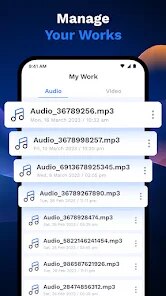
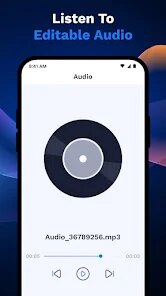
editor reviews
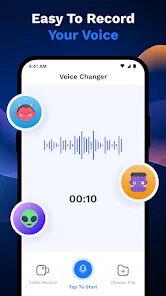
AI Voice Changer - Prankster is a mobile utility app that lets you record and modify your voice in real time, turning it into anything from a cartoon character to a robotic assistant. You mainly use it for pranking friends, creating funny voice messages, or just messing around with different sound effects. I found it on Google Play with over a million downloads and it's free to download and install, though once I launched it, I noticed there were some in-app purchases locked behind a premium version. After opening the app for the first time, the first impression was pretty straightforward: a simple interface with a microphone button right in the center, and a few voice effect categories like "Cartoon," "Robot," and "Alien" listed below. No registration was needed to start using it, which felt nice and uncluttered compared to some other apps that force you to sign up immediately.
When I actually started using it, the hands-on experience was mostly smooth. I tapped the microphone button, spoke a few words, and the app instantly played back the modified version through a small pop-up player. The main actions involve selecting an effect, recording a short clip, and either saving it to your device or sharing it directly to social media like WhatsApp or Instagram. I did find a small confusing moment when I tried to apply an effect after recording: the app pushed a short ad between me and the playback, which broke the flow a little. A practical tip I picked up is to tap the "Favorites" star on your go-to effects so you don't have to scroll through the whole list each time. Also, some effects like "Echo Chamber" let you adjust pitch and speed via sliders, which adds a bit of control for more creative pranks.
After using the app for a few days, my personal take is that it's fine for quick laughs but not a daily driver. Someone who loves playing casual jokes on group chats or making silly audio clips for friends would probably keep it installed. But if you need professional voice modulation for content creation, like podcast intros or video game voiceovers, this app lacks the depth and editing tools you'd get from something like Voicemod or Clownfish. What makes it different is how easy it is to pick up and use with zero learning curve, but the ads and limited free effects mean I can see people uninstalling it once the novelty wears off. For me, it stayed on my phone for about a week before I moved on to something with more permanent effects.
features
- 🎧 Real-time voice changing without lag: You speak and hear the altered voice instantly, which makes prank calls more convincing. In contrast, apps like Voice Changer Plus often add a half-second delay that ruins the timing.
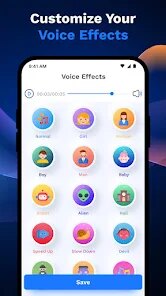
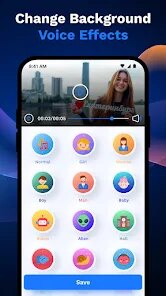
- 🎧 Over 20 voice effects including cartoon and alien: The variety is solid for a free app, with effects like "Chipmunk" and "Deep Voice" covering both silly and spooky uses. Other similar tools like MagicMic give you more effects but lock almost everything behind a monthly subscription.
- 🎧 Built-in soundboard with preloaded prank sounds: You can play funny clips like doorbells or animal noises with one tap, which is great for quick gags. Competing apps like Prank Caller usually require you to download sound packs separately.
pros
- 👍 Simple interface that anyone can navigate immediately: You don't need a tutorial or manual, unlike Voicemod which has a steeper learning curve with mixing boards and hotkeys.
- 👍 No account creation required: You can start using the app right after installing it, while Clownfish Voice Changer forces you to register before accessing basic effects.
- 👍 Lightweight app that doesn't drain your battery fast: It runs in the background without hogging resources, which is better than some bloatware voice changers I tested.
cons
- 👎 Frequent and often unskippable ads: Almost every time you save or share a clip, an ad pops up and breaks the momentum. Competing apps like Voice FX are less aggressive with ads.
- 👎 Limited free effects and no custom voice creation: You only get a handful of effects without paying, while apps like MorphVOX let you create your own custom voices from scratch.
- 👎 No option to apply effects to live phone calls: You can only use it within the app itself, which limits its prank potential compared to tools like Call Voice Changer that integrate with your dialer.
Articles
![]()
Guide
How to Update Google Play Store on Android 2026
![]()
Guide
How to Download Older Versions of Android Apps
![]()
Guide
How to Download Apps Without Google Play Store
![]()
Guide
What Is an APK File for Android?
If you use an Android phone, you may have seen the term APK while searching for apps or games online. Some websites offer an APK download instead of a Google Play install button. Some users also mention APK files when talking about apps that are not available in their region, older app versions, or Android games downloaded outside the Play Store.
![]()
Guide
How to Install Games from Google Play for Beginners
Installing games on an Android phone is usually simple, but for beginners, the process can still feel confusing at first. You may not know where to search, which button to tap, whether the game is safe, or why Google Play sometimes asks for account settings, storage access, or payment information. If you are using an Android phone for the first time, learning how to install games from Google Play is one of the easiest ways to get started.
![]()
Guide
How Useful Gemini Is for Everyday Questions and Quick Tasks
emini feels different from many AI apps because it is not only trying to be a chatbot. After using it for everyday questions, quick writing, image understanding, and planning, I think its biggest strength is convenience.
![]()
Guide
What to Know Before Downloading APKs
For many Android users, downloading an APK is a common way to install apps and games. Sometimes an app is not available in a certain country.
![]()
Guide
ChatGPT Review: Is It Still the Best AI App in 2026?
![]()
Guide
Seedance 2.0 vs Sora: The Future of AI Video Generation
The AI video race has intensified dramatically over the past two years. Platforms like Sora from OpenAI and Luma Dream Machine pushed the boundaries of text-to-video realism. Yet, despite their impressive outputs, most tools still operate as probabilistic generators—you describe a scene, and the model interprets it. Control remains limited. With the February 2026 release of Seedance 2.0, developed by ByteDance, the paradigm shifted. Internally known as Jimeng 2.0, Seedance does not position itself as just another video model. It positions itself as an AI Director. Rather than guessing what you want, Seedance 2.0 allows you to direct what happens. This distinction defines everything that follows.









Recommended Apps
![]()
Home Design 3D
Anuman4.2
![]()
Truth or Dare Game - Party App
Chouic4.8
![]()
Photo Collage Maker
Scoompa4.7![]()
Learn to Draw Flower
Creative APPS4.2![]()
FIFA World Cup 2026™
FIFA2.8![]()
Mirror Plus: Mirror with Light
Digitalchemy, LLC4.4![]()
Meitu- Photo Editor & AI Art
Meitu (China) Limited4.5![]()
Perplexity - Ask Anything
PerplexityAI4.7![]()
GhostTube SLS Camera Alternate
GhostTube4![]()
Boom Chip Blast: 2-Player
Black Pyramid 3D Games Studio0![]()
Healthy Benefits+
Solutran, Inc.4.5![]()
Deepcheck AI Search Assistant
rohe.ai4![]()
Idol Prank Video Call & Chat
LightCode Solutions4![]()
Face Shape - Pretty Scale
GlintTec Apps3.9![]()
Plant App - Plant Identifier
ScaleUp4.6











































