
How Old Are Your Ears Fun Test

100+
Installs
team5stars
Developer
-
Entertainment
Category
-
Everyone
Content Rating
-
androidappdevelopersbypham@gmail.com
Developer Email
-
https://privacypolicydmvcdl.blogspot.com/2025/06/privacy-policy-of-how-old-are-your-ears.html
Privacy Policy
Screenshots
editor reviews
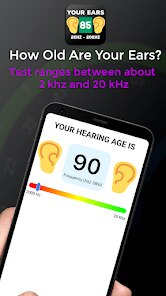
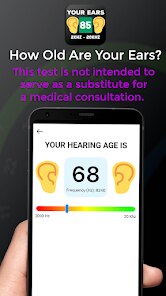
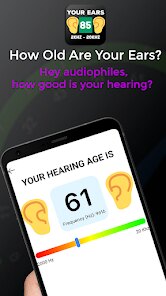
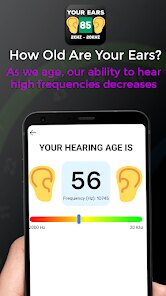
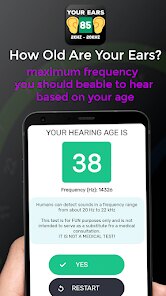
I stumbled across "How Old Are Your Ears Fun Test" on the Google Play Store last week, and it's exactly what it sounds like—a quick, gimmicky hearing test disguised as a game. The app falls into the health and entertainment hybrid category, where the main goal is to play various audio clips and try to guess what frequency you're hearing. You basically listen to tones that get progressively higher in pitch, tap a button when you can no longer hear anything, and the app spits out an "ear age" based on your high-frequency hearing limit. What made me download it was pure curiosity—I saw a friend post a screenshot of their result on social media and thought, "Why not?" After launching it, the first impression was pretty straightforward: a clean, minimalist interface with a big colorful button in the center. No registration needed, no creepy permissions asking for my microphone or contacts, just a simple "Start Test" prompt. It's currently free to download, and I didn't see any forced in-app purchases or ads during the first few minutes, which was a nice surprise.
The actual hands-on experience is pretty fast—you're done within a minute or two. Once you press start, the app plays a series of tones starting from a low frequency (like 8 kHz) and gradually moves toward higher pitches (up to 22 kHz). You just hold down a button while you can hear the tone, and when you can't hear it anymore, you release. The tricky part is that the tones are short, so if you're not paying full attention, you might miss the exact moment the sound cuts out. The interface is smooth and responsive, but I did find it a little confusing at first because there's no countdown or visual cue to tell you how many tones are left. A small tip I picked up after a few tries is to use decent headphones instead of phone speakers—the high-frequency tones are barely audible through built-in speakers, and you'll probably get a wildly inaccurate result. The app also tracks your history, so you can compare your ear age over time, which adds a tiny bit of replay value.
After using it on and off for a week, I think it's a fun little tool but not something I'd rely on for actual health insights. People who enjoy weird self-quizzes or are genuinely curious about their hearing range will probably get a kick out of it, but anyone expecting medical-grade accuracy should look elsewhere. Compared to apps like "Hearing Test" or "Mimi Hearing Test," this one feels more casual and game-like, lacking the detailed frequency charts or professional calibration features. What makes it stand out is the sheer simplicity—no sign-up, no heavy data, just a quick result you can share with friends. But because the test is so short and depends heavily on your headphones and background noise, I can see someone uninstalling it after a few tries once the novelty wears off. I'll probably keep it installed for parties or as a conversation starter, but it's definitely not a daily driver.
features
- 🔊 Frequency Range: This app tests your hearing from 8 kHz all the way up to 22 kHz, which is higher than most free hearing test apps on the market. For comparison, a popular app like "Mimi Hearing Test" only goes up to 16 kHz in its free version, so "How Old Are Your Ears" gives you a broader range without asking for a subscription.
- 🎮 Gamified Results: Instead of showing a boring graph, the app presents your hearing age as a simple number (like "Your ears are 25 years old") with a playful design. Competing apps like "Hearing Test Pro" often dump raw decibel data on you, which feels clinical and less shareable.
- 📊 History Tracking: The app saves your past test results, letting you see if your hearing has changed over days or weeks. Most casual hearing test apps don't offer this feature unless you pay for premium—this one includes it for free, which is a solid bonus for curious users.
pros
- 🎧 No Registration Required: Unlike apps such as "Hearing Test" by eAudiologia, which forces you to create an account before even starting, "How Old Are Your Ears" lets you jump straight into the test. It's a refreshing change for people who hate signing up for one-off experiments.
- 📱 Lightweight and Fast: The app is tiny (under 10 MB) and doesn't drain your battery or demand background access. Competitors like "Ear Age" often come bundled with extra bloatware or constant notifications, but this one stays out of your way.
- 🆓 Completely Free: There are no ads, no paywalls, and no in-app purchases that lock the higher frequencies. Apps like "Mimi Hearing Test" restrict the 18 kHz+ range to their paid version, so getting the full range for free is a clear win here.
cons
- 🔇 No Calibration: The app doesn't ask you to adjust volume or calibrate your headphones before testing, which can lead to wildly inaccurate results. For example, "Mimi Hearing Test" guides you through a setup process to ensure consistency, but this one just assumes your device is ready—often not the case.
- 📉 Short Test Duration: The entire test takes less than 60 seconds, which is fun but not thorough. Competitors like "Hearing Test Pro" use multiple frequency ranges and take a few minutes to give a proper baseline, so this app feels more like a toy than a tool.
- 🚫 No Environmental Noise Check: The app doesn't warn you about background noise or suggest using headphones. If you're in a noisy room, your ear age can jump 10 years just because of outside interference—similar apps like "Ear Age" at least show a noise level indicator before starting.
- 🔁 No Retake Guidance: After completing the test, there's no tip on how to improve accuracy or retake it under better conditions. Apps like "Hearing Test" give you a "Retake with headphones" prompt, but here you're left guessing why your result changed.
Articles
![]()
Guide
How to Update Google Play Store on Android 2026
![]()
Guide
How to Download Older Versions of Android Apps
![]()
Guide
How to Download Apps Without Google Play Store
![]()
Guide
What Is an APK File for Android?
If you use an Android phone, you may have seen the term APK while searching for apps or games online. Some websites offer an APK download instead of a Google Play install button. Some users also mention APK files when talking about apps that are not available in their region, older app versions, or Android games downloaded outside the Play Store.
![]()
Guide
How to Install Games from Google Play for Beginners
Installing games on an Android phone is usually simple, but for beginners, the process can still feel confusing at first. You may not know where to search, which button to tap, whether the game is safe, or why Google Play sometimes asks for account settings, storage access, or payment information. If you are using an Android phone for the first time, learning how to install games from Google Play is one of the easiest ways to get started.
![]()
Guide
How Useful Gemini Is for Everyday Questions and Quick Tasks
emini feels different from many AI apps because it is not only trying to be a chatbot. After using it for everyday questions, quick writing, image understanding, and planning, I think its biggest strength is convenience.
![]()
Guide
What to Know Before Downloading APKs
For many Android users, downloading an APK is a common way to install apps and games. Sometimes an app is not available in a certain country.
![]()
Guide
ChatGPT Review: Is It Still the Best AI App in 2026?
![]()
Guide
Seedance 2.0 vs Sora: The Future of AI Video Generation
The AI video race has intensified dramatically over the past two years. Platforms like Sora from OpenAI and Luma Dream Machine pushed the boundaries of text-to-video realism. Yet, despite their impressive outputs, most tools still operate as probabilistic generators—you describe a scene, and the model interprets it. Control remains limited. With the February 2026 release of Seedance 2.0, developed by ByteDance, the paradigm shifted. Internally known as Jimeng 2.0, Seedance does not position itself as just another video model. It positions itself as an AI Director. Rather than guessing what you want, Seedance 2.0 allows you to direct what happens. This distinction defines everything that follows.









Recommended Apps
![]()
Home Design 3D
Anuman4.2
![]()
Truth or Dare Game - Party App
Chouic4.8
![]()
Photo Collage Maker
Scoompa4.7![]()
Learn to Draw Flower
Creative APPS4.2![]()
FIFA World Cup 2026™
FIFA2.8![]()
Mirror Plus: Mirror with Light
Digitalchemy, LLC4.4![]()
Meitu- Photo Editor & AI Art
Meitu (China) Limited4.5![]()
Perplexity - Ask Anything
PerplexityAI4.7![]()
GhostTube SLS Camera Alternate
GhostTube4![]()
Boom Chip Blast: 2-Player
Black Pyramid 3D Games Studio0![]()
Healthy Benefits+
Solutran, Inc.4.5![]()
Deepcheck AI Search Assistant
rohe.ai4![]()
Idol Prank Video Call & Chat
LightCode Solutions4![]()
Face Shape - Pretty Scale
GlintTec Apps3.9![]()
Plant App - Plant Identifier
ScaleUp4.6











































