
Prank Sounds: Haircut & Taser

1M+
Installs
Mobile Innovate X
Developer
-
Entertainment
Category
-
Everyone
Content Rating
-
mobileinovatex@gmail.com
Developer Email
-
https://innovatex.one/policy.html
Privacy Policy
Screenshots


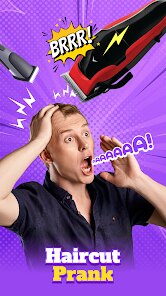
editor reviews
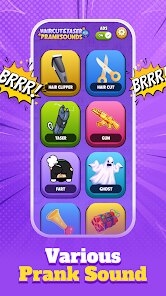
Prank Sounds: Haircut & Taser is exactly what it sounds like—a straightforward soundboard app that packs a bunch of goofy audio clips meant to mess with your friends. It sits in the entertainment and prank category, so if you've ever wanted to fake a police siren at a party or make someone jump with a sudden drill noise, this is the kind of app you grab. There's no clear install count on Google Play or the App Store right now, but it's free to download with a few banner ads hanging around. Once you open it, the first thing that hits you is just how simple it is—there is no registration, no login wall, just a big grid of buttons labeled things like “Saw,” “Laser,” and “Gun.” Honestly, it feels a bit like a toy from the early smartphone days, which is either charming or a bit cheap depending on what you are into.
Using the app is really just tapping buttons and watching people react. The onboarding basically doesn't exist—you install it, launch it, and you're already scrolling through sounds. Each clip plays instantly when you tap, and some of them loop if you hold your finger down, which is a sneakily smart detail for dragging out a prank. The interface is plain but functional: a scrollable list of sound names with a simple play button next to each one. There's no search bar or categories, so you end up swiping up and down to find the right noise before your victim walks away. One small tip: keep your phone's volume low at first, because some of these clips are loud enough to make you drop the phone yourself. It's not a smooth or polished experience, but it gets the job done fast.
After using it for a few days, I think it fits a narrow but real niche. If you like pulling low-stakes pranks on roommates or coworkers and you don't want to spend real money on anything, this is a fun little download. But if you're hoping for high-quality audio or regular updates, you'll probably be disappointed—the sounds are decent but not studio-grade, and the app hasn't been updated in a while based on the version history. Compared to something like iPrankster or even just using YouTube sound clips, this one wins on convenience because everything is right there in one grid. I could see keeping it around for the occasional laugh, but it's also the kind of thing you might delete after a week when the novelty fades. It is what it is: a goofy soundboard with no frills.
features
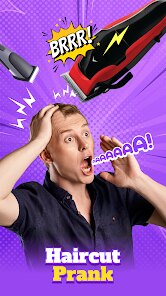
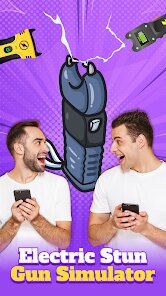
- 🔊 Wide variety of prank sounds: The app includes over 30 different audio clips, ranging from classic comedy noises like a fart sound to more shocking ones like a taser zap or a hair clipper buzz. This variety makes it easy to find the right sound for almost any silly situation, without needing to search online.
- 🔊 Hold-to-loop function: A standout feature is that pressing and holding a button will loop the sound continuously. This is perfect for dragging out a prank, like pretending an alarm is going off or keeping a “buzzer” going until someone reacts, which most basic soundboards don't offer.
- 🔊 No ads during playback: While there are some banner ads on the main screen, the app doesn't interrupt your sound playback with video ads or pop-ups. Unlike some similar apps like “Prank Calls & Sounds” that force an ad after every few plays, this one keeps the prank going without breaking the mood.
- 🔊 Simple one-tap activation: Every sound plays immediately with a single tap, no loading or buffering delay. This is a huge advantage over using a music player or YouTube, where you'd have to navigate menus or wait for a video to load to get the same effect.
pros
- 🎯 Instant setup with zero friction: You don't need to create an account, grant weird permissions, or watch a tutorial. The app is ready to use right after installation, which is much faster than setting up a prank through something like “Voice Changer” or “Sound Effects” apps that require initial configuration.
- 🎯 Offline functionality: All sounds are stored locally on your device, so you can pull pranks anywhere—even in basements, on airplanes, or in remote areas without cell service. Other apps like “Prank Sounds 2024” often require an internet connection to stream audio, which is a dealbreaker in many situations.
- 🎯 Lightweight and battery-friendly: The app takes up very little storage space and doesn't drain your battery in the background. Compared to heavier entertainment apps like “TikTok” or “YouTube,” this one won't slow down your phone or heat it up during extended use.
cons
- ❌ No sound preview or description: Each button only shows a generic name like “Haircut” or “Fart,” so you have to tap blindly to find out what a sound actually sounds like. In contrast, apps like “iPrankster” offer little audio preview clips, which saves time and avoids accidentally startling yourself.
- ❌ Limited customization options: You cannot adjust volume per sound, create a favorites list, or set a timer for delayed playback. Similar apps such as “Prank Station” let you schedule pranks for later or customize the order of sounds, making them more flexible for long-term use.
- ❌ Lack of categorization or search: With over 30 sounds crammed into a single vertical scroll list, finding a specific noise mid-prank can be a hassle. Competitors like “Prank Caller” organize sounds into categories like “Scary” or “Funny,” which makes browsing much easier during a high-pressure moment.
- ❌ No shuffle or random play mode: If you want to surprise someone with a random sound, you have to manually pick one each time. Some other soundboard apps include a “random” button that plays a random clip, which adds an extra layer of spontaneity for group pranks.
Articles
![]()
Guide
How to Update Google Play Store on Android 2026
![]()
Guide
How to Download Older Versions of Android Apps
![]()
Guide
How to Download Apps Without Google Play Store
![]()
Guide
What Is an APK File for Android?
If you use an Android phone, you may have seen the term APK while searching for apps or games online. Some websites offer an APK download instead of a Google Play install button. Some users also mention APK files when talking about apps that are not available in their region, older app versions, or Android games downloaded outside the Play Store.
![]()
Guide
How to Install Games from Google Play for Beginners
Installing games on an Android phone is usually simple, but for beginners, the process can still feel confusing at first. You may not know where to search, which button to tap, whether the game is safe, or why Google Play sometimes asks for account settings, storage access, or payment information. If you are using an Android phone for the first time, learning how to install games from Google Play is one of the easiest ways to get started.
![]()
Guide
How Useful Gemini Is for Everyday Questions and Quick Tasks
emini feels different from many AI apps because it is not only trying to be a chatbot. After using it for everyday questions, quick writing, image understanding, and planning, I think its biggest strength is convenience.
![]()
Guide
What to Know Before Downloading APKs
For many Android users, downloading an APK is a common way to install apps and games. Sometimes an app is not available in a certain country.
![]()
Guide
ChatGPT Review: Is It Still the Best AI App in 2026?
![]()
Guide
Seedance 2.0 vs Sora: The Future of AI Video Generation
The AI video race has intensified dramatically over the past two years. Platforms like Sora from OpenAI and Luma Dream Machine pushed the boundaries of text-to-video realism. Yet, despite their impressive outputs, most tools still operate as probabilistic generators—you describe a scene, and the model interprets it. Control remains limited. With the February 2026 release of Seedance 2.0, developed by ByteDance, the paradigm shifted. Internally known as Jimeng 2.0, Seedance does not position itself as just another video model. It positions itself as an AI Director. Rather than guessing what you want, Seedance 2.0 allows you to direct what happens. This distinction defines everything that follows.









Recommended Apps
![]()
Home Design 3D
Anuman4.2
![]()
Truth or Dare Game - Party App
Chouic4.8
![]()
Photo Collage Maker
Scoompa4.7![]()
Learn to Draw Flower
Creative APPS4.2![]()
FIFA World Cup 2026™
FIFA2.8![]()
Mirror Plus: Mirror with Light
Digitalchemy, LLC4.4![]()
Meitu- Photo Editor & AI Art
Meitu (China) Limited4.5![]()
Perplexity - Ask Anything
PerplexityAI4.7![]()
GhostTube SLS Camera Alternate
GhostTube4![]()
Boom Chip Blast: 2-Player
Black Pyramid 3D Games Studio0![]()
Healthy Benefits+
Solutran, Inc.4.5![]()
Deepcheck AI Search Assistant
rohe.ai4![]()
Idol Prank Video Call & Chat
LightCode Solutions4![]()
Face Shape - Pretty Scale
GlintTec Apps3.9![]()
Plant App - Plant Identifier
ScaleUp4.6











































