
Dog Prank Call & Chat

500K+
Installs
GOBEEZ YAZILIM TİCARET
Developer
-
Entertainment
Category
-
Everyone
Content Rating
-
+79278292081
Developer Email
-
https://storylovegame.com/privacy.html
Privacy Policy
Screenshots
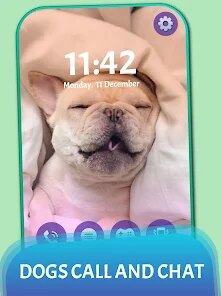
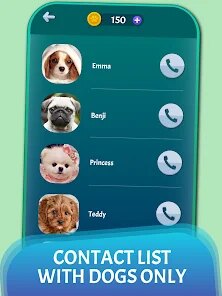
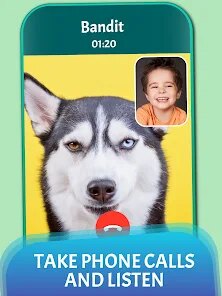
editor reviews
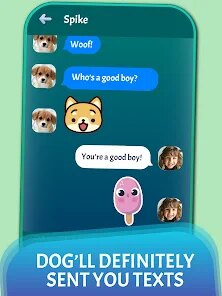
Dog Prank Call & Chat is more of a playful simulation game than a serious communication tool. It lets you stage a fake video call with a cartoon dog that reacts to your touch and your voice. I first found it while browsing the Google Play store for something silly to show my nephew. It had a few hundred thousand downloads at the time and was free to install, though it mentions optional in-app purchases. The initial impression after launching it is pure goofiness: a giant, animated dog face pops up immediately, waiting for you to poke its nose or tap its ears. It felt like one of those apps you open just once for a laugh, but I stuck with it longer than expected.
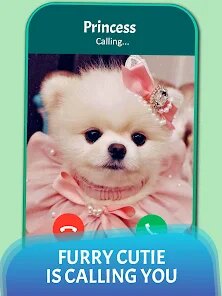
Moving through the app is straightforward. After you hit "Start Call," the dog appears on screen as if on a video chat, with a button to switch between front and back cameras. The main interactions involve tapping different parts of the dog's face to trigger various sounds and movements, or speaking into the microphone so the dog can repeat your words in a high-pitched voice. There's no real onboarding or tutorial; you just figure it out by trial and error, which works fine for this type of app. I found that if I talked slowly and clearly, the echo effect was more amusing, while rapid babbling made the dog sound distorted and chaotic. The interface is bare-bones, with a few buttons for recording or sharing a clip, but the app does crash occasionally when you switch cameras too fast. One small trick I discovered: tapping the dog's tongue repeatedly launches a series of silly barking sounds that kids seem to love.
After a few sessions, I think this app is best for very young children or anyone wanting a quick, harmless gag. It's not something you use regularly, but it serves its purpose as a momentary distraction. Compared to other prank-call simulators, Dog Prank Call & Chat focuses entirely on visual interaction rather than pre-recorded call scenarios. The main difference is that this app feels more like a toy than a tool; you don't really "call" anyone, you just mimic it. I can see keeping it installed for when a toddler needs cheering up, but older kids or adults might lose interest after ten minutes. It's not trying to compete with sophisticated apps like Call Prank, which offer fake incoming calls with recorded voices. Instead, it's a simple, screen-tapping time waster. I'd probably uninstall it eventually because it doesn't do much beyond the first few gimmicks, but for the price of free, it delivered exactly what it promised: a stupidly fun dog face that reacts to you.
features
- 🐶 The voice-repeating gag is the standout feature. Unlike simpler apps that just play pre-recorded sounds, this one uses your own voice and twists it into a cartoonish bark-speak. It feels more personal and unpredictable compared to Call Prank's generic canned responses.
- 🦴 The real-time face interaction makes the dog feel alive. You can tap its nose, ears, cheeks, and mouth, and each triggers a distinct reaction, like a sneeze, a growl, or a tongue wag. This responsiveness goes beyond the static images of apps like Talking Tom, because the dog's eyes follow your finger.
- 📱 The camera-switching feature adds a layer of immersion. You can make it look like the dog is sitting in your actual room, which enhances the prank effect when showing it to friends. This is missing from most other prank call apps that lock you into a set background.
- 🔄 The ability to record and share short clips directly from the app is convenient. You don't need a separate screen recorder; you just tap to save the last 30 seconds of the call. This makes it easier to send the silly moment to someone else immediately.
pros
- 🆓 The app is completely free to download and use without any forced ads interrupting the core interaction. Many similar apps, like Fake Call Prank, bombard you with advertisements every ten seconds. Here, you can play with the dog for several minutes before seeing a banner.
- 🎨 The cartoon art style is appealing to young children. The dog has a friendly, rounded design with bright colors, unlike the more realistic (and sometimes creepy) 3D models in Prank Call Simulator. This makes it more likely that a parent would let a toddler use it unsupervised.
- ⚙️ The setup is instant. There is no account registration, tutorial, or loading screen to sit through. You tap the icon, then "Start Call," and the dog is there. This ease of access is a big strength over apps that require you to create a profile or watch an ad first.
cons
- 🔇 The voice recognition is sometimes too sensitive. If there is background noise, the dog repeats random sounds instead of your speech. In contrast, Prank Call Simulator uses pre-recorded lines that are clearer, though less personalized. This can be frustrating in a busy room.
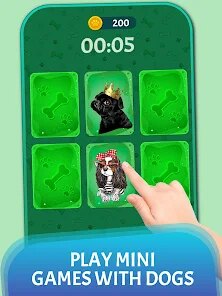
- 🎮 The content is very shallow. After five minutes, you have seen almost everything the dog can do. Apps like Talking Tom offer mini-games or collectibles that give more long-term engagement. Here, there is no progression or new actions to unlock, so it quickly becomes repetitive.
- 🔄 The app has no option to change the dog's appearance or voice pitch manually. You are stuck with one design and one echo effect. Other prank apps let you pick different characters or adjust the vocal distortion, which gives more variety for repeated use.
- 📲 The app occasionally freezes during camera switching, especially on older phones. This is a common problem in many simulation apps, but it happens more often here than in well-optimized alternatives like My Talking Tom 2, which handles transitions smoothly.
Articles
![]()
Guide
How to Update Google Play Store on Android 2026
![]()
Guide
How to Download Older Versions of Android Apps
![]()
Guide
How to Download Apps Without Google Play Store
![]()
Guide
What Is an APK File for Android?
If you use an Android phone, you may have seen the term APK while searching for apps or games online. Some websites offer an APK download instead of a Google Play install button. Some users also mention APK files when talking about apps that are not available in their region, older app versions, or Android games downloaded outside the Play Store.
![]()
Guide
How to Install Games from Google Play for Beginners
Installing games on an Android phone is usually simple, but for beginners, the process can still feel confusing at first. You may not know where to search, which button to tap, whether the game is safe, or why Google Play sometimes asks for account settings, storage access, or payment information. If you are using an Android phone for the first time, learning how to install games from Google Play is one of the easiest ways to get started.
![]()
Guide
How Useful Gemini Is for Everyday Questions and Quick Tasks
emini feels different from many AI apps because it is not only trying to be a chatbot. After using it for everyday questions, quick writing, image understanding, and planning, I think its biggest strength is convenience.
![]()
Guide
What to Know Before Downloading APKs
For many Android users, downloading an APK is a common way to install apps and games. Sometimes an app is not available in a certain country.
![]()
Guide
ChatGPT Review: Is It Still the Best AI App in 2026?
![]()
Guide
Seedance 2.0 vs Sora: The Future of AI Video Generation
The AI video race has intensified dramatically over the past two years. Platforms like Sora from OpenAI and Luma Dream Machine pushed the boundaries of text-to-video realism. Yet, despite their impressive outputs, most tools still operate as probabilistic generators—you describe a scene, and the model interprets it. Control remains limited. With the February 2026 release of Seedance 2.0, developed by ByteDance, the paradigm shifted. Internally known as Jimeng 2.0, Seedance does not position itself as just another video model. It positions itself as an AI Director. Rather than guessing what you want, Seedance 2.0 allows you to direct what happens. This distinction defines everything that follows.









Recommended Apps
![]()
Home Design 3D
Anuman4.2
![]()
Truth or Dare Game - Party App
Chouic4.8
![]()
Photo Collage Maker
Scoompa4.7![]()
Learn to Draw Flower
Creative APPS4.2![]()
FIFA World Cup 2026™
FIFA2.8![]()
Mirror Plus: Mirror with Light
Digitalchemy, LLC4.4![]()
Meitu- Photo Editor & AI Art
Meitu (China) Limited4.5![]()
Perplexity - Ask Anything
PerplexityAI4.7![]()
GhostTube SLS Camera Alternate
GhostTube4![]()
Boom Chip Blast: 2-Player
Black Pyramid 3D Games Studio0![]()
Healthy Benefits+
Solutran, Inc.4.5![]()
Deepcheck AI Search Assistant
rohe.ai4![]()
Idol Prank Video Call & Chat
LightCode Solutions4![]()
Face Shape - Pretty Scale
GlintTec Apps3.9![]()
Plant App - Plant Identifier
ScaleUp4.6











































