

Pollo AI: AI Video Generator

1M+
Installs
COCOSOFT TECHNOLOGY PTE. LTD.
Developer
-
Entertainment
Category
-
Everyone
Content Rating
-
support@pollo.ai
Developer Email
-
https://pollo.ai/privacy-policy
Privacy Policy
Screenshots


editor reviews
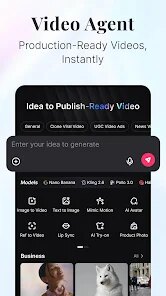
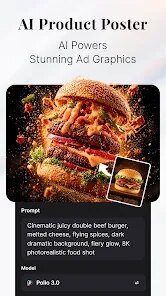
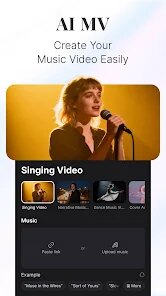
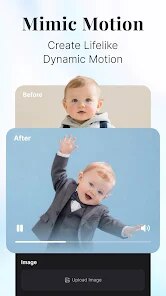
Pollo AI is an AI video generator that shows how far the technology has come. It's less about traditional video editing and more about typing a sentence and getting a clip back. You can use it for short social videos, quick animations, or even rough concept visuals. A normal person might install it out of curiosity. The first impression after opening it is that it feels clean but a little sparse, like a canvas waiting for your prompt. The interface is simple, which is good, because the hard part is figuring out what to write to get the video you want.
After you start using Pollo AI for real, the experience becomes a lot about prompt matching. You type something like 'a cat walking on a beach at sunset' and the app processes it, generating a realistic or stylized clip. The onboarding is straightforward, but the real work is trial and error. The interface centers on a text box, a few style toggles, and a generate button. Common steps involve rewriting prompts when the first result looks weird or too generic. A small tip is that shorter, more concrete prompts often work better than long sentences. Some moments feel smooth, like when it nails lighting, but it can also feel confusing when two similar prompts give totally different clips.
After using it for a while, you start to notice who might actually keep it. People who enjoy creating short video memes or need quick placeholder content for presentations or rough edits might find it useful. Someone looking for precise, Hollywood-grade animation won't be satisfied. What makes it different from services like RunwayML or Pika Labs is that it feels more accessible for casual users, not just tech-focused creators. You might keep it installed if you enjoy experimenting for a few minutes here and there. But many people will uninstall it after the novelty wears off, since the output is still far from polished and the free usage is often limited.
features
- 🎥 Quality Range: It handles basic motion and texture well for a free tool. Compared to RunwayML, results are less consistent, but for simple requests like 'slow motion waterfall,' the output looks decent.
- 🎥 Speed Factor: Generates clips faster than Pika Labs in my experience, especially for short 5-second prompts. But the tradeoff is a notable drop in resolution consistency.
- 🎥 Style Options: Offers fewer style presets than competitors. However, the default 'realistic' mode often looks cleaner than rivals' default settings when prompts are not overly complex.
pros
- ✓ Accessibility: No steep learning curve. You open it and type. Unlike RunwayML, which can feel intimidating with timelines and layers, Pollo AI keeps it to a prompt box and a button.
- ✓ Free Generation: Offers a decent free tier limit for daily use. Some rivals like Pika Labs become very restrictive after a few tries, whereas Pollo AI lets you experiment more freely.
- ✓ Low System Requirement: Runs entirely in the cloud. You don't need a powerful computer to render clips, unlike some desktop-based alternatives.
cons
- ✗ Inconsistent Detail: Faces or hands often look distorted or blurry. RunwayML usually handles human figures better in similar test prompts.
- ✗ Limited Video Length: The maximum clip is usually just a few seconds. Pika Labs allows longer sequences, making it better for actual short films.
- ✗ No Advanced Customization: You cannot control camera angles or depth. Competitors already offer sliders for motion intensity and focal length.
Articles
![]()
Guide
How to Update Google Play Store on Android 2026
![]()
Guide
How to Download Older Versions of Android Apps
![]()
Guide
How to Download Apps Without Google Play Store
![]()
Guide
What Is an APK File for Android?
If you use an Android phone, you may have seen the term APK while searching for apps or games online. Some websites offer an APK download instead of a Google Play install button. Some users also mention APK files when talking about apps that are not available in their region, older app versions, or Android games downloaded outside the Play Store.
![]()
Guide
How to Install Games from Google Play for Beginners
Installing games on an Android phone is usually simple, but for beginners, the process can still feel confusing at first. You may not know where to search, which button to tap, whether the game is safe, or why Google Play sometimes asks for account settings, storage access, or payment information. If you are using an Android phone for the first time, learning how to install games from Google Play is one of the easiest ways to get started.
![]()
Guide
How Useful Gemini Is for Everyday Questions and Quick Tasks
emini feels different from many AI apps because it is not only trying to be a chatbot. After using it for everyday questions, quick writing, image understanding, and planning, I think its biggest strength is convenience.
![]()
Guide
What to Know Before Downloading APKs
For many Android users, downloading an APK is a common way to install apps and games. Sometimes an app is not available in a certain country.
![]()
Guide
ChatGPT Review: Is It Still the Best AI App in 2026?
![]()
Guide
Seedance 2.0 vs Sora: The Future of AI Video Generation
The AI video race has intensified dramatically over the past two years. Platforms like Sora from OpenAI and Luma Dream Machine pushed the boundaries of text-to-video realism. Yet, despite their impressive outputs, most tools still operate as probabilistic generators—you describe a scene, and the model interprets it. Control remains limited. With the February 2026 release of Seedance 2.0, developed by ByteDance, the paradigm shifted. Internally known as Jimeng 2.0, Seedance does not position itself as just another video model. It positions itself as an AI Director. Rather than guessing what you want, Seedance 2.0 allows you to direct what happens. This distinction defines everything that follows.









Recommended Apps
![]()
Home Design 3D
Anuman4.2
![]()
Truth or Dare Game - Party App
Chouic4.8
![]()
Photo Collage Maker
Scoompa4.7![]()
Learn to Draw Flower
Creative APPS4.2![]()
FIFA World Cup 2026™
FIFA2.8![]()
Mirror Plus: Mirror with Light
Digitalchemy, LLC4.4![]()
Meitu- Photo Editor & AI Art
Meitu (China) Limited4.5![]()
Perplexity - Ask Anything
PerplexityAI4.7![]()
GhostTube SLS Camera Alternate
GhostTube4![]()
Boom Chip Blast: 2-Player
Black Pyramid 3D Games Studio0![]()
Healthy Benefits+
Solutran, Inc.4.5![]()
Deepcheck AI Search Assistant
rohe.ai4![]()
Idol Prank Video Call & Chat
LightCode Solutions4![]()
Face Shape - Pretty Scale
GlintTec Apps3.9![]()
Plant App - Plant Identifier
ScaleUp4.6












































