

PND AI Photo Enhancer HD

100K+
Installs
PND AI 360
Developer
-
Generative AI
Category
-
Everyone
Content Rating
-
info@pndai.ai
Developer Email
-
https://pndai.ai/en/privacy.html
Privacy Policy
Screenshots


editor reviews
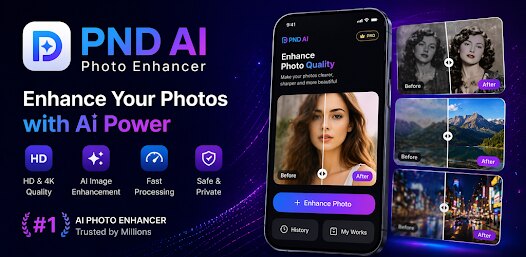
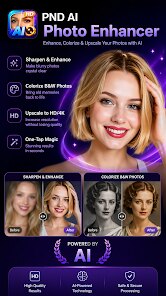
So I was looking for a way to fix some old, blurry photos from a family trip, and I stumbled upon PND AI Photo Enhancer HD by PND AI 360. It's basically a photo enhancement and restoration app that uses AI to upscale, sharpen, and colorize images. You can mainly use it to bring life back to low-resolution or damaged pictures. I noticed it had a decent number of downloads on Google Play, but I didn't see a huge install count or anything like that. It's free to download, though there are in-app purchases for more features. When I first launched it, the interface felt pretty clean and straightforward—just a simple “upload photo” button right there on the home screen. No annoying registration wall, which was a nice change from some other tools I've tried. The first impression was that it looked like a no-fuss tool for everyday users, not some complex software that requires a tutorial.
After using it for a while, the actual hands-on experience is pretty smooth. You open the app, select an image from your gallery, and then pick what you want to do—upscale, denoise, colorize, or enhance. The AI processes it in a few seconds, and you get a before-and-after comparison that you can slide to see the difference. I tried enhancing a scanned photo of my grandparents from the 90s, and the AI did a decent job reducing the grain, though some details got a little soft. One small tip: if the photo is extremely damaged, the app might struggle, so you're better off with images that are at least somewhat recognizable. The onboarding is just a short tooltip, which I appreciated since I hate apps that force you through a tutorial. The main actions are all tap-based, and I didn't hit any confusing menus. It's not perfect—sometimes the upscaling would create weird artifacts around edges, especially with faces.
After using it for a few weeks, I think this app is great for casual users who want to quickly improve personal photos without learning complicated software. Someone like me, who just wants to restore a few old family pics, would enjoy it. But if you're a professional photographer or need high-end restoration, you'll probably be disappointed with the limits on control. Compared to something like Remini, which is more well-known, PND AI Photo Enhancer HD feels less polished but also less pushy with subscriptions. Remini has better AI processing speeds and more consistent results, but this app feels more open and less aggressive with ads. I kept it installed because it's handy for quick fixes, but I can see myself uninstalling it if I find a better free alternative. It's not a game-changer, but for a free tool, it gets the job done without much hassle.
features
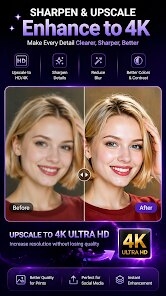
- 🎨 AI Upscaling: The app boosts low-res photos by up to 4x, which is solid for basic use. Compared to Remini's simpler upscale option, this one gives you more control over noise reduction and sharpness, but it's slower to process.
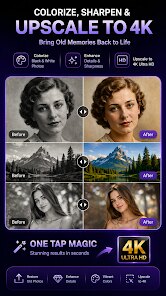
- 📸 Colorization: It adds color to black-and-white images well enough, though the colors look a bit washed out. Adobe Lightroom offers better presets, but here it's automated and easy for a quick job.
- 🔍 Face Enhancement: The standout feature is how it tries to recover facial details in blurry pics. Unlike Google Photos' basic fix, this one reduces pixelation on faces pretty effectively, but it can over-sharpen and create plastic-looking skins.
- 🔄 Batch Processing: You can enhance multiple photos at once, which saves time. Snapseed doesn't have a batch feature, so this is a neat extra for users editing large albums.
pros
- 👍 Free to start: Unlike Remini, which locks core features behind a monthly subscription, this app lets you enhance a few photos for free right away. That's a huge plus for casual users.
- 👍 Simple interface: The layout is much cleaner than something like Adobe Photoshop Express, which can be overwhelming. Here, you just tap and go.
- 👍 No login required: Some similar apps force you to create an account, but this one lets you work offline. I really appreciated that for privacy.
- 👍 Regular updates: The developer pushes updates fairly often, fixing bugs and adding tweaks. It's not a dead app like some older photo tools.
cons
- 👎 Watermark on free exports: Unlike Snapseed, which is completely free and watermark-free, this app slaps a watermark on saved images unless you pay. That's a big turnoff.
- 👎 Inconsistent AI results: While Remini usually nails face details, this one often creates weird distortions around hair or glasses, especially with complex backgrounds.
- 👎 Slow on larger images: Processing a 4K photo can take over a minute, which is slower than Photoshop Camera's real-time adjustments. It's frustrating when you're in a hurry.
- 👎 Limited manual controls: You can't fine-tune settings like in Adobe Lightroom—it's all automatic, so you lose creative flexibility.
Articles
![]()
Guide
How to Update Google Play Store on Android 2026
![]()
Guide
How to Download Older Versions of Android Apps
![]()
Guide
How to Download Apps Without Google Play Store
![]()
Guide
What Is an APK File for Android?
If you use an Android phone, you may have seen the term APK while searching for apps or games online. Some websites offer an APK download instead of a Google Play install button. Some users also mention APK files when talking about apps that are not available in their region, older app versions, or Android games downloaded outside the Play Store.
![]()
Guide
How to Install Games from Google Play for Beginners
Installing games on an Android phone is usually simple, but for beginners, the process can still feel confusing at first. You may not know where to search, which button to tap, whether the game is safe, or why Google Play sometimes asks for account settings, storage access, or payment information. If you are using an Android phone for the first time, learning how to install games from Google Play is one of the easiest ways to get started.
![]()
Guide
How Useful Gemini Is for Everyday Questions and Quick Tasks
emini feels different from many AI apps because it is not only trying to be a chatbot. After using it for everyday questions, quick writing, image understanding, and planning, I think its biggest strength is convenience.
![]()
Guide
What to Know Before Downloading APKs
For many Android users, downloading an APK is a common way to install apps and games. Sometimes an app is not available in a certain country.
![]()
Guide
ChatGPT Review: Is It Still the Best AI App in 2026?
![]()
Guide
Seedance 2.0 vs Sora: The Future of AI Video Generation
The AI video race has intensified dramatically over the past two years. Platforms like Sora from OpenAI and Luma Dream Machine pushed the boundaries of text-to-video realism. Yet, despite their impressive outputs, most tools still operate as probabilistic generators—you describe a scene, and the model interprets it. Control remains limited. With the February 2026 release of Seedance 2.0, developed by ByteDance, the paradigm shifted. Internally known as Jimeng 2.0, Seedance does not position itself as just another video model. It positions itself as an AI Director. Rather than guessing what you want, Seedance 2.0 allows you to direct what happens. This distinction defines everything that follows.









Recommended Apps
![]()
Home Design 3D
Anuman4.2
![]()
Truth or Dare Game - Party App
Chouic4.8
![]()
Photo Collage Maker
Scoompa4.7![]()
Learn to Draw Flower
Creative APPS4.2![]()
FIFA World Cup 2026™
FIFA2.8![]()
Mirror Plus: Mirror with Light
Digitalchemy, LLC4.4![]()
Meitu- Photo Editor & AI Art
Meitu (China) Limited4.5![]()
Perplexity - Ask Anything
PerplexityAI4.7![]()
GhostTube SLS Camera Alternate
GhostTube4![]()
Boom Chip Blast: 2-Player
Black Pyramid 3D Games Studio0![]()
Healthy Benefits+
Solutran, Inc.4.5![]()
Deepcheck AI Search Assistant
rohe.ai4![]()
Idol Prank Video Call & Chat
LightCode Solutions4![]()
Face Shape - Pretty Scale
GlintTec Apps3.9![]()
Plant App - Plant Identifier
ScaleUp4.6












































