

The Choicer Voicer

50K+
Installs
KARBON COFFEE GAME
Developer
-
Entertainment
Category
-
Teen
Content Rating
-
mrlukeapbegin@gmail.com
Developer Email
-
https://karboncoffeegame.netlify.app/privacy-policy.html
Privacy Policy
Screenshots

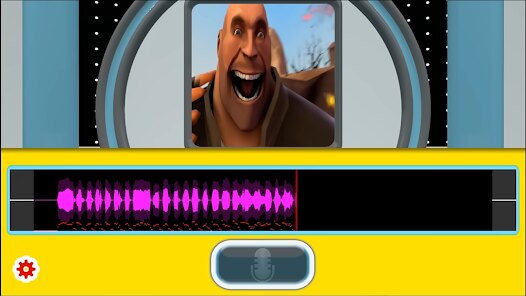
editor reviews
Mobile gaming has expanded far beyond simple time-killers, and The Choicer Voicer from developer KARBON COFFEE GAME sits comfortably in that growing space where narrative and interactivity blend. It presents itself as an interactive story game where the choices you make genuinely steer the direction of the plot. Available on Google Play, the game installs quickly without requiring a hefty download, and the core experience is free to access. While the game does include advertisements, they appear at intervals that don't entirely disrupt the flow, and in-app purchases exist for those who prefer to remove them or unlock content faster, though the base game remains playable without spending anything.
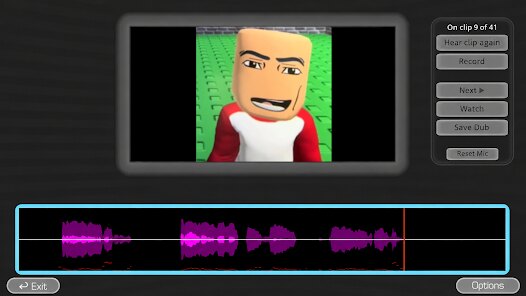
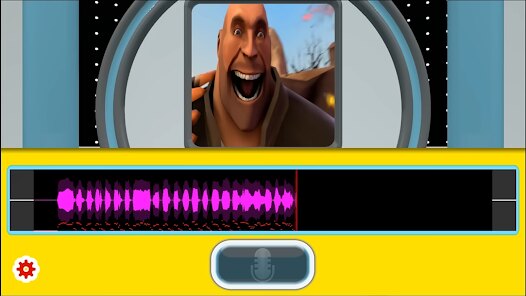
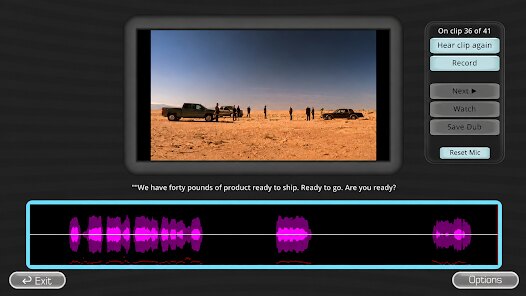
Rather than relying on complex controls or rapid reflexes, the gameplay focuses on reading scenarios and picking responses from a set of options. Scenes unfold conversationally, with characters reacting to your selections and branching paths opening up accordingly. Spending time with it reveals a solid amount of narrative depth; one run through doesn't expose everything, as different combinations lead to distinct outcomes. The visual presentation is straightforward, with character portraits and text boxes dominating the screen, which keeps attention firmly on the dialogue rather than flashy animations. Occasionally, the pacing slows down a bit, especially during longer exchanges where the lack of voice acting makes the reading feel a bit denser than expected.
Looking at other narrative choice games on the market, The Choicer Voicer distinguishes itself through its more lighthearted tone and distinctive art style. Many similar titles push for dramatic, weighty decisions, whereas this one feels less burdened, offering scenarios that lean into humor and quieter moments. Users accustomed to more complex mechanics in games like Lifeline might find the simplicity here refreshing or occasionally limiting. The lack of timed responses also reduces pressure, letting you consider each decision at your own pace, which fits the casual storytelling approach.
features
- The branching narrative structure stands out as the main draw. Each decision feels weighted, and replaying to explore different paths naturally extends the game's lifespan. Not every branch leads to wildly different endings, but the variations noticed between playthroughs feel meaningful enough.
- Character interactions also merit attention. The writing manages to give each figure a distinct voice, making conversations feel less like filler text and more like actual exchanges. Some dialogue choices even unlock unique responses or alter relationship dynamics in ways that aren't immediately obvious.
- Compared to titles like Episode or Choices, the visual presentation here is simpler and less polished, but it carries its own charm. The interface remains uncluttered, making navigation between scenes and menu options seamless. That said, the artwork lacks the variety seen in some rivals, and background repetition becomes noticeable during longer sessions.
pros
- Playing in short bursts works well because scenes are sized reasonably, making it simple to pause and resume while commuting or waiting.
- The absence of a fail state removes frustration, giving you freedom to test odd options without worrying about restarting progress.
- Offline functionality proves useful on transit or in areas with spotty connections, as the game doesn't demand a constant network link.
- Rewatching a scenario to pick an alternate route requires minimal effort, and the quick load times support that kind of experimentation smoothly.
cons
- Ad frequency feels slightly uneven; sometimes they crop up right after a story beat, interrupting the mood at less than ideal moments.
- Dialogue pacing drags in places, and without voice work, lengthy exchanges can test patience despite interesting plot points.
- Battery consumption appears higher than expected for a text-heavy app, which might give pause to those gaming on older devices.
- A few translation quirks surface occasionally, leaving certain sentences reading a bit stiffly, though they don't obscure the overall meaning significantly.
Articles
![]()
Guide
How to Update Google Play Store on Android 2026
![]()
Guide
How to Download Older Versions of Android Apps
![]()
Guide
How to Download Apps Without Google Play Store
![]()
Guide
What Is an APK File for Android?
If you use an Android phone, you may have seen the term APK while searching for apps or games online. Some websites offer an APK download instead of a Google Play install button. Some users also mention APK files when talking about apps that are not available in their region, older app versions, or Android games downloaded outside the Play Store.
![]()
Guide
How to Install Games from Google Play for Beginners
Installing games on an Android phone is usually simple, but for beginners, the process can still feel confusing at first. You may not know where to search, which button to tap, whether the game is safe, or why Google Play sometimes asks for account settings, storage access, or payment information. If you are using an Android phone for the first time, learning how to install games from Google Play is one of the easiest ways to get started.
![]()
Guide
How Useful Gemini Is for Everyday Questions and Quick Tasks
emini feels different from many AI apps because it is not only trying to be a chatbot. After using it for everyday questions, quick writing, image understanding, and planning, I think its biggest strength is convenience.
![]()
Guide
What to Know Before Downloading APKs
For many Android users, downloading an APK is a common way to install apps and games. Sometimes an app is not available in a certain country.
![]()
Guide
ChatGPT Review: Is It Still the Best AI App in 2026?
![]()
Guide
Seedance 2.0 vs Sora: The Future of AI Video Generation
The AI video race has intensified dramatically over the past two years. Platforms like Sora from OpenAI and Luma Dream Machine pushed the boundaries of text-to-video realism. Yet, despite their impressive outputs, most tools still operate as probabilistic generators—you describe a scene, and the model interprets it. Control remains limited. With the February 2026 release of Seedance 2.0, developed by ByteDance, the paradigm shifted. Internally known as Jimeng 2.0, Seedance does not position itself as just another video model. It positions itself as an AI Director. Rather than guessing what you want, Seedance 2.0 allows you to direct what happens. This distinction defines everything that follows.









Recommended Apps
![]()
Home Design 3D
Anuman4.2
![]()
Truth or Dare Game - Party App
Chouic4.8
![]()
Photo Collage Maker
Scoompa4.7![]()
Learn to Draw Flower
Creative APPS4.2![]()
FIFA World Cup 2026™
FIFA2.8![]()
Mirror Plus: Mirror with Light
Digitalchemy, LLC4.4![]()
Meitu- Photo Editor & AI Art
Meitu (China) Limited4.5![]()
Perplexity - Ask Anything
PerplexityAI4.7![]()
GhostTube SLS Camera Alternate
GhostTube4![]()
Boom Chip Blast: 2-Player
Black Pyramid 3D Games Studio0![]()
Healthy Benefits+
Solutran, Inc.4.5![]()
Deepcheck AI Search Assistant
rohe.ai4![]()
Idol Prank Video Call & Chat
LightCode Solutions4![]()
Face Shape - Pretty Scale
GlintTec Apps3.9![]()
Plant App - Plant Identifier
ScaleUp4.6












































