

Steam

100M+
Installs
Valve Corporation
Developer
-
Entertainment
Category
-
Teen
Content Rating
-
steamandroidapp@valvesoftware.com
Developer Email
-
http://store.steampowered.com/privacy_agreement/
Privacy Policy
Screenshots
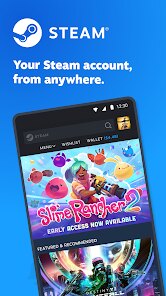
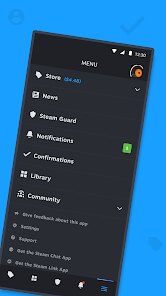
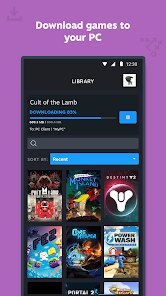
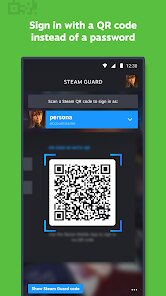
editor reviews
When looking for a central hub to organize, launch, and discuss your game library on a PC, Steam is the platform that consistently comes up. Developed and maintained by Valve Corporation, it is a digital storefront and game management client that dominates the PC gaming space. The application is available as a free download on the Windows and macOS platforms via its official website, and while it doesn't have a standard listing on the Google Play Store for phones, the Steam Link app can be downloaded and installed from there for streaming your PC games to a mobile device. The core app itself is free, though it naturally features frequent sales and store promotions, along with a robust inventory and marketplace system for items and trading cards that can involve real money.
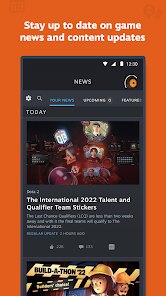
Steam's primary interaction is through its library and store pages. After installation, you're greeted by a user interface that groups your purchased games into a clean list, with a prominent store button that leads into a vast catalog of titles, from major AAA releases to obscure indie projects. The experience of browsing the "Steam Store" is one of discovery, aided by user reviews, developer updates, and personalized recommendation algorithms. A key functional aspect is the integrated browser and overlay, which allows you to chat with friends, track achievements, and access community guides while inside a game without ever having to Alt-Tab out. It's an ecosystem where the application is as much a part of the gaming session as the title you are playing.
Comparing Steam to alternatives like GOG or the Epic Games Store reveals different design philosophies. While GOG sells similarly tagged games, its strong suit is a strict no-DRM policy, allowing offline installations and direct ownership without needing a constantly active launcher. Epic's store offers a cleaner, less cluttered interface and aggressive free game giveaways. However, Steam feels more established and feature-rich, acting not just as a store but as a social platform and library manager. The slightly busier user interface carries a certain level of depth that many users, myself included, find rewarding after a short learning curve, even if it can feel overwhelming to a new user compared to Epic's minimalist approach.
features
- A core aspect that defines Steam is the Workshop. This feature allows developers to support user-created modifications directly through the platform. Instead of manually searching for mods on a fan site, you can browse, subscribe to, and manage mods for supported games like "Cities: Skylines" or "Kerbal Space Program" from within the normal application interface. It feels seamless and instantly expands the replayability of a title without extra hassle.
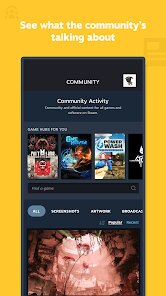
- The integrated community system is another major foundation. For nearly any game you own, you can immediately view player-made screenshots, detailed guides, and ongoing discussion forums. This transforms a simple purchase into access to a living community. I have found that searching for a tricky puzzle in a game like "The Witness" becomes a simple click away, with a guide or a reddit-like forum thread readily available.
- Compared to smaller launchers, Steam Remote Play stands out as a practical feature. This functionality lets you stream a game from your main PC to another computer or a mobile device via the Steam Link app. It effectively turns a modest laptop into a powerful gaming machine for local titles, an option that Epic and GOG lack entirely without third-party tools.
pros
- Managing a large collection becomes much simpler. The library organizes everything into one list, with options to sort by genre, recent playtime, or custom tags you set yourself.
- Automatic updates and cloud saves save time and prevent progress loss. The client handles patches for your entire library and syncs save files across computers without you intervening.
- Deals and bundles are consistently good. The seasonal sales are well-known, but daily deals and publisher weekends offer regular opportunities to pick up a game at a reasonable price.
cons
- The client can feel heavy and slow to launch. It sometimes takes a noticeable amount of time to load the library and store pages, especially on an older system with a traditional hard drive.
- Its always-online requirement for some features is a minor annoyance. While you can have an offline mode, many social and store functions require an internet connection to work correctly.
- Refunding a game, while generally fair with the two-week/two-hour rule, involves a request process that takes a full day to process and is not instant.
Articles
![]()
Guide
How to Update Google Play Store on Android 2026
![]()
Guide
How to Download Older Versions of Android Apps
![]()
Guide
How to Download Apps Without Google Play Store
![]()
Guide
What Is an APK File for Android?
If you use an Android phone, you may have seen the term APK while searching for apps or games online. Some websites offer an APK download instead of a Google Play install button. Some users also mention APK files when talking about apps that are not available in their region, older app versions, or Android games downloaded outside the Play Store.
![]()
Guide
How to Install Games from Google Play for Beginners
Installing games on an Android phone is usually simple, but for beginners, the process can still feel confusing at first. You may not know where to search, which button to tap, whether the game is safe, or why Google Play sometimes asks for account settings, storage access, or payment information. If you are using an Android phone for the first time, learning how to install games from Google Play is one of the easiest ways to get started.
![]()
Guide
How Useful Gemini Is for Everyday Questions and Quick Tasks
emini feels different from many AI apps because it is not only trying to be a chatbot. After using it for everyday questions, quick writing, image understanding, and planning, I think its biggest strength is convenience.
![]()
Guide
What to Know Before Downloading APKs
For many Android users, downloading an APK is a common way to install apps and games. Sometimes an app is not available in a certain country.
![]()
Guide
ChatGPT Review: Is It Still the Best AI App in 2026?
![]()
Guide
Seedance 2.0 vs Sora: The Future of AI Video Generation
The AI video race has intensified dramatically over the past two years. Platforms like Sora from OpenAI and Luma Dream Machine pushed the boundaries of text-to-video realism. Yet, despite their impressive outputs, most tools still operate as probabilistic generators—you describe a scene, and the model interprets it. Control remains limited. With the February 2026 release of Seedance 2.0, developed by ByteDance, the paradigm shifted. Internally known as Jimeng 2.0, Seedance does not position itself as just another video model. It positions itself as an AI Director. Rather than guessing what you want, Seedance 2.0 allows you to direct what happens. This distinction defines everything that follows.









Recommended Apps
![]()
Home Design 3D
Anuman4.2
![]()
Truth or Dare Game - Party App
Chouic4.8
![]()
Photo Collage Maker
Scoompa4.7![]()
Learn to Draw Flower
Creative APPS4.2![]()
FIFA World Cup 2026™
FIFA2.8![]()
Mirror Plus: Mirror with Light
Digitalchemy, LLC4.4![]()
Meitu- Photo Editor & AI Art
Meitu (China) Limited4.5![]()
Perplexity - Ask Anything
PerplexityAI4.7![]()
GhostTube SLS Camera Alternate
GhostTube4![]()
Boom Chip Blast: 2-Player
Black Pyramid 3D Games Studio0![]()
Healthy Benefits+
Solutran, Inc.4.5![]()
Deepcheck AI Search Assistant
rohe.ai4![]()
Idol Prank Video Call & Chat
LightCode Solutions4![]()
Face Shape - Pretty Scale
GlintTec Apps3.9![]()
Plant App - Plant Identifier
ScaleUp4.6











































