

Zangi Private Messenger

50M+
Installs
Secret Phone, Inc
Developer
-
Social
Category
-
Everyone
Content Rating
-
support@zangi.com
Developer Email
-
https://zangi.com/privacy-policy
Privacy Policy
Screenshots
editor reviews
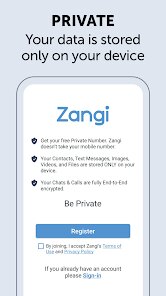
Finding a messaging app that genuinely prioritizes privacy without sacrificing reliability has become somewhat of a challenge. Zangi Private Messenger, available on Google Play from Secret Phone, Inc., presents itself as a solution. The app is free to download and install, and it focuses on encrypted communication through text, voice, and video calls. It operates on a peer-to-peer network, which means user data does not pass through central servers; this design choice is central to its privacy claims. Zangi does include in-app purchases for additional features and displays some advertisements, though these are not particularly intrusive during active conversations.
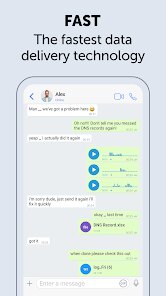
The core functionality revolves around direct, encrypted connections between users. Once you install the app and create an account, the interface is clean and intuitive, displaying contacts, conversations, and call logs on a simple dashboard. Making a voice or video call initiates the app to request a direct peer-to-peer connection, which often results in noticeably clear call quality even on slower data connections. The text messaging section feels responsive, with messages delivered quickly once the connection is established. What stands out is the stability; I have found that calls rarely drop, even in areas where other messaging apps struggle with connectivity, making the overall experience quite reliable.
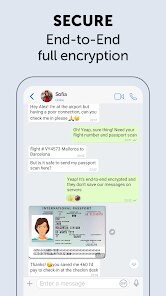
When compared to other secure messengers like Signal or Telegram, Zangi differentiates itself through its network architecture. Signal, for instance, relies heavily on centralized servers for message relay and account management, while Zangi's peer-to-peer approach reduces reliance on third-party infrastructure. This can be advantageous in regions where internet censorship or surveillance is more prevalent. However, this design also means that certain features common in other apps are absent. For example, Zangi does not offer end-to-end encryption for group chats in the same way Signal does, nor does it have the cloud-synced message history that Telegram provides. The trade-off appears to be a focus on real-time communication stability over feature breadth, which I find suits specific use cases better than others.
features
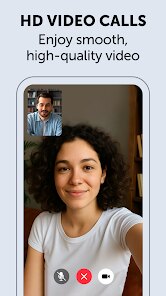
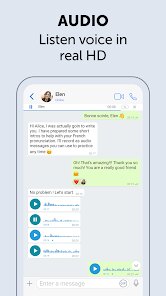
- The call quality is one of the strongest aspects of Zangi. Voice calls sound crisp and clear, and video calls maintain a stable resolution even on 3G or weak Wi-Fi. Compared to WhatsApp, which sometimes degrades heavily under similar conditions, Zangi's adaptive bitrate makes a noticeable difference.
- Privacy controls are straightforward but effective. The app allows users to set a PIN lock, hide conversations from the main chat list, and disable read receipts. These options give a sense of control without requiring deep technical knowledge, which is refreshing for a privacy-focused tool.
- Offline messaging works reasonably well. If a contact is not connected, the app stores the message and sends it once the connection is reestablished. This is not as seamless as Telegram's cloud-based system, but it is functional and reliable for occasional use.
pros
- The peer-to-peer network means no central servers hold your call logs or message content, reducing the risk of data breaches significantly.
- Calls are extremely stable on slow or unstable internet connections, making it a practical choice for travel or areas with poor infrastructure.
- The app uses minimal data during calls compared to many competitors, which helps save on mobile data plans without compromising quality.
cons
- Group chat features are limited; there is no end-to-end encryption for groups, and managing multiple participants feels less polished compared to apps like Signal.
- The app occasionally fails to reconnect automatically after a network change, requiring a manual restart to restore functionality.
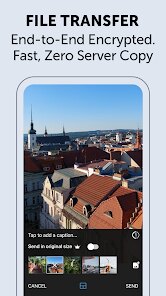
- Media sharing is restricted to smaller file sizes than what Telegram or WhatsApp allow, which can be inconvenient when sending photos or documents.
Articles
![]()
Guide
How to Update Google Play Store on Android 2026
![]()
Guide
How to Download Older Versions of Android Apps
![]()
Guide
How to Download Apps Without Google Play Store
![]()
Guide
What Is an APK File for Android?
If you use an Android phone, you may have seen the term APK while searching for apps or games online. Some websites offer an APK download instead of a Google Play install button. Some users also mention APK files when talking about apps that are not available in their region, older app versions, or Android games downloaded outside the Play Store.
![]()
Guide
How to Install Games from Google Play for Beginners
Installing games on an Android phone is usually simple, but for beginners, the process can still feel confusing at first. You may not know where to search, which button to tap, whether the game is safe, or why Google Play sometimes asks for account settings, storage access, or payment information. If you are using an Android phone for the first time, learning how to install games from Google Play is one of the easiest ways to get started.
![]()
Guide
How Useful Gemini Is for Everyday Questions and Quick Tasks
emini feels different from many AI apps because it is not only trying to be a chatbot. After using it for everyday questions, quick writing, image understanding, and planning, I think its biggest strength is convenience.
![]()
Guide
What to Know Before Downloading APKs
For many Android users, downloading an APK is a common way to install apps and games. Sometimes an app is not available in a certain country.
![]()
Guide
ChatGPT Review: Is It Still the Best AI App in 2026?
![]()
Guide
Seedance 2.0 vs Sora: The Future of AI Video Generation
The AI video race has intensified dramatically over the past two years. Platforms like Sora from OpenAI and Luma Dream Machine pushed the boundaries of text-to-video realism. Yet, despite their impressive outputs, most tools still operate as probabilistic generators—you describe a scene, and the model interprets it. Control remains limited. With the February 2026 release of Seedance 2.0, developed by ByteDance, the paradigm shifted. Internally known as Jimeng 2.0, Seedance does not position itself as just another video model. It positions itself as an AI Director. Rather than guessing what you want, Seedance 2.0 allows you to direct what happens. This distinction defines everything that follows.









Recommended Apps
![]()
Home Design 3D
Anuman4.2
![]()
Truth or Dare Game - Party App
Chouic4.8
![]()
Photo Collage Maker
Scoompa4.7![]()
Learn to Draw Flower
Creative APPS4.2![]()
FIFA World Cup 2026™
FIFA2.8![]()
Mirror Plus: Mirror with Light
Digitalchemy, LLC4.4![]()
Meitu- Photo Editor & AI Art
Meitu (China) Limited4.5![]()
Perplexity - Ask Anything
PerplexityAI4.7![]()
GhostTube SLS Camera Alternate
GhostTube4![]()
Boom Chip Blast: 2-Player
Black Pyramid 3D Games Studio0![]()
Healthy Benefits+
Solutran, Inc.4.5![]()
Deepcheck AI Search Assistant
rohe.ai4![]()
Idol Prank Video Call & Chat
LightCode Solutions4![]()
Face Shape - Pretty Scale
GlintTec Apps3.9![]()
Plant App - Plant Identifier
ScaleUp4.6












































